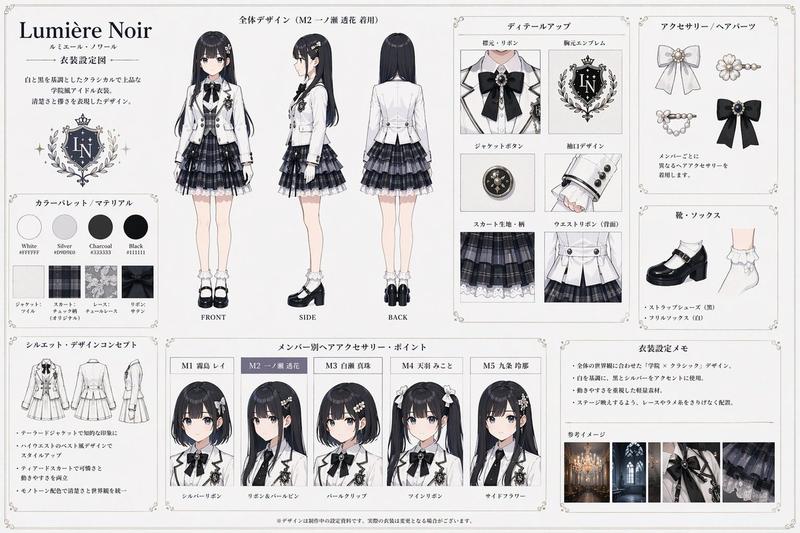
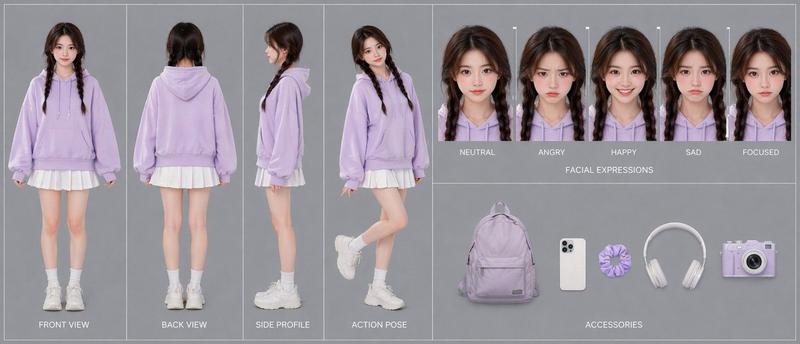
综合角色设计表
Prompt
{
  "type": "comprehensive anime character reference sheet",
  "character": {
    "name": "{argument name=\"character name\" default=\"SHIBUYA SHION\"}",
    "hair": "{argument name=\"hair color\" default=\"black bob with purple inner color\"}",
    "eyes": "{argument name=\"eye color\" default=\"purple\"}",
    "style": "{argument name=\"theme\" default=\"urban minimalist street fashion\"}"
  },
  "layout": {
    "top_left": {
      "sections": [
        "PROFILE",
        "CONCEPT",
        "KEYWORD"
      ]
    },
    "top_center": {
      "title": "◆ 三面図 (THREE VIEWS)",
      "count": 3,
      "labels": ["FRONT", "SIDE", "BACK"],
      "outfit": "{argument name=\"main outfit\" default=\"lavender hoodie, denim shorts, black backpack, black high-top sneakers\"}"
    },
    "top_right": {
      "title": "◆ 表情 (EXPRESSIONS)",
      "count": 6,
      "labels": ["ニュートラル", "微笑み", "真剣", "驚き", "照れ", "笑顔"]
    },
    "bottom_left": {
      "title": "◆ ディテール (DETAILS)",
      "count": 6,
      "labels": ["目 (EYES)", "髪 (HAIR)", "ピアス (EARRING)", "パーカー (HOODIE)", "バックパック (BACKPACK)", "スニーカー (SNEAKERS)"]
    },
    "bottom_right": {
      "title": "◆ 衣装バリエーション (OUTFIT VARIATIONS)",
      "count": 3,
      "labels": ["デイリー (DAILY)", "モノトーン (MONOTONE)", "クリエイター (CREATOR)"]
    },
    "footer": {
      "palettes": [
        {
          "title": "◆ カラーパレット (COLOR PALETTE)",
          "count": 6,
          "labels": ["HAIR", "EYES", "HOODIE", "DENIM", "SHOES", "SKIN"]
        },
        {
          "title": "◆ 素材・質感 (MATERIALS)",
          "count": 4,
          "labels": ["HOODIE FABRIC", "DENIM", "BACKPACK CANVAS", "METAL"]
        }
      ],
      "notes": {
        "title": "◆ 備考 (NOTES)",
        "project_info": "PROJECT: SHIBUYA ARTIST, DATE: DEC 2025"
      }
    }
  }
}- Category
- Posters & Typography
- Model
- GPT Image 2
- Creator
- サモ(Futoshi Iwasawa)
- Source ID
- 13744
- Published
- Apr 17, 2026
Views7