13

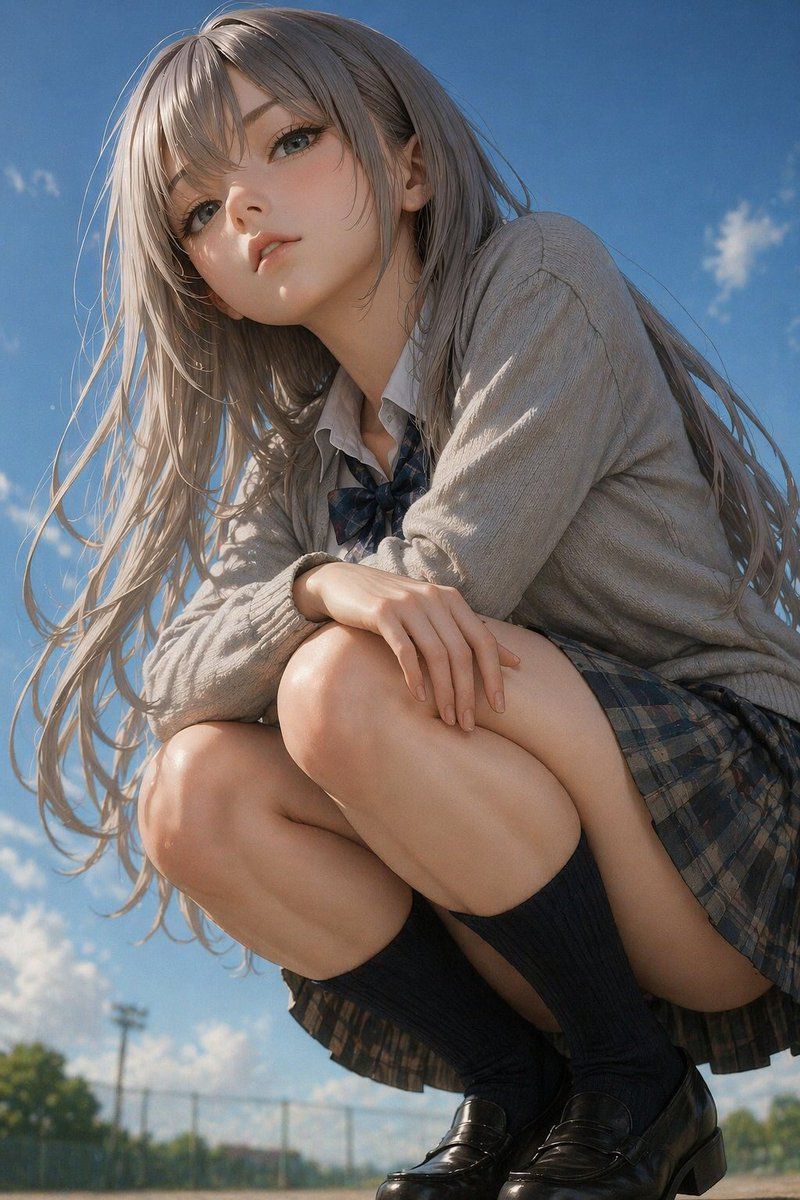
写实风格动漫女高中生蹲姿肖像
Enlarge

写实风格动漫女高中生蹲姿肖像

Prompt
A highly detailed, photorealistic anime-style portrait of a young woman crouching down and looking slightly down at the camera from a low angle. She has long, flowing {argument name="hair color" default="ash-blonde"} hair blowing gently in the wind, pale skin, and large, expressive eyes. She is wearing a {argument name="outfit" default="Japanese school uniform with a light grey cardigan, white shirt, dark plaid bow tie, dark plaid pleated skirt, dark knee-high socks, and black leather loafers"}. Her arms are resting casually on her knees. The background is a bright {argument name="sky condition" default="clear blue sky with scattered white clouds"}, with a blurred {argument name="background setting" default="chain-link fence and green trees"} visible at the very bottom, suggesting a schoolyard. The lighting is bright, natural daylight with soft, cinematic shadows, emphasizing the realistic textures of her clothing and skin.
Category
Charts & Infographics
Model
GPT Image 2
Views11
Source ID
14233
Published
Apr 20, 2026

Guide

About "写实风格动漫女高中生蹲姿肖像"

What is this prompt for?

"写实风格动漫女高中生蹲姿肖像" AI image prompt for GPT Image 2 (Charts & Infographics). 生成一张高度精细的 2.5D 风格肖像,描绘了一名身穿校服的女孩在户外背景为天空的场景中蹲下的画面。 Copy it on Picva and recreate the…

The full copyable prompt and example visuals above are ready for AI image generation or one-click recreate in Picva.

How to use this prompt

  1. Step 1

    Open the prompt detail

    Review the example visuals, category, and full prompt text for "写实风格动漫女高中生蹲姿肖像".

  2. Step 2

    Copy the prompt

    Copy the prompt body from this page, or load it directly in Studio.

  3. Step 3

    Pick a model (GPT Image 2)

    Prefer GPT Image 2. If you switch models, keep subject and composition and tweak style terms.

  4. Step 4

    Generate and export

    Recreate the look in Picva, or export into your workflow for editing and publishing.

FAQ

What is the "写实风格动漫女高中生蹲姿肖像" prompt?
It is an AI image-generation prompt for GPT Image 2 in the Charts & Infographics category. This page includes the full prompt text, example visuals, and a one-click recreate path in Picva.
How do I use this prompt to generate an image?
Copy the prompt from this page, or use Generate / Studio. Paste it into a compatible image model, or recreate the look in Picva with optional reference images.
Which model is this prompt for?
This page lists GPT Image 2. Most descriptive prompts also transfer to nearby image models such as GPT Image, Flux, or Midjourney with light style tweaks.
Can I use the result commercially?
You can usually copy the prompt for creation, but commercial use of the final image depends on the model terms, reference-image rights, and the generated content. Follow the source author and platform rules.