复古中国童年记忆海报
Prompt
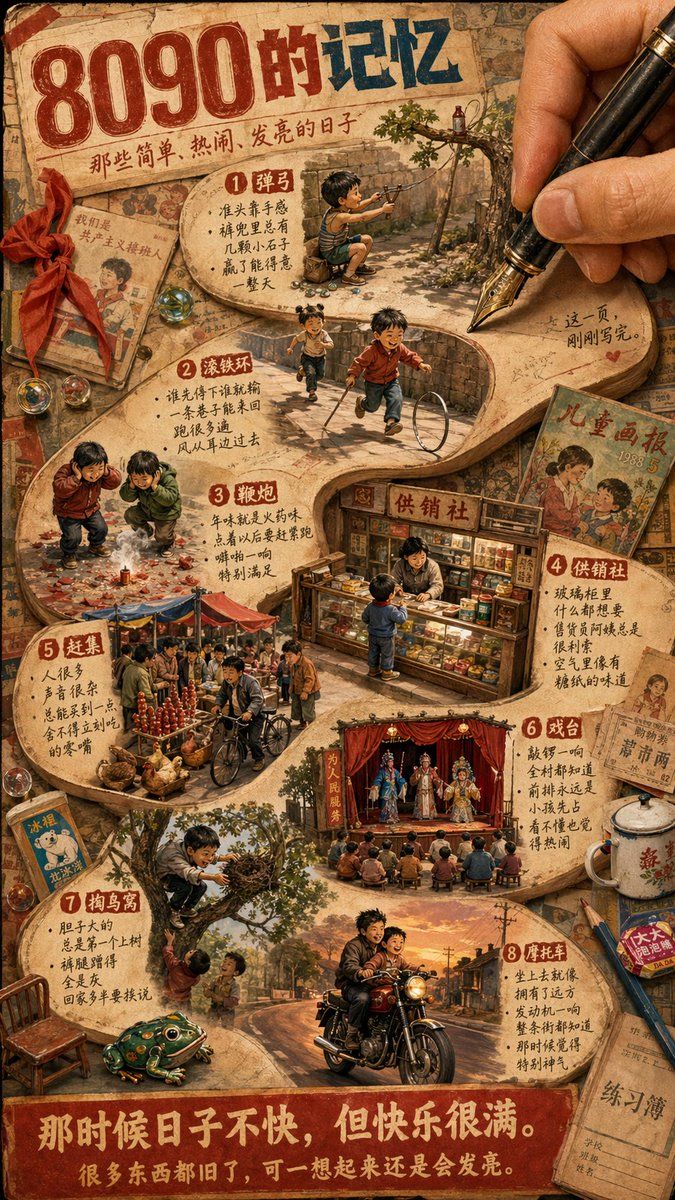
Create a richly detailed nostalgic Chinese retro poster collage in warm sepia, faded red, and aged paper tones, designed like a memory scrapbook spread on an old desk. The composition is vertical and packed with miniature diorama scenes embedded inside a large irregular paper cutout path, while a realistic adult hand at the upper right holds a black fountain pen with a gold nib, as if writing the memories into existence. At the top, large distressed Chinese headline text reads {argument name="headline text" default="8090的记忆"}, with smaller handwritten-style subtitle text beneath it reading “那些简单、热闹、发亮的日子”. The paper surface should look cracked, yellowed, stained, and worn, with old magazine clippings, notebooks, marbles, ribbon, pencils, enamel mug, and children’s illustrated books scattered around the edges. Include exactly 8 numbered memory scenes arranged from top to bottom on the central paper path, each with a red circle number and Chinese handwritten annotations beside it: scene 1 is a boy crouching outdoors aiming a slingshot under a tree; scene 2 is two children running with a metal hoop and stick in an alley; scene 3 is two children crouching over small firecrackers on the ground with smoke and red paper debris; scene 4 is a tiny old-fashioned neighborhood shop counter labeled “供销社”, with one child buying snacks from the shopkeeper and shelves packed with goods; scene 5 is a bustling market fair with many adults, baskets, poultry, produce, and a bicycle vendor; scene 6 is an open-air village opera stage with red curtains, performers in colorful traditional costumes, and a seated audience; scene 7 is two children at a tree, one climbing or reaching into a nest while another watches below, with a green tin frog toy nearby; scene 8 is a man riding a motorcycle with a child passenger down an old street at sunset. Add surrounding retro printed items with visible vintage Chinese cover text, including a left-side old children’s book, a right-side magazine titled “儿童画报 1985 5”, a small blue booklet near the lower left, and a worn exercise notebook near the lower right. At the bottom, place a bold red banner with large cream-colored Chinese text reading {argument name="bottom quote" default="那时候日子不快,但快乐很满。"} and a second smaller line reading {argument name="sub quote" default="很多东西都旧了,可一想起来还是会发亮。"}. The entire image should feel tactile, cinematic, and emotionally warm, combining photorealistic objects with handcrafted poster design, dense storytelling details, tiny human figures, nostalgic 1980s–1990s Chinese childhood atmosphere, and soft golden lighting.- Category
- Posters & Typography
- Model
- GPT Image 2
- Creator
- 马特Matt
- Source ID
- 14436
- Published
- Apr 22, 2026
Views5