19

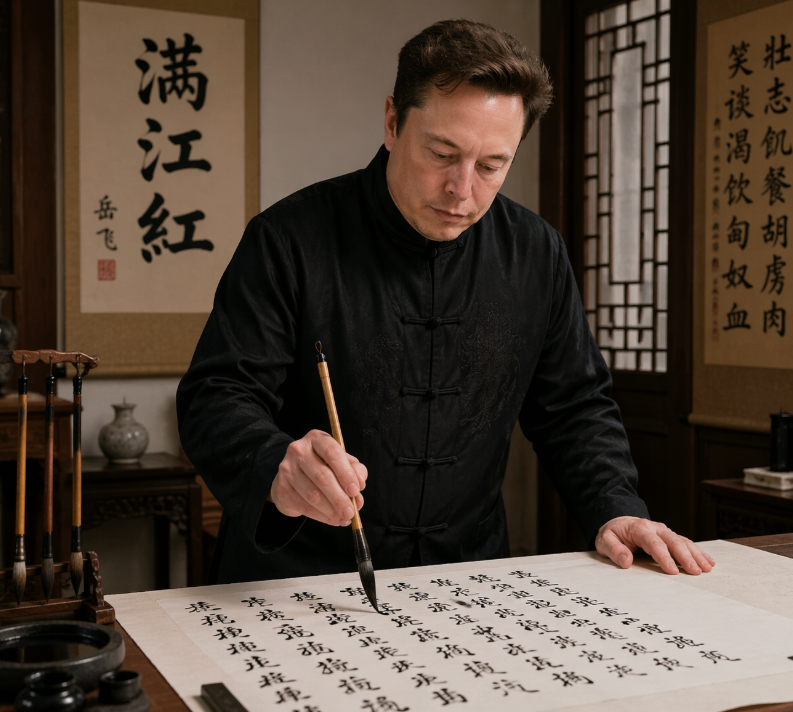
照片级真实感的书法学者场景
Enlarge

照片级真实感的书法学者场景

Prompt
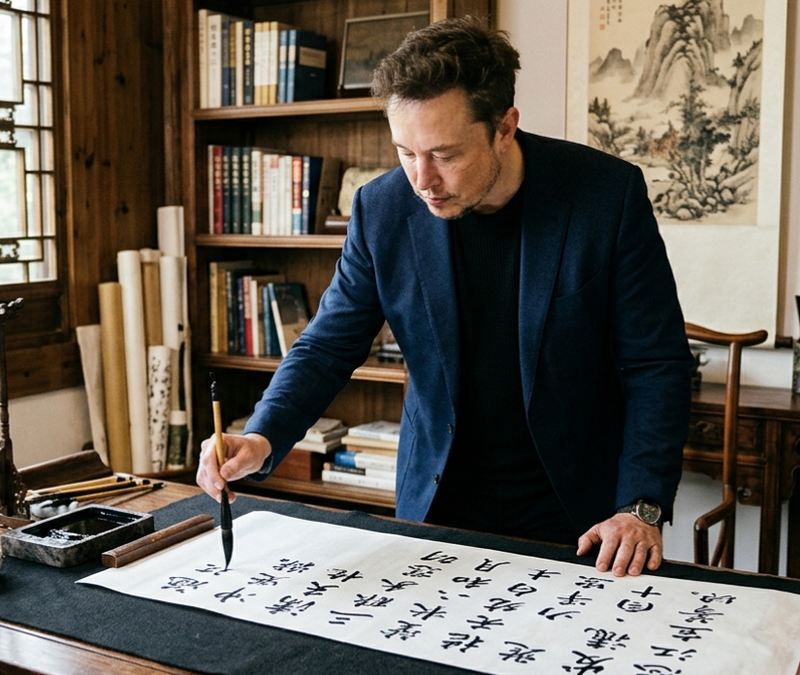
A realistic indoor portrait of {argument name="subject" default="Elon Musk"} standing at a traditional Chinese writing desk, practicing brush calligraphy on a large sheet of rice paper. He wears a black Tang-style Chinese jacket with frog-button closures and subtle embroidered texture, leaning slightly forward with one hand resting on the table and the other holding a calligraphy brush vertically over the paper. The scene is a warm, elegant scholar's studio with dark wooden furniture, a carved brush stand holding exactly 4 hanging calligraphy brushes on the left, an ink stone and small ink containers in the lower-left foreground, and a small ceramic vase on a side table in the back. Behind him are exactly 2 vertical hanging scrolls: the left scroll prominently displays the large characters {argument name="left scroll text" default="满江红"}, and the right scroll contains a longer column of Chinese calligraphy. A wooden lattice window appears on the right side, letting in soft ambient light. The paper on the desk is filled with many lines of black Chinese calligraphy in flowing semi-cursive script, suggesting he is writing {argument name="written poem" default="《满江红》"}. Use a documentary-style, photorealistic aesthetic with cinematic warm lighting, rich wood tones, authentic calligraphy tools, shallow depth of field, waist-up composition, and a serious, focused atmosphere.
Category
Charts & Infographics
Model
GPT Image 2
Creator
氪学家
Views2
Source ID
14450
Published
Apr 21, 2026

Guide

About "照片级真实感的书法学者场景"

What is this prompt for?

"照片级真实感的书法学者场景" AI image prompt for GPT Image 2 (Charts & Infographics). 此提示词可生成一张知名科技人物在传统书房中练习中国书法的写实肖像,适用于社论讽刺、文化混搭或社交媒体对比帖。 Copy it on Picva and recreate t…

The full copyable prompt and example visuals above are ready for AI image generation or one-click recreate in Picva.

How to use this prompt

  1. Step 1

    Open the prompt detail

    Review the example visuals, category, and full prompt text for "照片级真实感的书法学者场景".

  2. Step 2

    Copy the prompt

    Copy the prompt body from this page, or load it directly in Studio.

  3. Step 3

    Pick a model (GPT Image 2)

    Prefer GPT Image 2. If you switch models, keep subject and composition and tweak style terms.

  4. Step 4

    Generate and export

    Recreate the look in Picva, or export into your workflow for editing and publishing.

FAQ

What is the "照片级真实感的书法学者场景" prompt?
It is an AI image-generation prompt for GPT Image 2 in the Charts & Infographics category. This page includes the full prompt text, example visuals, and a one-click recreate path in Picva.
How do I use this prompt to generate an image?
Copy the prompt from this page, or use Generate / Studio. Paste it into a compatible image model, or recreate the look in Picva with optional reference images.
Which model is this prompt for?
This page lists GPT Image 2. Most descriptive prompts also transfer to nearby image models such as GPT Image, Flux, or Midjourney with light style tweaks.
Can I use the result commercially?
You can usually copy the prompt for creation, but commercial use of the final image depends on the model terms, reference-image rights, and the generated content. Follow the source author and platform rules.