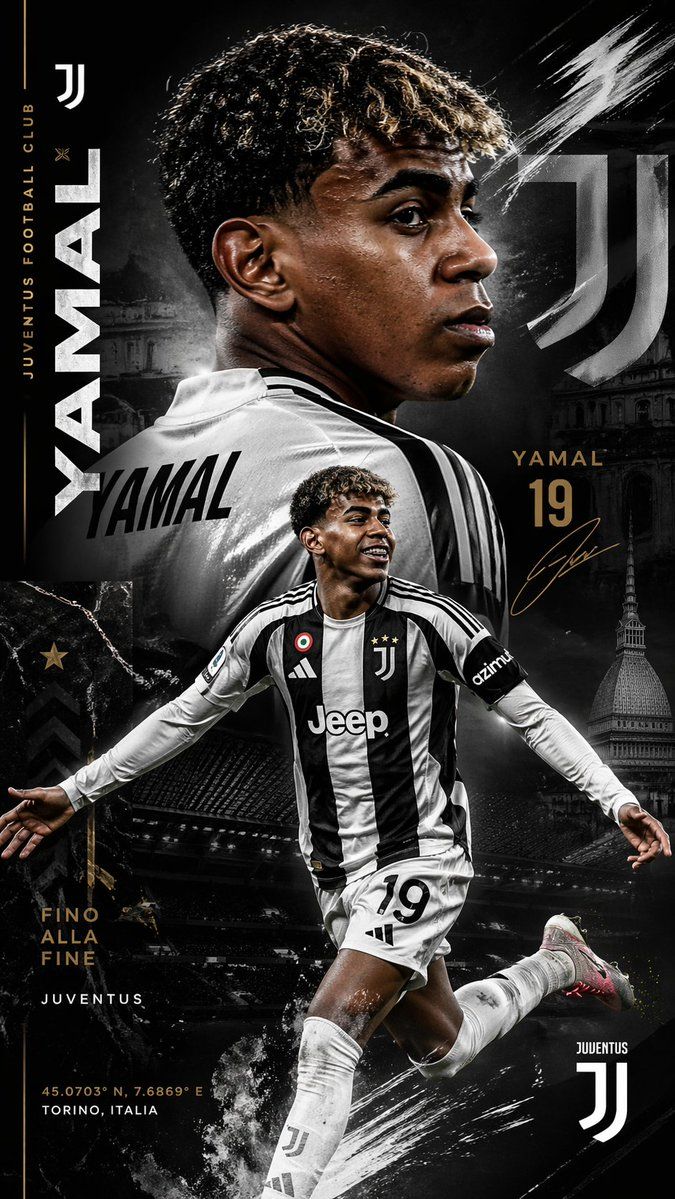
尤文图斯 Yamal 转会海报
Prompt
Create a dramatic vertical football poster for {argument name="player name" default="Yamal"} in a Juventus transfer-announcement style, ultra-detailed, high-contrast, black-and-white with metallic gold accents, gritty premium sports graphic design. The composition has 2 visible portraits of the same young male footballer with dark brown skin and short tight curly hair: one large upper-body rear three-quarter portrait dominating the top half, wearing a glossy white Juventus jersey with the name {argument name="jersey name" default="YAMAL"} printed large across the back, head turned slightly left so one ear and partial cheek are visible; and one full-body action pose in the lower center, arms spread wide while running or celebrating, wearing the modern Juventus home kit with black-and-white vertical stripes, white shorts with the number {argument name="squad number" default="19"}, white socks, and light-colored boots with a subtle pink accent on the sole. Keep the face areas softly obscured and non-detailed. Use a dark moody background with layered architectural imagery of Turin, including 3 landmark elements: a faint domed historic building on the left mid-background, a tall tower resembling Mole Antonelliana on the lower right, and a shadowy stadium structure across the lower middle. Add 3 Juventus logos: one small white logo at the top left, one large translucent logo integrated into the upper right background, and one medium white logo at the bottom right. Add bold typography and editorial layout elements: the word {argument name="main vertical text" default="YAMAL"} set vertically in huge white condensed sans-serif letters along the left side, small vertical gold text reading "JUVENTUS FOOTBALL CLUB" beside it, gold text on the right reading {argument name="side name text" default="YAMAL"} above the large gold number "19", a gold signature scribble below, the slogan "FINO ALLA FINE" stacked in gold on the lower left, "JUVENTUS" in small white text beneath it, and small coordinate text at the bottom left reading "45.0703° N, 7.6869° E" and "TORINO, ITALIA". The jersey on the action figure should include visible sponsor and badge details: Juventus crest with 3 stars, Adidas logo, Jeep sponsor, a circular tricolor badge on the chest, and a black sleeve patch reading "azimut". Add energetic white paint streaks and brush slashes in 3 main areas: upper right, lower center near the kicking leg, and subtle scratches on the left edge. Include marble-like black texture panels, gold star accents, faint chevrons, and smoky atmosphere. Lighting should be cinematic with rim light on the player, glossy fabric highlights, sharp contrast, and a premium transfer-poster aesthetic suitable for a social media football announcement.- Category
- Charts & Infographics
- Model
- GPT Image 2
- Creator
- SobatMiskinTV
- Source ID
- 15448
- Published
- Apr 23, 2026
Views4