15

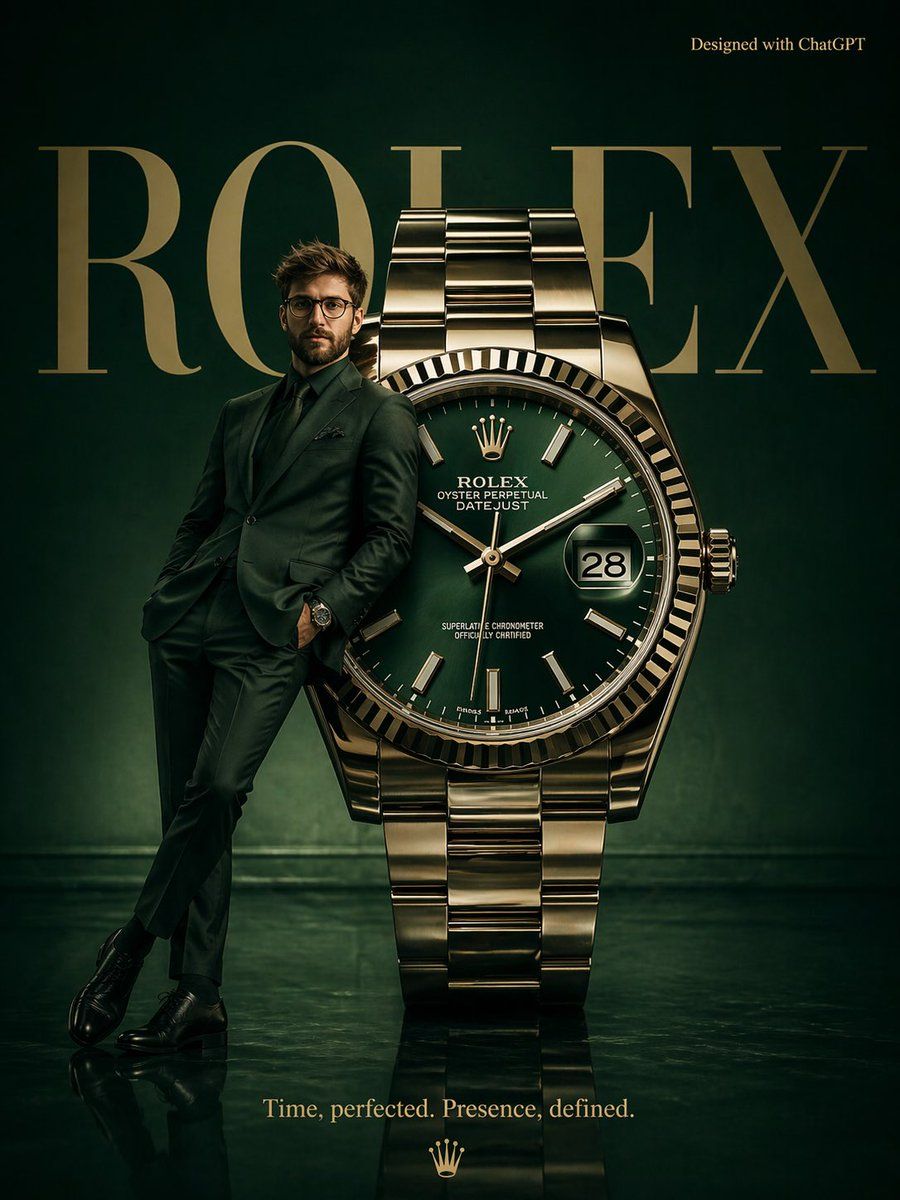
超现实主义 Rolex 广告海报
Enlarge

超现实主义 Rolex 广告海报

Prompt
A high-fashion surrealist poster for {argument name="brand" default="Rolex"}. A deep emerald green minimalist studio with a polished reflective floor. A massive Rolex watch stands upright like a monument. A {argument name="subject" default="male model"} in a tailored dark green suit leans casually against the watch face, wearing a matching Rolex. In the background, bold “ROLEX” typography appears in large elegant serif type, partially occluded. Top right: “Designed with ChatGPT”. Bottom center tagline: “{argument name="tagline" default="Time, perfected. Presence, defined."}” Moody luxury lighting, rich tones, cinematic reflections. Aspect ratio: 3:4
Category
Charts & Infographics
Model
GPT Image 2
Creator
Duet | AI
Views3
Source ID
15882
Published
Apr 25, 2026

Guide

About "超现实主义 Rolex 广告海报"

What is this prompt for?

"超现实主义 Rolex 广告海报" AI image prompt for GPT Image 2 (Charts & Infographics). 一张为奢侈腕表品牌设计的超现实主义高定风格海报,背景为一个极简主义的祖母绿摄影棚,中央矗立着一座巨大的腕表纪念碑。 Copy it on Picva and recr…

The full copyable prompt and example visuals above are ready for AI image generation or one-click recreate in Picva.

How to use this prompt

  1. Step 1

    Open the prompt detail

    Review the example visuals, category, and full prompt text for "超现实主义 Rolex 广告海报".

  2. Step 2

    Copy the prompt

    Copy the prompt body from this page, or load it directly in Studio.

  3. Step 3

    Pick a model (GPT Image 2)

    Prefer GPT Image 2. If you switch models, keep subject and composition and tweak style terms.

  4. Step 4

    Generate and export

    Recreate the look in Picva, or export into your workflow for editing and publishing.

FAQ

What is the "超现实主义 Rolex 广告海报" prompt?
It is an AI image-generation prompt for GPT Image 2 in the Charts & Infographics category. This page includes the full prompt text, example visuals, and a one-click recreate path in Picva.
How do I use this prompt to generate an image?
Copy the prompt from this page, or use Generate / Studio. Paste it into a compatible image model, or recreate the look in Picva with optional reference images.
Which model is this prompt for?
This page lists GPT Image 2. Most descriptive prompts also transfer to nearby image models such as GPT Image, Flux, or Midjourney with light style tweaks.
Can I use the result commercially?
You can usually copy the prompt for creation, but commercial use of the final image depends on the model terms, reference-image rights, and the generated content. Follow the source author and platform rules.