16

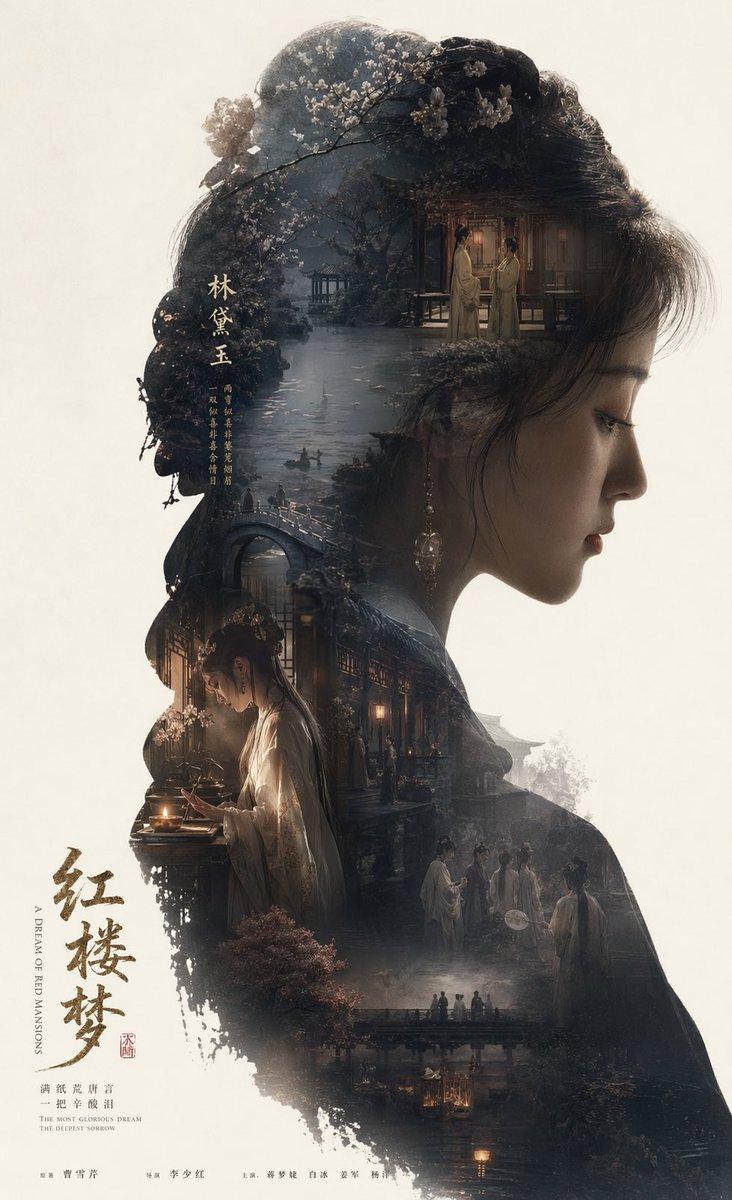
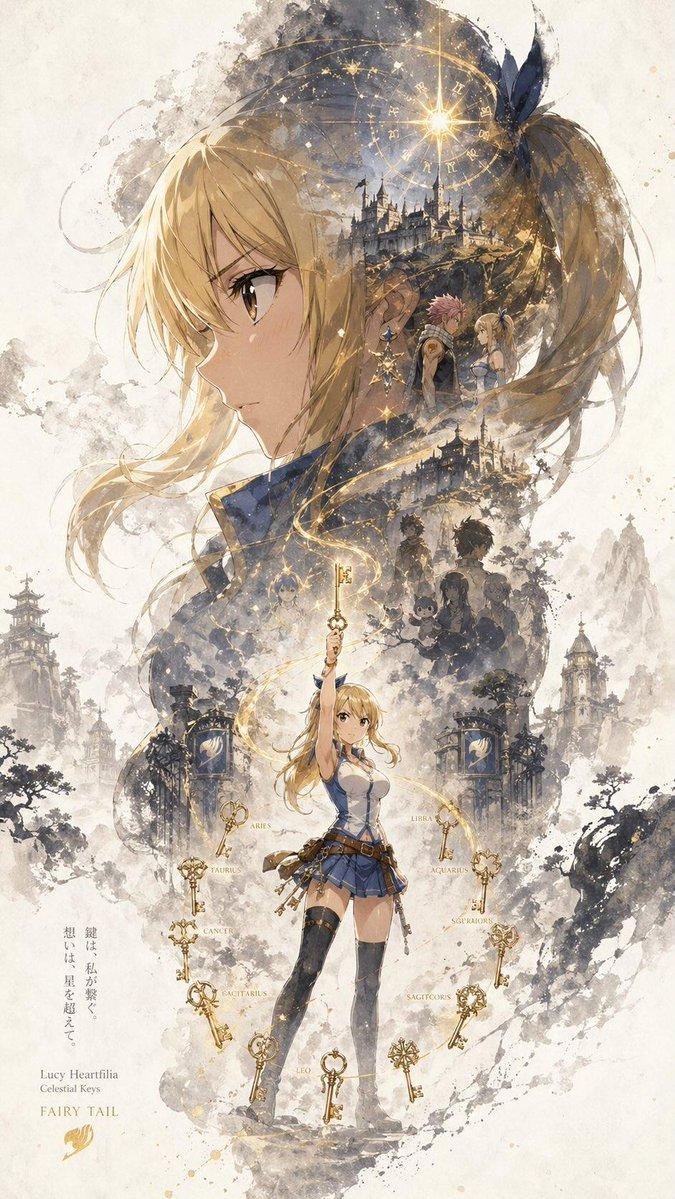
史诗叙事剪影海报
Enlarge

史诗叙事剪影海报

Prompt
根据我的人物肖像自动生成一张收藏版史诗叙事海报({argument name="主题" default="毕业照"}:巨大的我的侧脸剪影作为外轮廓,剪影内部自动生长出最契合该主题的完整世界观、标志性场景、角色关系、象征符号、关键建筑、生物、道具与氛围({argument name="场景元素" default="校园+毕业"})。

整体不是普通拼贴,而是高级的剪影轮廓填充式叙事合成,带有双重曝光式联想,但更偏{argument name="艺术风格" default="电影海报与梦幻水彩插画融合风格"};柔和空气透视,轻雾化过波,纸张颗粒,边缘白与刷痕,大面积留白,版式克制高级,安静、宏大、神圣、怀旧、诗意、传说感。

风格、色彩、场景、材质全部根据主题自动适配,所有元素必须强绑定主题,一眼识别,不要杂乱,不要硬拼贴,不要模板化背景,不要廉价奇幻素材。如果有字体用英文。
Category
Posters & Typography
Model
GPT Image 2
Creator
Rachel🥥
Views3
Source ID
16836
Published
Apr 28, 2026

Guide

About "史诗叙事剪影海报"

What is this prompt for?

"史诗叙事剪影海报" AI image prompt for GPT Image 2 (Posters & Typography). 一个用于创建双重曝光风格剪影海报的复杂提示词,旨在将完整的叙事世界融入人物轮廓之中 Copy it on Picva and recreate the look in one clic…

The full copyable prompt and example visuals above are ready for AI image generation or one-click recreate in Picva.

How to use this prompt

  1. Step 1

    Open the prompt detail

    Review the example visuals, category, and full prompt text for "史诗叙事剪影海报".

  2. Step 2

    Copy the prompt

    Copy the prompt body from this page, or load it directly in Studio.

  3. Step 3

    Pick a model (GPT Image 2)

    Prefer GPT Image 2. If you switch models, keep subject and composition and tweak style terms.

  4. Step 4

    Generate and export

    Recreate the look in Picva, or export into your workflow for editing and publishing.

FAQ

What is the "史诗叙事剪影海报" prompt?
It is an AI image-generation prompt for GPT Image 2 in the Posters & Typography category. This page includes the full prompt text, example visuals, and a one-click recreate path in Picva.
How do I use this prompt to generate an image?
Copy the prompt from this page, or use Generate / Studio. Paste it into a compatible image model, or recreate the look in Picva with optional reference images.
Which model is this prompt for?
This page lists GPT Image 2. Most descriptive prompts also transfer to nearby image models such as GPT Image, Flux, or Midjourney with light style tweaks.
Can I use the result commercially?
You can usually copy the prompt for creation, but commercial use of the final image depends on the model terms, reference-image rights, and the generated content. Follow the source author and platform rules.