19

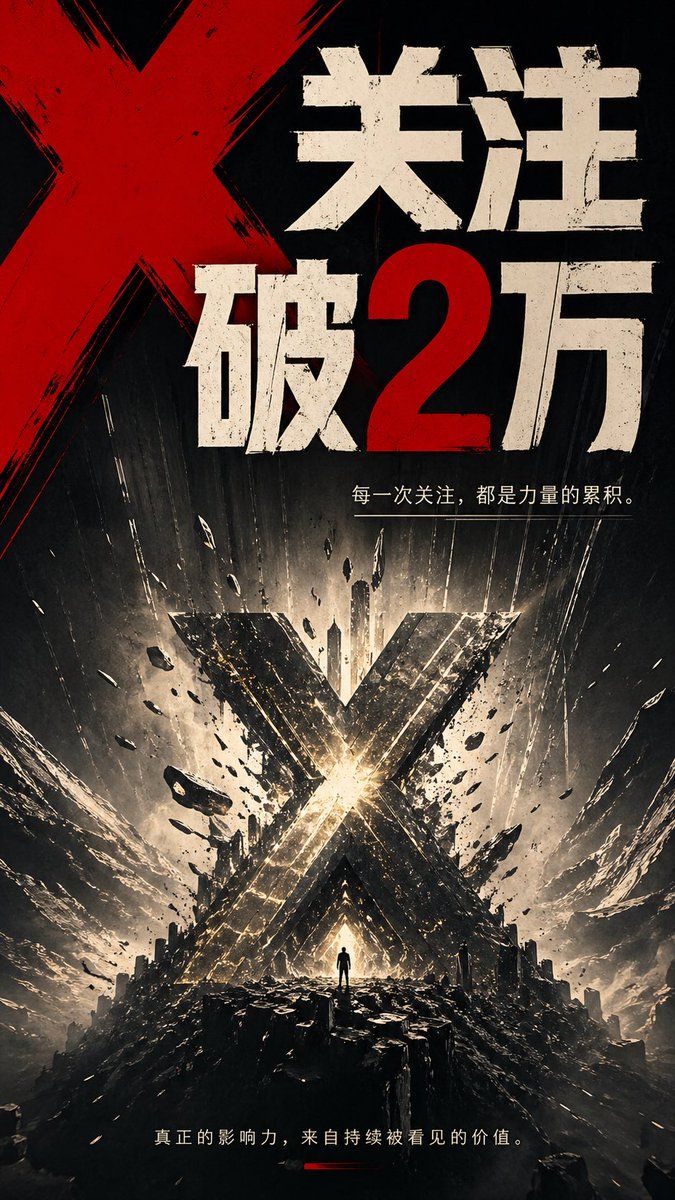
史诗级里程碑 X 海报
Enlarge

史诗级里程碑 X 海报

Prompt
A dramatic vertical poster in a dark cinematic graphic-novel style, dominated by a giant red painted X in the upper left and huge distressed Chinese typography across the top reading “关注破2万”, with the number 2 in red and the rest of the characters in rough off-white block letters. Beneath the headline, add a smaller thin white Chinese tagline line: “每一次关注,都是力量的累积。” In the lower half, show an apocalyptic monumental landscape with a colossal metallic X-shaped structure exploding upward from the center, glowing with intense white-gold light at its core, surrounded by flying debris, fractured rock, dust streaks, sparks, and dramatic radial energy beams. Place 1 tiny solitary human silhouette standing at the base of the glowing X on a jagged black rocky platform for scale. Use a palette of black, charcoal, ash gray, off-white, metallic gold, and blood red, with extreme contrast, gritty textures, scratched ink-like brush marks, weathered print distress, and a sense of violent impact and triumph. At the bottom, include another small white Chinese sentence: “真正的影响力,来自持续被看见的价值。” with a short red underline accent beneath it. The composition should feel like an epic announcement poster for reaching {argument name="follower milestone" default="2万"}, with bold propaganda-inspired typography, explosive motion, towering symmetry, and a powerful social-growth metaphor centered on the X symbol.
Category
Charts & Infographics
Model
GPT Image 2
Creator
李岳
Views8
Source ID
16879
Published
Apr 28, 2026

Guide

About "史诗级里程碑 X 海报"

What is this prompt for?

"史诗级里程碑 X 海报" AI image prompt for GPT Image 2 (Charts & Infographics). 此提示词可生成一张用于粉丝里程碑的醒目竖版宣传海报,适用于具有电影质感的社交媒体庆祝图。 Copy it on Picva and recreate the look in o…

The full copyable prompt and example visuals above are ready for AI image generation or one-click recreate in Picva.

How to use this prompt

  1. Step 1

    Open the prompt detail

    Review the example visuals, category, and full prompt text for "史诗级里程碑 X 海报".

  2. Step 2

    Copy the prompt

    Copy the prompt body from this page, or load it directly in Studio.

  3. Step 3

    Pick a model (GPT Image 2)

    Prefer GPT Image 2. If you switch models, keep subject and composition and tweak style terms.

  4. Step 4

    Generate and export

    Recreate the look in Picva, or export into your workflow for editing and publishing.

FAQ

What is the "史诗级里程碑 X 海报" prompt?
It is an AI image-generation prompt for GPT Image 2 in the Charts & Infographics category. This page includes the full prompt text, example visuals, and a one-click recreate path in Picva.
How do I use this prompt to generate an image?
Copy the prompt from this page, or use Generate / Studio. Paste it into a compatible image model, or recreate the look in Picva with optional reference images.
Which model is this prompt for?
This page lists GPT Image 2. Most descriptive prompts also transfer to nearby image models such as GPT Image, Flux, or Midjourney with light style tweaks.
Can I use the result commercially?
You can usually copy the prompt for creation, but commercial use of the final image depends on the model terms, reference-image rights, and the generated content. Follow the source author and platform rules.