18

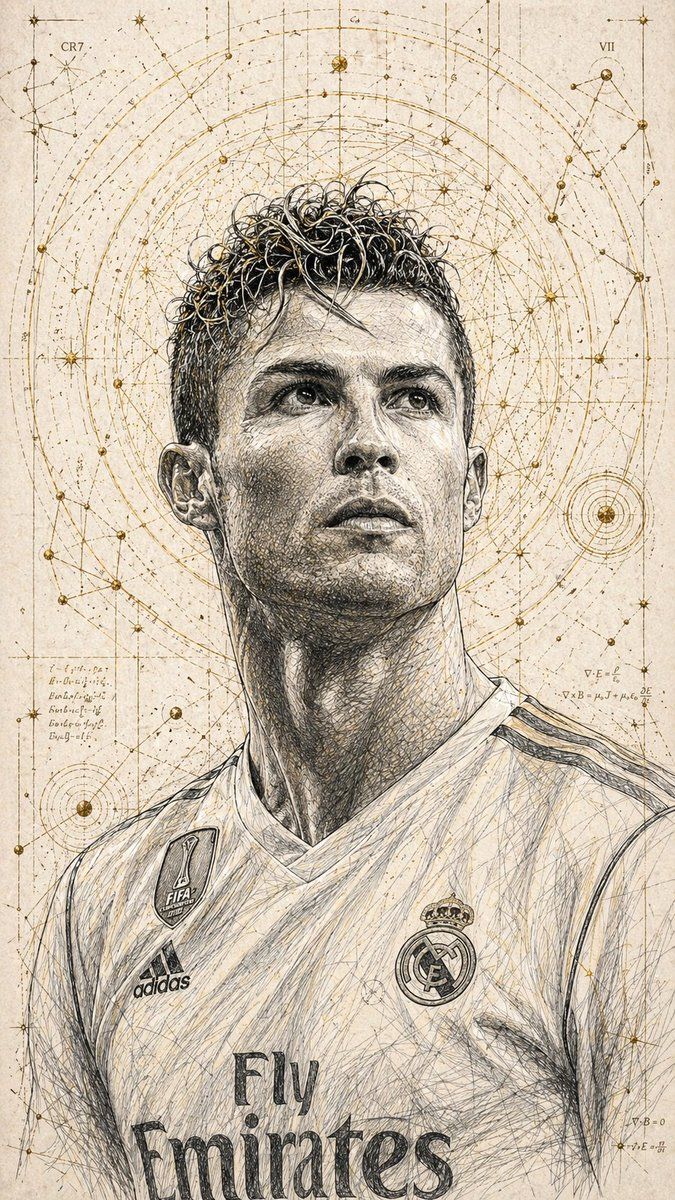
技术墨水素描肖像
Enlarge

Example images

技术墨水素描肖像

Prompt
A highly detailed, hand-drawn illustration in a technical style of a {argument name="subject" default="young man looking upward"} with a hopeful and at the same time intense expression. His face is elaborated with fine cross-hatching that particularly emphasizes the facial structure and the emotional impact. The hair appears tousled and dynamic, with individual strands depicted in an ink-like sketch style.The portrait is surrounded by {argument name="details" default="golden geometric patterns, celestial rings, and constellation-like lines"}, creating a fusion of scientific precision and spiritual atmosphere.Ratio 9:16
Category
Photography & Realism
Model
GPT Image 2
Views1
Source ID
17053
Published
Apr 29, 2026

Guide

About "技术墨水素描肖像"

What is this prompt for?

"技术墨水素描肖像" AI image prompt for GPT Image 2 (Photography & Realism). 一个结合了科学精度与灵性几何图案的手绘插画提示词。 Copy it on Picva and recreate the look in one click.

The full copyable prompt and example visuals above are ready for AI image generation or one-click recreate in Picva.

How to use this prompt

  1. Step 1

    Open the prompt detail

    Review the example visuals, category, and full prompt text for "技术墨水素描肖像".

  2. Step 2

    Copy the prompt

    Copy the prompt body from this page, or load it directly in Studio.

  3. Step 3

    Pick a model (GPT Image 2)

    Prefer GPT Image 2. If you switch models, keep subject and composition and tweak style terms.

  4. Step 4

    Generate and export

    Recreate the look in Picva, or export into your workflow for editing and publishing.

FAQ

What is the "技术墨水素描肖像" prompt?
It is an AI image-generation prompt for GPT Image 2 in the Photography & Realism category. This page includes the full prompt text, example visuals, and a one-click recreate path in Picva.
How do I use this prompt to generate an image?
Copy the prompt from this page, or use Generate / Studio. Paste it into a compatible image model, or recreate the look in Picva with optional reference images.
Which model is this prompt for?
This page lists GPT Image 2. Most descriptive prompts also transfer to nearby image models such as GPT Image, Flux, or Midjourney with light style tweaks.
Can I use the result commercially?
You can usually copy the prompt for creation, but commercial use of the final image depends on the model terms, reference-image rights, and the generated content. Follow the source author and platform rules.