中文摄影教程书籍页面
Prompt
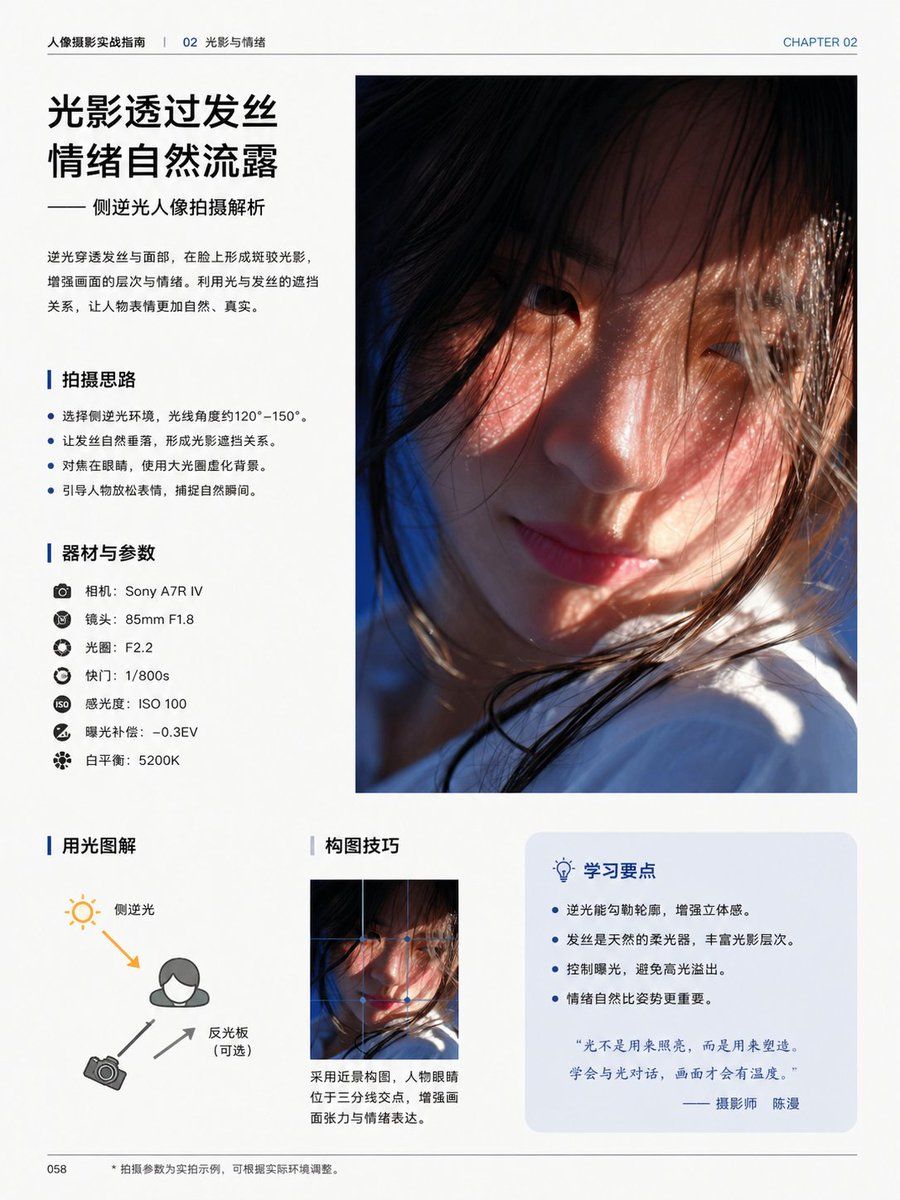
{"type":"editorial photography tutorial book page","style":"clean modern Chinese magazine layout, minimalist white background, professional typography, generous margins, thin divider lines, blue accent color, premium print design","page":{"chapter_label":"CHAPTER 02","header_left":"人像摄影实战指南 | 02 光影与情绪","page_number":"058","size":"single portrait-oriented book page"},"content_blocks":[{"kind":"headline_block","position":"top-left","title":"{argument name=\"headline text\" default=\"光影透过发丝\n情绪自然流露\"}","subtitle":"—— 侧逆光人像拍摄解析","body":"逆光穿透发丝与面部,在脸上形成斑驳光影,增强画面的层次与情绪。利用光与发丝的遮挡关系,让人物表情更加自然、真实。"},{"kind":"main_photo","position":"top-right","count":1,"description":"large vertical portrait photo occupying the upper-right half of the page, cinematic close-up of a young woman in side backlight, warm sunlight passing through loose hair strands, soft skin tones, shallow depth of field, part of the face obscured by hair and framing, white clothing visible near the bottom, emotional and intimate atmosphere"},{"kind":"bullet_section","position":"mid-left","title":"拍摄思路","count":4,"items":["选择侧逆光环境,光线角度约120°–150°。","让发丝自然垂落,形成光影遮挡关系。","对焦在眼睛,使用大光圈虚化背景。","引导人物放松表情,捕捉自然瞬间。"]},{"kind":"gear_section","position":"left-center","title":"器材与参数","count":7,"items":["相机:{argument name=\"camera model\" default=\"Sony A7R IV\"}","镜头:85mm F1.8","光圈:F2.2","快门:1/800s","感光度:ISO 100","曝光补偿:-0.3EV","白平衡:5200K"]},{"kind":"diagram_section","position":"bottom-left","title":"用光图解","count":3,"labels":["侧逆光","反光板(可选)","相机"],"description":"simple lighting diagram with a person icon, sun icon at upper left, camera icon at lower left, one orange arrow showing back-side light direction toward the subject, two gray arrows indicating camera and reflector relationship"},{"kind":"composition_section","position":"bottom-center","title":"构图技巧","count":1,"image":"small vertical crop of the same portrait image","caption":"采用近景构图,人物眼睛位于三分线交点,增强画面张力与情绪表达。"},{"kind":"tips_box","position":"bottom-right","title":"学习要点","count":4,"items":["逆光能勾勒轮廓,增强立体感。","发丝是天然的柔光器,丰富光影层次。","控制曝光,避免高光溢出。","情绪自然比姿势更重要。"],"quote":"“光不是用来照亮,而是用来塑造,学会与光对话,画面才会有温度。”—— 摄影师 {argument name=\"photographer name\" default=\"陈漫\"}"}],"footer":{"left":"058","center":"• 拍摄参数为实拍示例,可根据实际环境调整。"},"visual_notes":"all body text in simplified Chinese, headings in bold black Chinese type, blue vertical accent bars before section titles, pale blue rounded rectangle behind the tips box, realistic print-ready editorial composition, high-end educational photography book aesthetic"}- Category
- Charts & Infographics
- Model
- GPT Image 2
- Creator
- 骑司Chase
- Source ID
- 17125
- Published
- Apr 29, 2026
Views2