17

时尚大片与卡通元素的融合
Enlarge

时尚大片与卡通元素的融合

Prompt
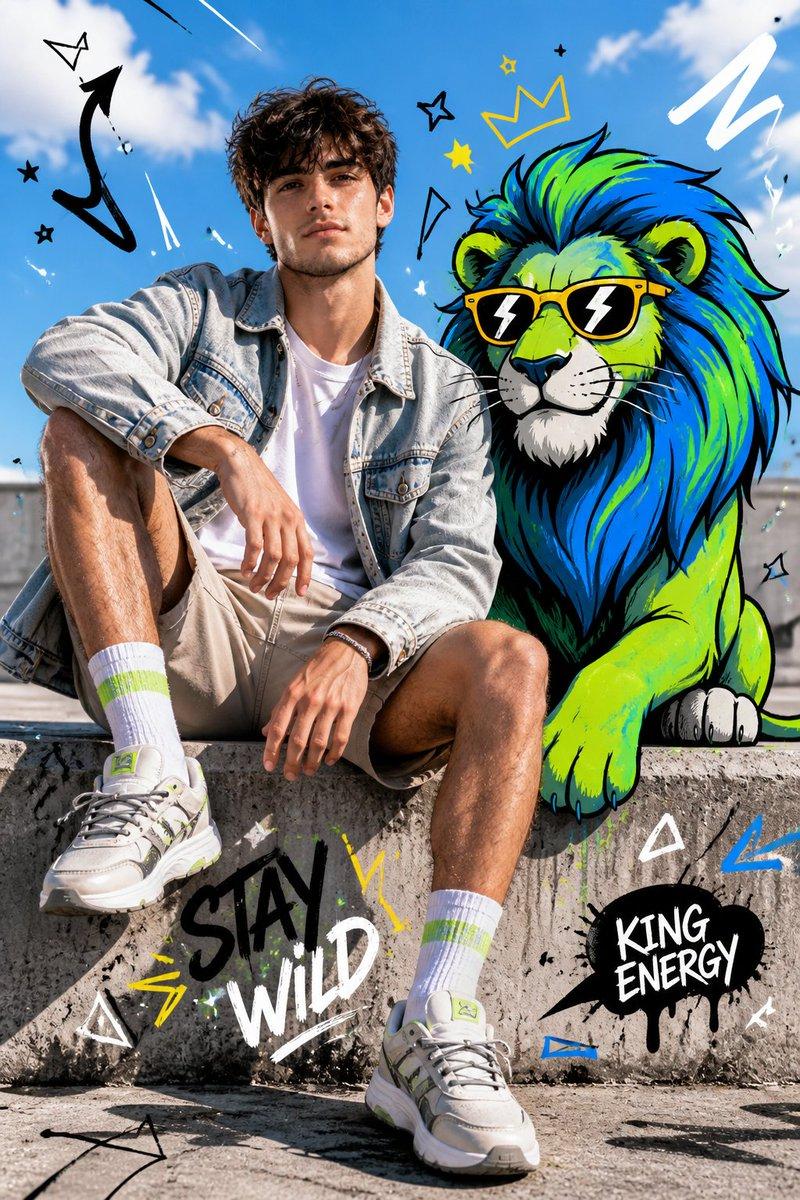
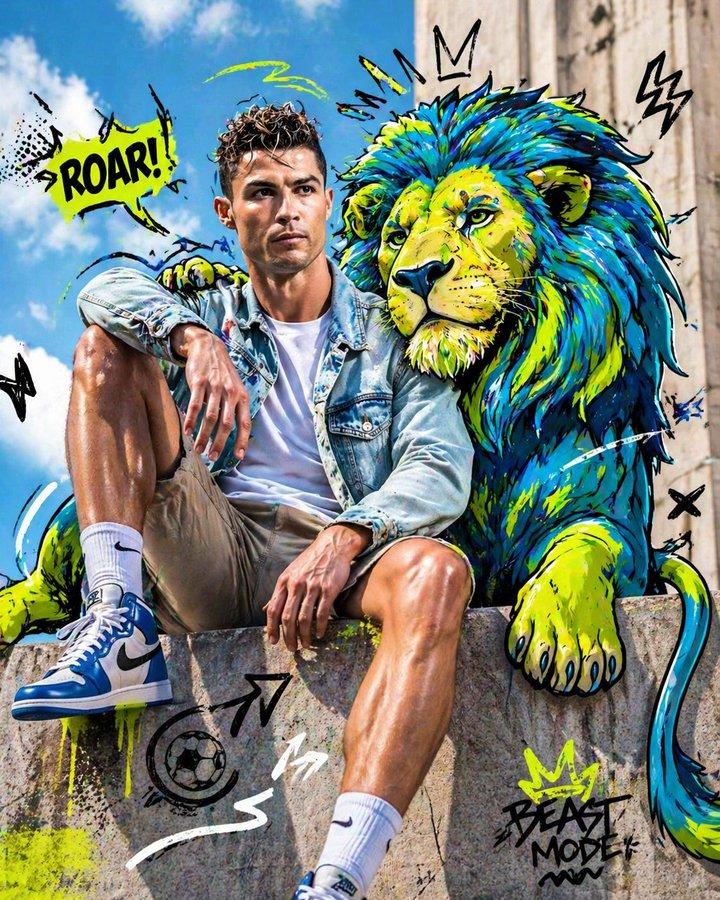
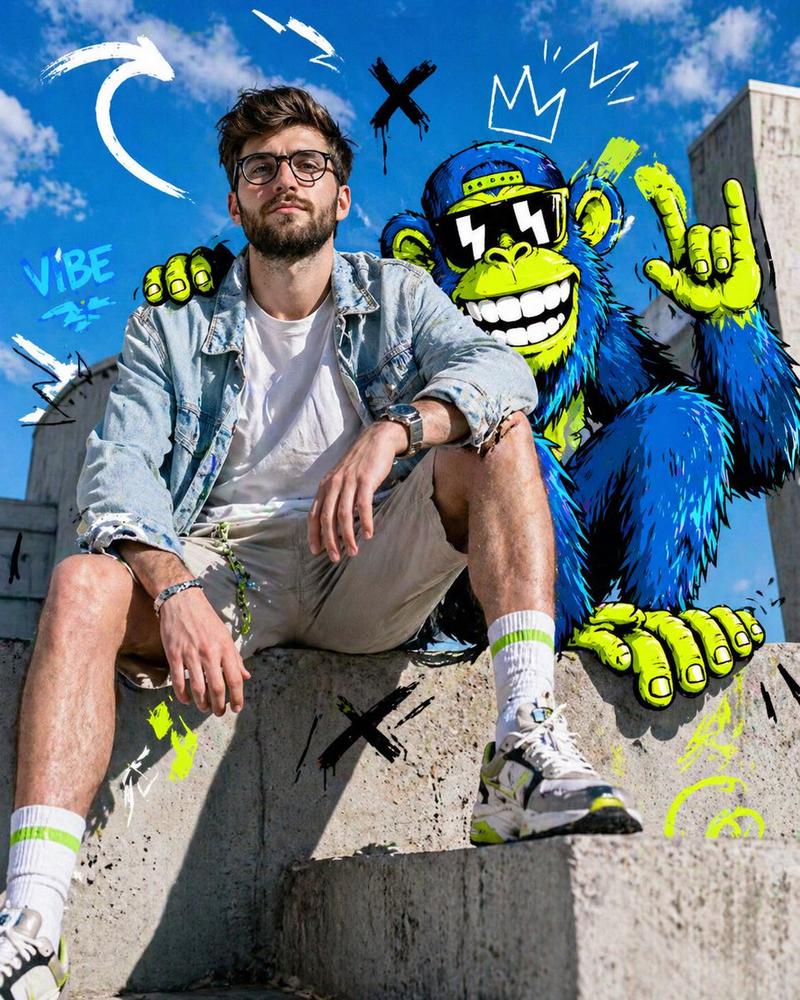
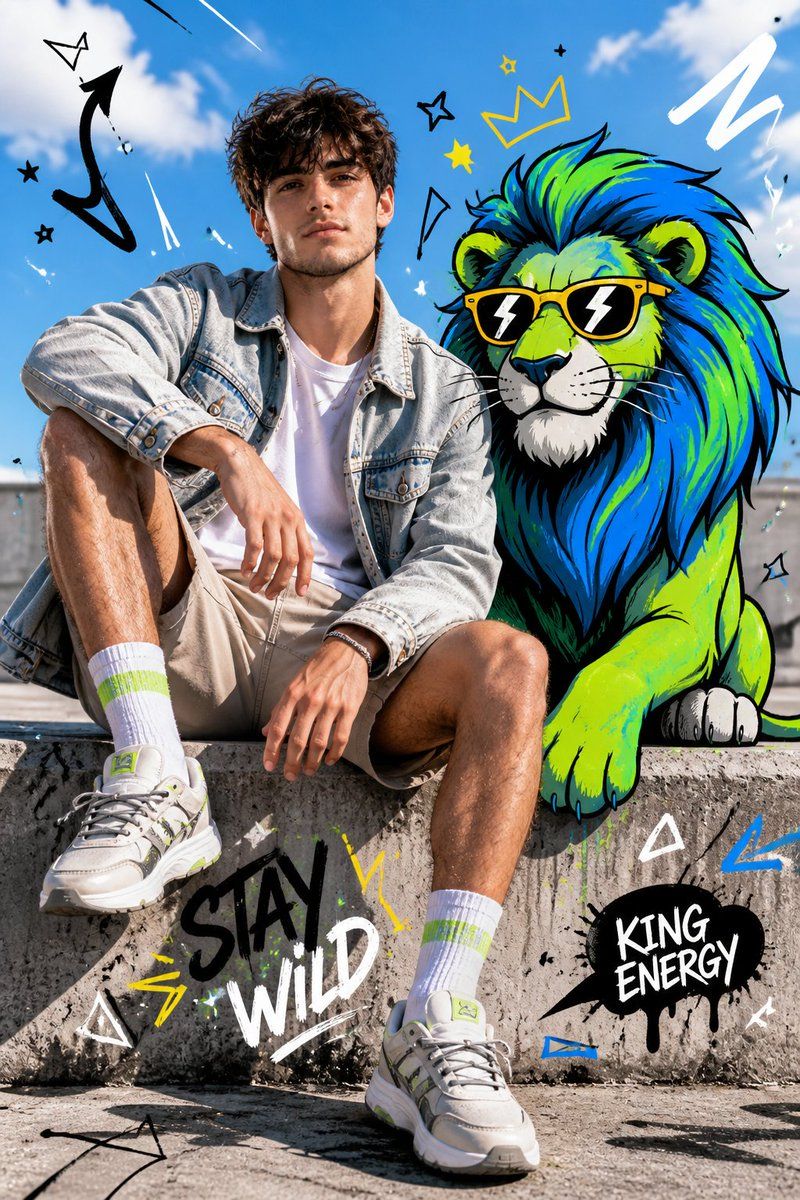
Full-body fashion editorial shot of a confident young {argument name="subject" default="person model"} sitting casually on a concrete ledge, legs slightly apart, one arm resting on knee, the other relaxed, looking straight at camera with a calm dominant expression. Wearing a light denim jacket over a plain white t-shirt, neutral shorts, bright socks, and modern sneakers. Clean styling, natural pose, wind slightly moving hair and fabric.
Beside and partially interacting with a {argument name="cartoon character" default="stylized cartoon [lion]"}, positioned naturally as if sharing the same space. The character is illustrated in {argument name="art style" default="bold cartoon style"} with thick black outlines, vibrant neon color palette (blue, green, yellow accents), exaggerated proportions, expressive features, playful yet powerful presence.
Bg: bright outdoor urban setting with clear blue sky, soft clouds, sunlit concrete textures, strong natural daylight, crisp shadows. Fusion of hyper-realistic photography and graphic illustration, seamless integration between subject and cartoon. Add graphic overlay elements: doodle arrows, scribbles, abstract shapes, comic-style symbols, dynamic motion lines. High contrast, HDR lighting, sharp focus, fashion editorial composition, surreal mixed-media aesthetic, ultra-detailed.
Category
Charts & Infographics
Model
GPT Image 2
Creator
Harboris
Views4
Source ID
17801
Published
May 2, 2026

Guide

About "时尚大片与卡通元素的融合"

What is this prompt for?

"时尚大片与卡通元素的融合" AI image prompt for GPT Image 2 (Charts & Infographics). 一个混合媒体提示词,将高级时尚都市摄影与风格化、充满活力的卡通角色及涂鸦元素相结合。 Copy it on Picva and recreate the look in on…

The full copyable prompt and example visuals above are ready for AI image generation or one-click recreate in Picva.

How to use this prompt

  1. Step 1

    Open the prompt detail

    Review the example visuals, category, and full prompt text for "时尚大片与卡通元素的融合".

  2. Step 2

    Copy the prompt

    Copy the prompt body from this page, or load it directly in Studio.

  3. Step 3

    Pick a model (GPT Image 2)

    Prefer GPT Image 2. If you switch models, keep subject and composition and tweak style terms.

  4. Step 4

    Generate and export

    Recreate the look in Picva, or export into your workflow for editing and publishing.

FAQ

What is the "时尚大片与卡通元素的融合" prompt?
It is an AI image-generation prompt for GPT Image 2 in the Charts & Infographics category. This page includes the full prompt text, example visuals, and a one-click recreate path in Picva.
How do I use this prompt to generate an image?
Copy the prompt from this page, or use Generate / Studio. Paste it into a compatible image model, or recreate the look in Picva with optional reference images.
Which model is this prompt for?
This page lists GPT Image 2. Most descriptive prompts also transfer to nearby image models such as GPT Image, Flux, or Midjourney with light style tweaks.
Can I use the result commercially?
You can usually copy the prompt for creation, but commercial use of the final image depends on the model terms, reference-image rights, and the generated content. Follow the source author and platform rules.