16

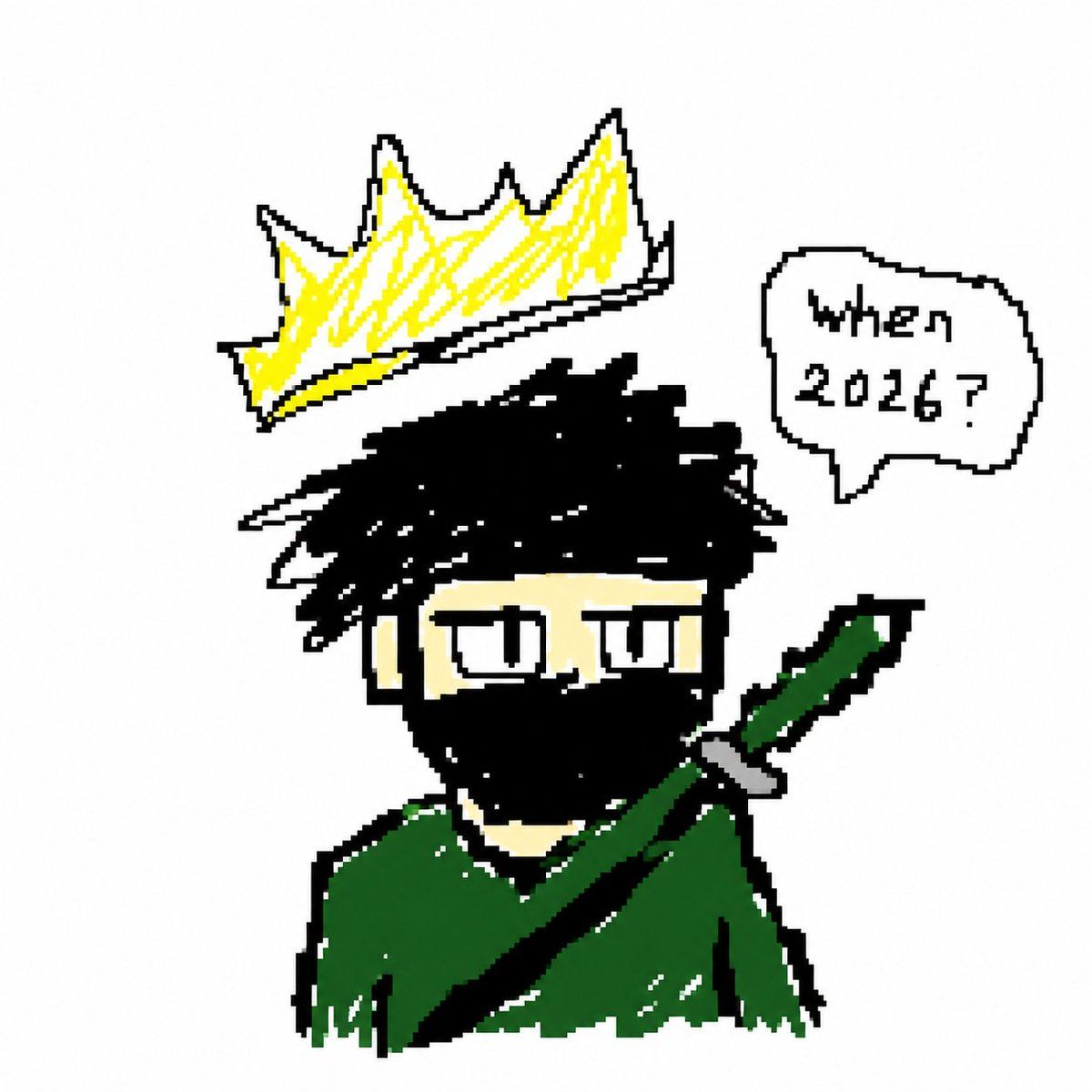
Crude Pixel King Ninja Doodle
Enlarge

Crude Pixel King Ninja Doodle

Prompt
Create a deliberately crude MS Paint / low-resolution pixel doodle on a plain white background, centered composition. Draw a cartoon bust of a mysterious king-like ninja character with messy spiky {argument name="hair color" default="black"} hair, pale beige skin, narrow rectangular sleepy eyes with black outlines, and a face mostly covered by a thick black mask or beard shape. He wears a rough dark {argument name="cloak color" default="green"} cloak with jagged edges and white scratchy highlights. A large diagonal sword or katana handle crosses from the lower left of the body up to the right shoulder, with a dark green grip, black blade or strap, and small gray guard. Floating above his head is an oversized jagged {argument name="crown color" default="yellow"} crown with black outline and white base, tilted slightly left, drawn with scribbly yellow fill. To the upper right, add exactly 1 rounded speech bubble with a black outline and small tail pointing toward the character; inside it write the hand-drawn text {argument name="speech bubble text" default="when 2026?"}. Use thick uneven black pixelated outlines, rough hand-sketched strokes, minimal colors, intentionally messy proportions, childlike digital drawing style, no shading beyond scribbles, no background details.
Category
Posters & Typography
Model
GPT Image 2
Creator
amt_index
Views1
Source ID
17981
Published
May 2, 2026

Guide

About "Crude Pixel King Ninja Doodle"

What is this prompt for?

"Crude Pixel King Ninja Doodle" AI image prompt for GPT Image 2 (Posters & Typography). Generates a rough MS Paint-style cartoon avatar of a crowned masked cha…

The full copyable prompt and example visuals above are ready for AI image generation or one-click recreate in Picva.

How to use this prompt

  1. Step 1

    Open the prompt detail

    Review the example visuals, category, and full prompt text for "Crude Pixel King Ninja Doodle".

  2. Step 2

    Copy the prompt

    Copy the prompt body from this page, or load it directly in Studio.

  3. Step 3

    Pick a model (GPT Image 2)

    Prefer GPT Image 2. If you switch models, keep subject and composition and tweak style terms.

  4. Step 4

    Generate and export

    Recreate the look in Picva, or export into your workflow for editing and publishing.

FAQ

What is the "Crude Pixel King Ninja Doodle" prompt?
It is an AI image-generation prompt for GPT Image 2 in the Posters & Typography category. This page includes the full prompt text, example visuals, and a one-click recreate path in Picva.
How do I use this prompt to generate an image?
Copy the prompt from this page, or use Generate / Studio. Paste it into a compatible image model, or recreate the look in Picva with optional reference images.
Which model is this prompt for?
This page lists GPT Image 2. Most descriptive prompts also transfer to nearby image models such as GPT Image, Flux, or Midjourney with light style tweaks.
Can I use the result commercially?
You can usually copy the prompt for creation, but commercial use of the final image depends on the model terms, reference-image rights, and the generated content. Follow the source author and platform rules.