18

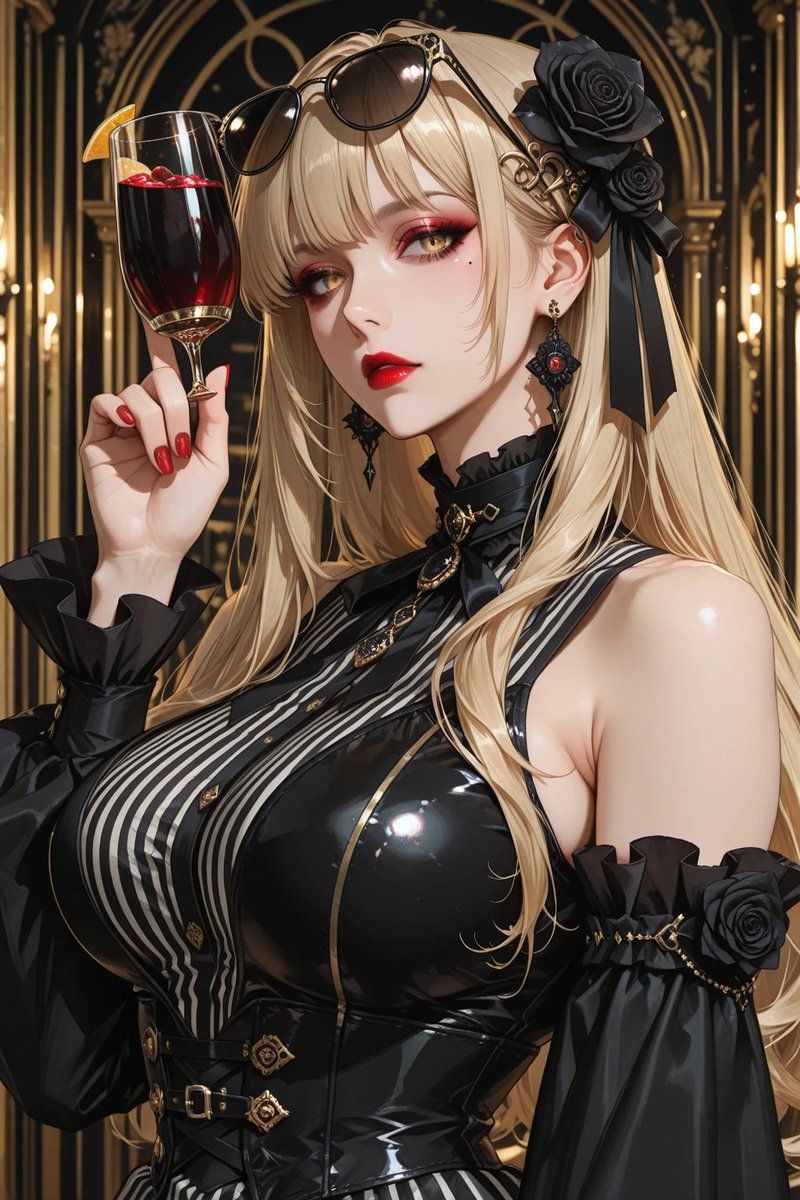
Gothic Blonde Wine Portrait
Enlarge

Example images

Gothic Blonde Wine Portrait

Prompt
Create a highly detailed vertical anime-style luxury portrait of an elegant gothic blonde woman in an opulent art-deco bar or cathedral-like lounge with black-and-gold arches and warm candlelike lights in the background. She has very long flowing {argument name="hair color" default="platinum blonde"} hair, black sunglasses resting on top of her head, an ornate black rose hair accessory with ribbons on the right side, and dangling black-and-red gemstone earrings. Her face is intentionally covered by a large centered opaque square censor block in muted taupe beige. She raises a tall wine glass filled with deep red sangria or red wine, garnished with an orange slice and small red berries, held delicately with glossy red manicured nails. Dress her in a dramatic glossy black latex gothic outfit: sleeveless fitted corset bodice with high shine reflections, vertical black-and-white striped front panel, gold trim, small gold buttons, belts and ornate clasps at the waist, a black ribbon choker with gold pendant, and separate puffed black off-shoulder sleeves with ruffled cuffs, gold chain accents, and black rose decorations. Emphasize a glamorous mature feminine silhouette, polished skin highlights, intricate accessories, dark romantic fashion, rich gold detailing, cinematic lighting, shallow depth of field, crisp linework, high contrast, luxurious atmosphere, and ultra-detailed anime illustration quality. Use a portrait composition, close upper-body framing, with the wine glass near the upper left and the character turned slightly to the side.
Category
Charts & Infographics
Model
GPT Image 2
Views2
Source ID
18185
Published
May 3, 2026

Guide

About "Gothic Blonde Wine Portrait"

What is this prompt for?

"Gothic Blonde Wine Portrait" AI image prompt for GPT Image 2 (Charts & Infographics). Generates a glamorous vertical anime portrait of a gothic blonde woman h…

The full copyable prompt and example visuals above are ready for AI image generation or one-click recreate in Picva.

How to use this prompt

  1. Step 1

    Open the prompt detail

    Review the example visuals, category, and full prompt text for "Gothic Blonde Wine Portrait".

  2. Step 2

    Copy the prompt

    Copy the prompt body from this page, or load it directly in Studio.

  3. Step 3

    Pick a model (GPT Image 2)

    Prefer GPT Image 2. If you switch models, keep subject and composition and tweak style terms.

  4. Step 4

    Generate and export

    Recreate the look in Picva, or export into your workflow for editing and publishing.

FAQ

What is the "Gothic Blonde Wine Portrait" prompt?
It is an AI image-generation prompt for GPT Image 2 in the Charts & Infographics category. This page includes the full prompt text, example visuals, and a one-click recreate path in Picva.
How do I use this prompt to generate an image?
Copy the prompt from this page, or use Generate / Studio. Paste it into a compatible image model, or recreate the look in Picva with optional reference images.
Which model is this prompt for?
This page lists GPT Image 2. Most descriptive prompts also transfer to nearby image models such as GPT Image, Flux, or Midjourney with light style tweaks.
Can I use the result commercially?
You can usually copy the prompt for creation, but commercial use of the final image depends on the model terms, reference-image rights, and the generated content. Follow the source author and platform rules.