17

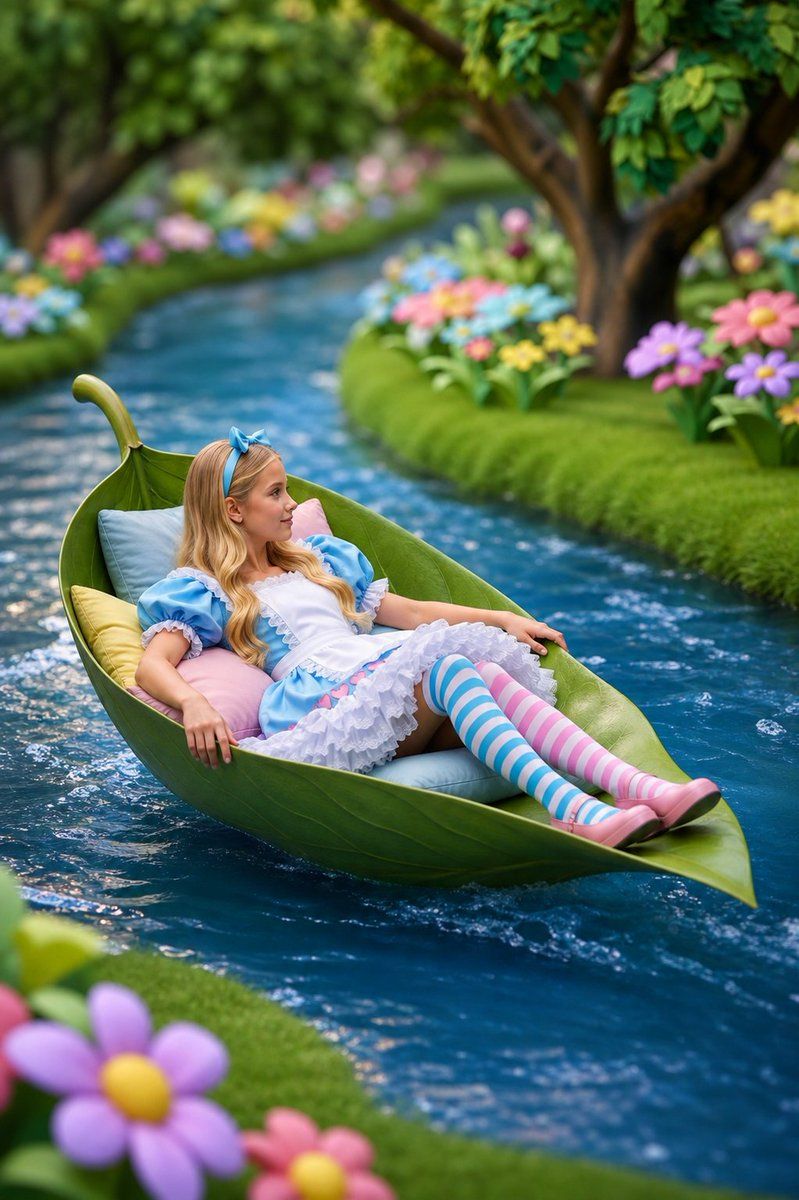
爱丽丝风格的叶舟奇幻场景
Enlarge

爱丽丝风格的叶舟奇幻场景

Prompt
Create a whimsical, high-quality fantasy portrait of a young girl styled like {argument name="character theme" default="Alice in Wonderland"} reclining in an oversized green leaf boat floating down a narrow, gently curving blue stream. She has {argument name="hair color" default="long blonde"} wavy hair with a blue bow headband and wears a blue puff-sleeve dress with a white apron, layered white ruffled skirt, pink shoes, and mismatched thigh-high striped stockings: one blue-and-white stripe and one pink-and-white stripe. The leaf boat is shaped like a curled natural leaf with a raised stem at the back, glossy veins, and pointed bow, padded with soft pastel pillows in pale blue, pink, and yellow. The girl lies relaxed with her arms resting along the sides of the leaf and her legs extended toward the pointed tip, drifting diagonally through the frame from lower left toward upper right. Surround the stream with lush bright green mossy banks, rounded hedges, large storybook trees, and colorful oversized flowers in pink, purple, blue, yellow, and orange. The water should be rich teal-blue with small ripples, foam, and sparkling highlights around the leaf boat. Use a dreamy fairytale garden atmosphere, vibrant saturated colors, shallow depth of field, soft bokeh background, cinematic composition, realistic 3D storybook illustration style, detailed textures on the leaf, fabric, water, and flowers, vertical portrait orientation, magical and serene mood.
Category
Charts & Infographics
Model
GPT Image 2
Creator
Tom Löwe
Views4
Source ID
18370
Published
May 4, 2026

Guide

About "爱丽丝风格的叶舟奇幻场景"

What is this prompt for?

"爱丽丝风格的叶舟奇幻场景" AI image prompt for GPT Image 2 (Charts & Infographics). 生成一个异想天开的童话花园场景,描绘一位受爱丽丝启发的女孩乘坐巨大的叶舟在溪流中漂流。 Copy it on Picva and recreate the look in o…

The full copyable prompt and example visuals above are ready for AI image generation or one-click recreate in Picva.

How to use this prompt

  1. Step 1

    Open the prompt detail

    Review the example visuals, category, and full prompt text for "爱丽丝风格的叶舟奇幻场景".

  2. Step 2

    Copy the prompt

    Copy the prompt body from this page, or load it directly in Studio.

  3. Step 3

    Pick a model (GPT Image 2)

    Prefer GPT Image 2. If you switch models, keep subject and composition and tweak style terms.

  4. Step 4

    Generate and export

    Recreate the look in Picva, or export into your workflow for editing and publishing.

FAQ

What is the "爱丽丝风格的叶舟奇幻场景" prompt?
It is an AI image-generation prompt for GPT Image 2 in the Charts & Infographics category. This page includes the full prompt text, example visuals, and a one-click recreate path in Picva.
How do I use this prompt to generate an image?
Copy the prompt from this page, or use Generate / Studio. Paste it into a compatible image model, or recreate the look in Picva with optional reference images.
Which model is this prompt for?
This page lists GPT Image 2. Most descriptive prompts also transfer to nearby image models such as GPT Image, Flux, or Midjourney with light style tweaks.
Can I use the result commercially?
You can usually copy the prompt for creation, but commercial use of the final image depends on the model terms, reference-image rights, and the generated content. Follow the source author and platform rules.