17

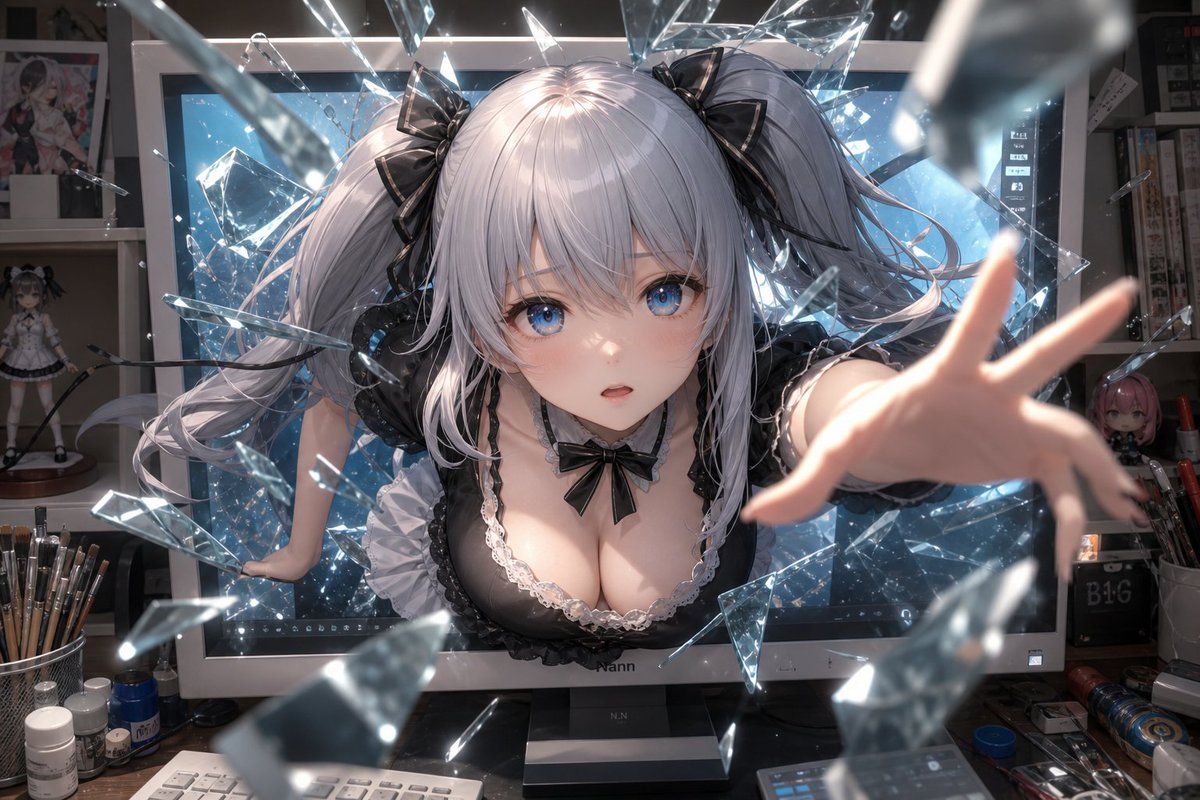
动漫少女破屏而出
Enlarge

动漫少女破屏而出

Prompt
Create a dramatic high-detail anime-style wallpaper of an {argument name="character type" default="adult silver-haired twin-tail anime girl"} bursting forward out of a large desktop monitor in an artist’s studio, as if breaking the screen into many sharp floating glass shards. The character has long pale silver hair in voluminous twin ponytails tied with glossy black ribbon bows, black frilly gothic-lolita maid-inspired clothing with white lace trim and a small black bow at the chest, and one arm reaching directly toward the viewer with strong foreshortening while the other hand braces against the monitor frame. Place a flat opaque {argument name="face censor color" default="muted gray-pink"} square over the face, centered and covering the facial features. The background is a cluttered digital art workspace: a large monitor glowing icy blue behind her, shelves with anime figures and posters, paintbrushes in cups, small bottles, pens, cables, and desk tools scattered around. Use cinematic lighting with bright blue screen glow, sparkling reflections on transparent glass fragments, shallow depth of field, motion blur on the closest shards and reaching hand, ultra-detailed hair strands, glossy fabric, realistic studio clutter, dynamic perspective, and a 16:9 desktop wallpaper composition at 1152×768 resolution. Overall mood: surreal, energetic, immersive, as though the anime character is escaping from the digital screen into the real world.
Category
Posters & Typography
Model
GPT Image 2
Views10
Source ID
18955
Published
May 7, 2026

Guide

About "动漫少女破屏而出"

What is this prompt for?

"动漫少女破屏而出" AI image prompt for GPT Image 2 (Posters & Typography). 生成一张电影感动漫壁纸,描绘一位银发角色在凌乱的艺术工作室中,伴随着玻璃碎片从电脑屏幕中破茧而出的场景。 Copy it on Picva and recreate the look…

The full copyable prompt and example visuals above are ready for AI image generation or one-click recreate in Picva.

How to use this prompt

  1. Step 1

    Open the prompt detail

    Review the example visuals, category, and full prompt text for "动漫少女破屏而出".

  2. Step 2

    Copy the prompt

    Copy the prompt body from this page, or load it directly in Studio.

  3. Step 3

    Pick a model (GPT Image 2)

    Prefer GPT Image 2. If you switch models, keep subject and composition and tweak style terms.

  4. Step 4

    Generate and export

    Recreate the look in Picva, or export into your workflow for editing and publishing.

FAQ

What is the "动漫少女破屏而出" prompt?
It is an AI image-generation prompt for GPT Image 2 in the Posters & Typography category. This page includes the full prompt text, example visuals, and a one-click recreate path in Picva.
How do I use this prompt to generate an image?
Copy the prompt from this page, or use Generate / Studio. Paste it into a compatible image model, or recreate the look in Picva with optional reference images.
Which model is this prompt for?
This page lists GPT Image 2. Most descriptive prompts also transfer to nearby image models such as GPT Image, Flux, or Midjourney with light style tweaks.
Can I use the result commercially?
You can usually copy the prompt for creation, but commercial use of the final image depends on the model terms, reference-image rights, and the generated content. Follow the source author and platform rules.