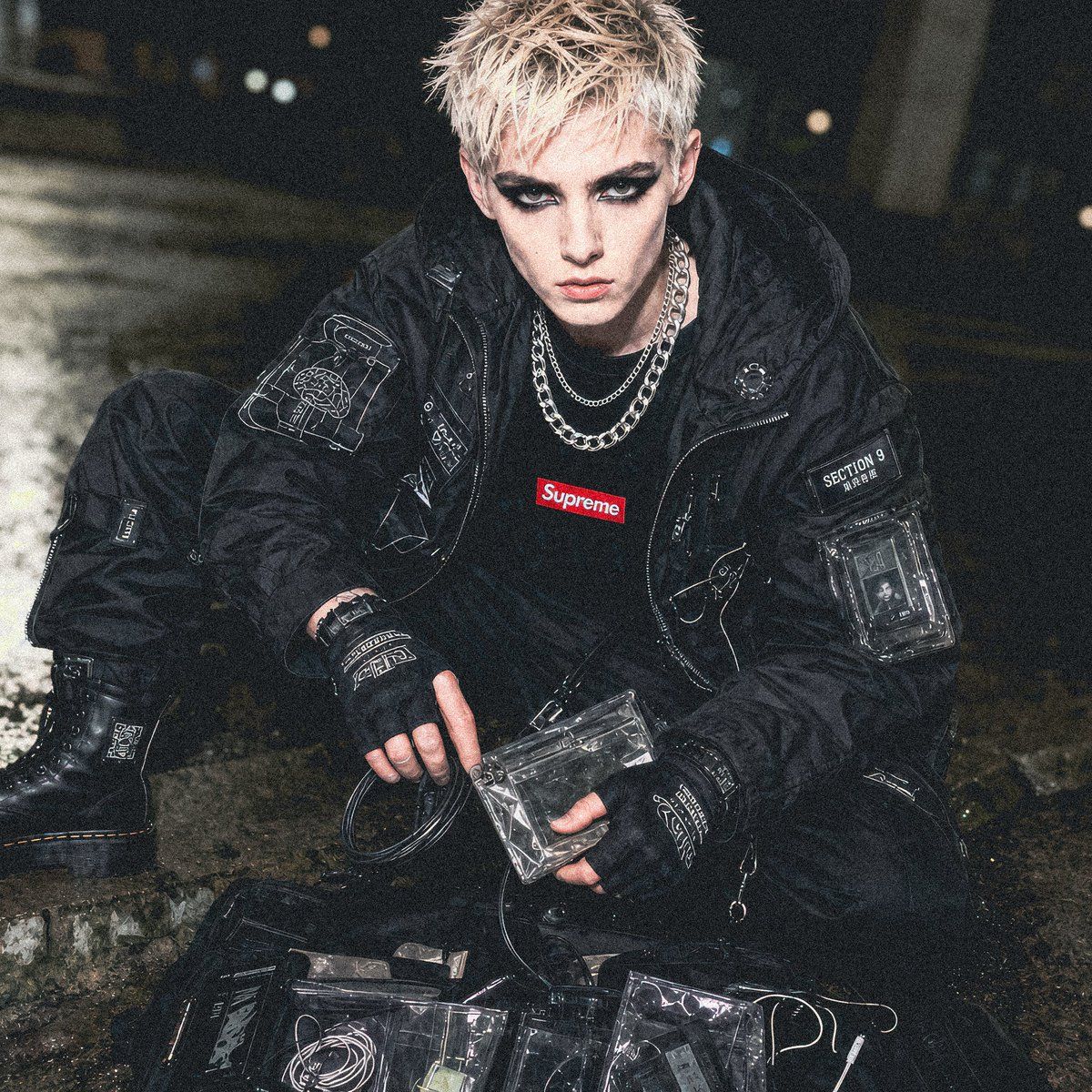
赛博朋克 Section 9 街头服饰专题大片
Prompt
Create a gritty cyberpunk streetwear editorial photo of a young adult male model in a nighttime industrial alley, crouching on wet concrete beside scattered transparent tactical pouches and cables. He has short spiky {argument name="hair color" default="bleached blond"} hair and an intentionally anonymized smooth featureless face, framed in a close three-quarter seated pose. Dress him in an all-black techwear outfit: oversized black tactical bomber jacket covered with white schematic embroidery, patches, zippers, and transparent utility pockets; black cargo pants with technical labels; heavy black combat boots; black fingerless gloves; layered silver chain necklaces; and a black T-shirt with a small red {argument name="brand logo text" default="Supreme"} box logo at the chest. Add visible cyber-security details including a sleeve patch reading {argument name="unit patch text" default="SECTION 9"}, small Japanese-style characters beneath it, translucent plastic device holders, coiled data cables, clear vinyl gear cases, and white line-art cybernetic diagrams on the jacket and gloves. The scene should feel like a {argument name="concept crossover" default="Supreme x Ghost in the Shell Section 9"} fashion concept, photographed with harsh on-camera flash, damp reflective pavement, dark blurred city background, shallow depth of field, high contrast, grainy texture, documentary fashion look, black and charcoal palette with small red logo accent, realistic fabric wrinkles, nylon sheen, metallic highlights, and a moody underground cyberpunk atmosphere.- Category
- Charts & Infographics
- Model
- GPT Image 2
- Creator
- Michael Andre | Diffract
- Source ID
- 19089
- Published
- May 8, 2026
Views5