17

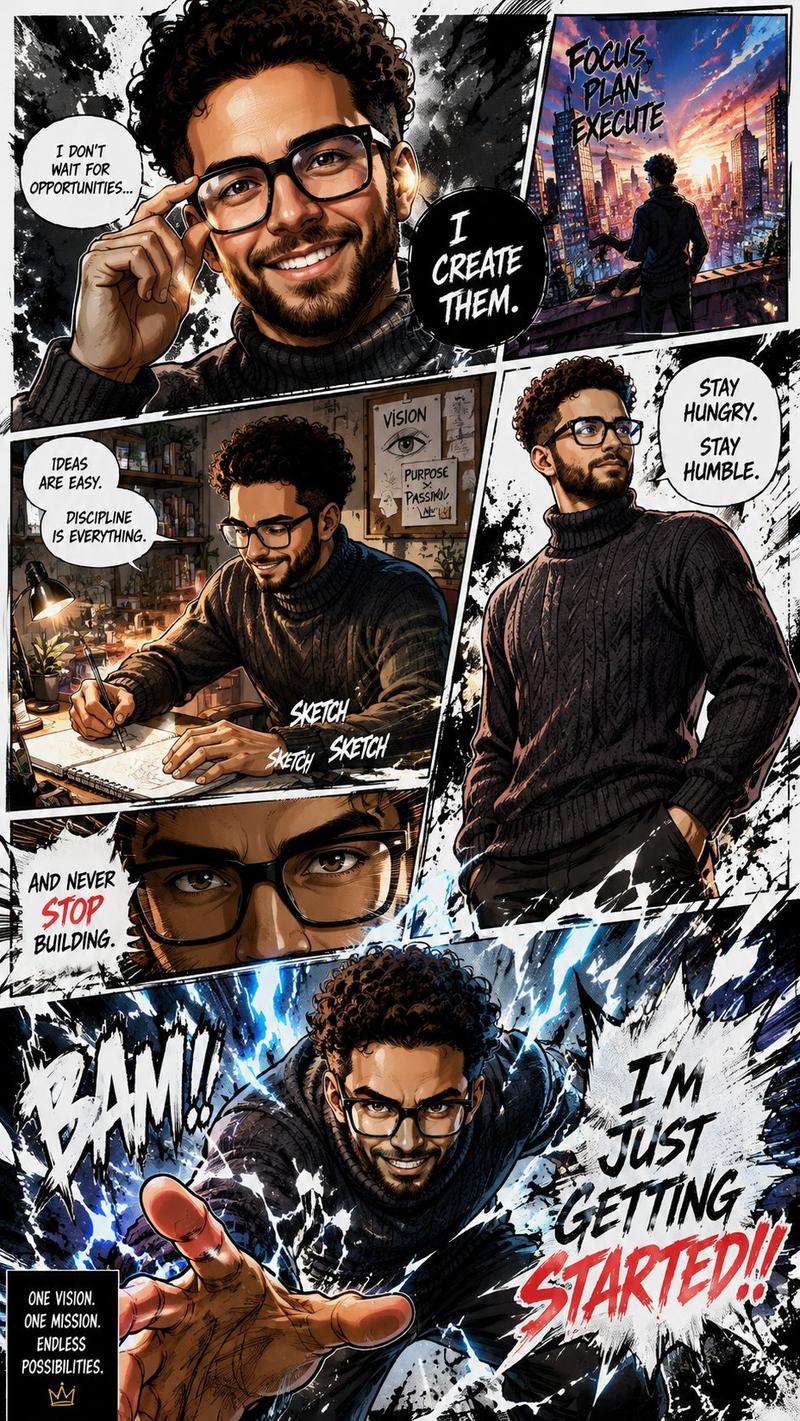
硬核漫画风格绘本肖像
Enlarge

硬核漫画风格绘本肖像

Prompt
Ultra-detailed cinematic comic-book portrait of a {argument name="subject" default="visionary South Asian man with messy black hair, thick beard, and rectangular glasses"}, illustrated in a gritty modern graphic novel style. Dynamic manga/comic panel composition with sharp diagonal frames, dramatic perspective shots, expressive close-ups, and ink splatter textures. The character stands confidently holding a stylus pen toward the viewer, symbolizing creativity and ambition. Background scenes show him sketching alone at a dimly lit desk, overlooking a futuristic city skyline at sunset, and surrounded by explosive golden phoenix-like energy. High-contrast chiaroscuro lighting, glowing highlights, cinematic shadows, painterly brush strokes, textured ink, detailed facial features, realistic skin tones, intense eyes with subtle blue reflections on glasses. Typography integrated into the comic panels with motivational phrases in bold hand-drawn lettering: “I DON’T FOLLOW THE PATH.” “I DRAW MY OWN.” “CREATE. FUEL. INSPIRE. REPEAT.” “I’M HERE TO LEAVE A MARK.”
Color palette of black, white, deep charcoal, warm gold, fiery orange, crimson red, and electric blue accents. Hyper-detailed digital illustration, Marvel/DC comic fusion aesthetic, anime-influenced cinematic storytelling, dramatic energy bursts, motion splashes, ultra-sharp focus, 8k, highly stylized yet realistic, trending on ArtStation.
Category
Charts & Infographics
Model
GPT Image 2
Creator
Zar⭕on
Views2
Source ID
19240
Published
May 9, 2026

Guide

About "硬核漫画风格绘本肖像"

What is this prompt for?

"硬核漫画风格绘本肖像" AI image prompt for GPT Image 2 (Charts & Infographics). 一个用于生成超精细电影感漫画肖像的提示词,采用硬核绘本风格,包含墨迹飞溅、动态分镜和排版设计。 Copy it on Picva and recreate the look in…

The full copyable prompt and example visuals above are ready for AI image generation or one-click recreate in Picva.

How to use this prompt

  1. Step 1

    Open the prompt detail

    Review the example visuals, category, and full prompt text for "硬核漫画风格绘本肖像".

  2. Step 2

    Copy the prompt

    Copy the prompt body from this page, or load it directly in Studio.

  3. Step 3

    Pick a model (GPT Image 2)

    Prefer GPT Image 2. If you switch models, keep subject and composition and tweak style terms.

  4. Step 4

    Generate and export

    Recreate the look in Picva, or export into your workflow for editing and publishing.

FAQ

What is the "硬核漫画风格绘本肖像" prompt?
It is an AI image-generation prompt for GPT Image 2 in the Charts & Infographics category. This page includes the full prompt text, example visuals, and a one-click recreate path in Picva.
How do I use this prompt to generate an image?
Copy the prompt from this page, or use Generate / Studio. Paste it into a compatible image model, or recreate the look in Picva with optional reference images.
Which model is this prompt for?
This page lists GPT Image 2. Most descriptive prompts also transfer to nearby image models such as GPT Image, Flux, or Midjourney with light style tweaks.
Can I use the result commercially?
You can usually copy the prompt for creation, but commercial use of the final image depends on the model terms, reference-image rights, and the generated content. Follow the source author and platform rules.