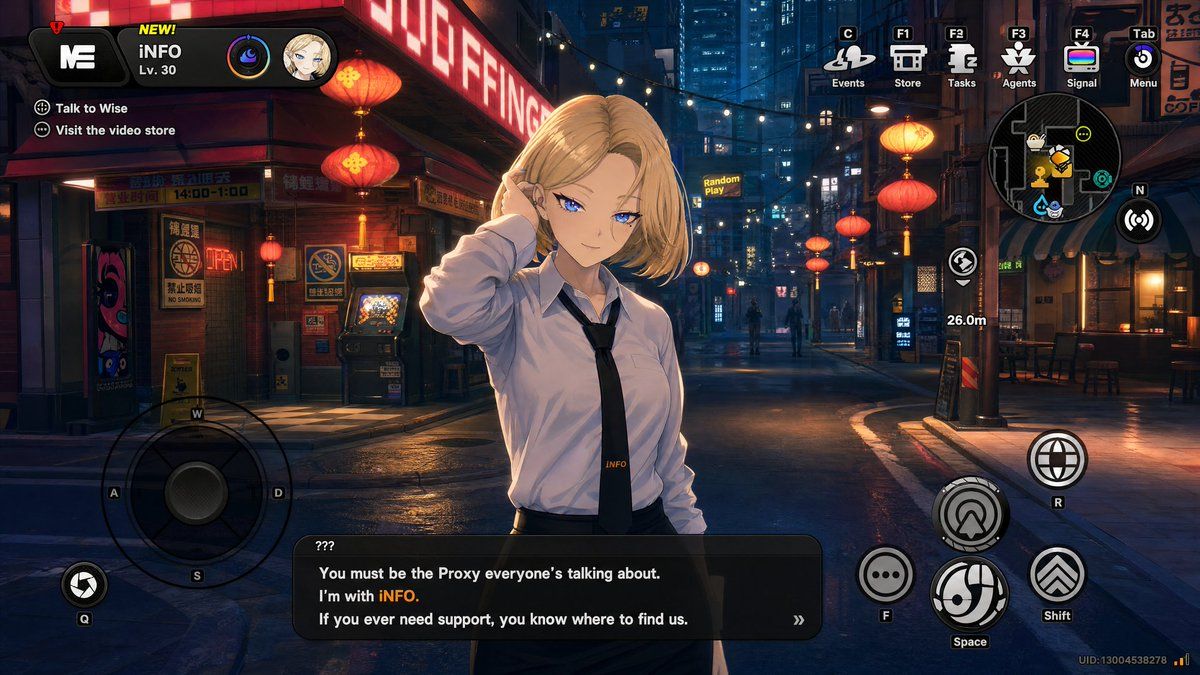
赛博朋克抽卡游戏对话截图
Prompt
{"type":"gacha game urban exploration screenshot","style":"highly polished anime 3D render, cyberpunk action RPG UI, Zenless Zone Zero inspired, cinematic night lighting, detailed wet pavement reflections, neon signs, lantern glow, depth of field, 16:9 widescreen game capture","scene":{"setting":"narrow futuristic Asian city street at night with restaurants, storefronts, alleys, high-rise buildings, overhead string lights, red paper lanterns, glowing shop signs, arcade machine, street signs, café tables, and damp reflective asphalt","mood":"moody but vibrant, cozy neon nightlife, immersive open-world hub area","camera":"third-person dialogue view, eye-level camera, character centered slightly left, street receding into the distance"},"main character":{"name":"{argument name=\"character name\" default=\"INFO\"}","position":"foreground center-left","appearance":"young adult blonde woman with shoulder-length bob hair, slim build, wearing a loose white button-up dress shirt, black necktie with small yellow INFO lettering, dark skirt or trousers, one hand raised to her ear as if speaking through an earpiece","face":"covered by a flat tan rectangular censor block with no facial features","pose":"casual support-agent introduction pose, shoulders angled toward viewer"},"visible text":{"top left profile":"NEW! INFO Lv. 30","quest objectives count":2,"quest objectives":["Talk to Wise","Visit the video store"],"dialogue speaker":"???","dialogue lines count":3,"dialogue lines":["You must be the Proxy everyone’s talking about.","I’m with INFO.","If you ever need support, you know where to find us."],"distance marker":"26.0m","small sign":"Random Play","uid":"UID:13004538278"},"hud layout":{"top left":{"components count":4,"components":["black rounded main menu tile with white ME-like logo and red exclamation badge","yellow NEW! label above player name","player name and level block","two circular character/status icons"]},"top right":{"components count":6,"components":["Events icon labeled C","Store icon labeled F1","Tasks icon labeled F2","Agents icon labeled F3","Signal icon labeled F4","Menu icon labeled Tab"]},"right side":{"components count":4,"components":["circular minimap with compass N and quest icons","wireless scan button","objective navigation icon","26.0m distance label"]},"bottom left":{"components count":2,"components":["large transparent virtual joystick with W A S D labels","small camera shutter button labeled Q"]},"bottom right":{"components count":6,"components":["globe interaction button labeled R","large circular movement/skill button","ellipsis chat button labeled F","large swirl action button labeled Space","double-chevron dash button labeled Shift","small network bars beside UID"]},"bottom center":{"components count":1,"components":["black rounded dialogue box with white text, yellow highlighted character name, and double-chevron continue symbol"]}},"composition requirements":"Make it look like an authentic playable gacha-game screenshot rather than a poster. Keep the UI crisp and layered over the scene, with consistent icon styling, small keyboard shortcut tags, and game-like dialogue typography. Use {argument name=\"city color palette\" default=\"deep blue shadows, warm red lanterns, amber shop lights, and white neon highlights\"}. Dialogue should read exactly: {argument name=\"dialogue text\" default=\"You must be the Proxy everyone’s talking about. I’m with INFO. If you ever need support, you know where to find us.\"}. Render in {argument name=\"aspect ratio\" default=\"16:9\"}."}- Category
- Charts & Infographics
- Model
- GPT Image 2
- Creator
- iNFO Daily
- Source ID
- 19507
- Published
- May 10, 2026
Views3