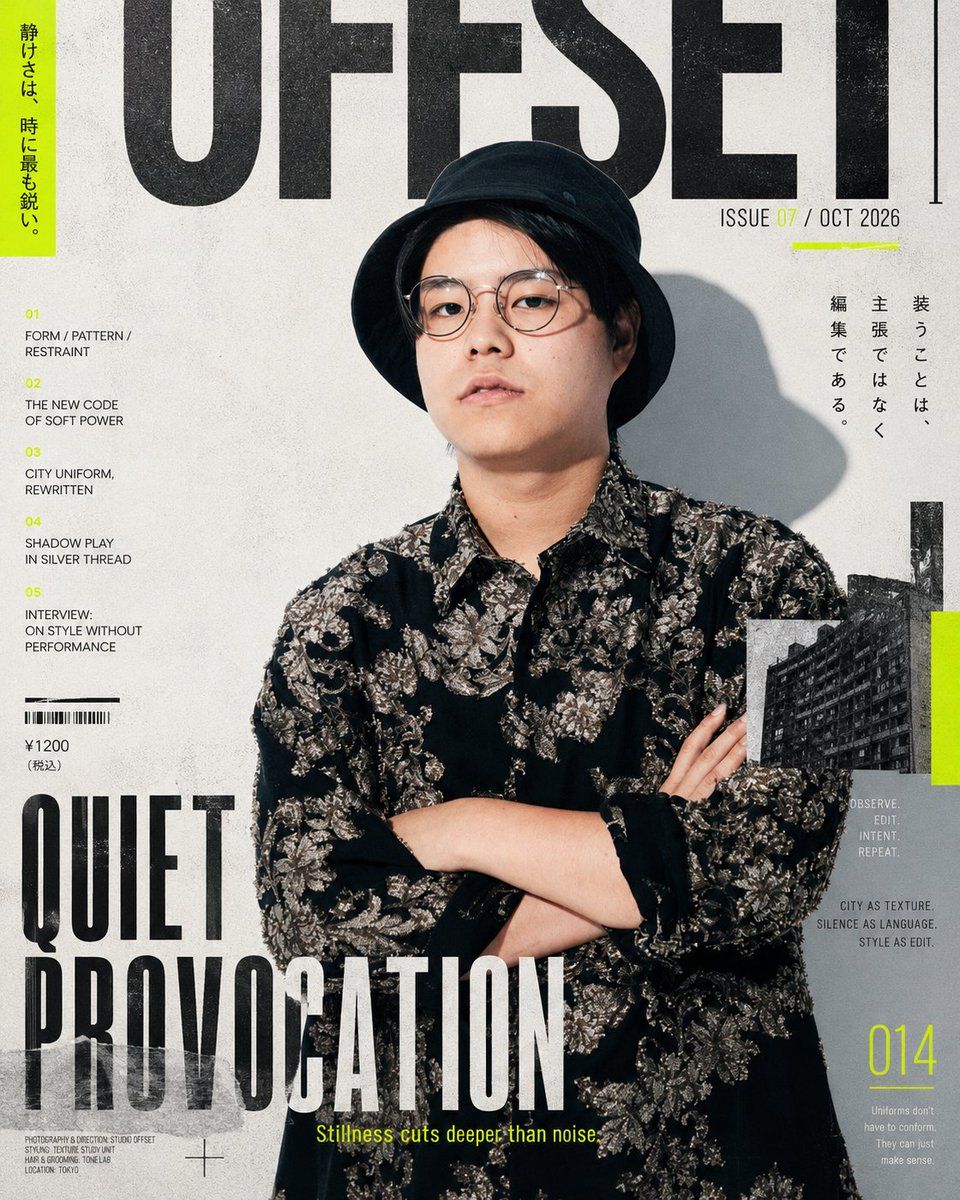
编辑风时尚杂志封面
Prompt
Using REFERENCE_0 as the portrait source, transform it into a high-end editorial fashion magazine cover while preserving the person, pose, hat, shirt, lighting direction, shadow, and face-obscuring blur. Crop closer into a vertical cover layout and place the subject slightly right of center. Add a gritty off-white paper texture, bold black condensed typography, and neon yellow-green accent bars.

Create a magazine cover titled {argument name="magazine title" default="OFFSET"} in huge black letters across the top, partially behind the subject's head. Add the issue line at upper right: {argument name="issue line" default="ISSUE 07 / OCT 2026"}. Add a vertical neon-green strip at the far left with Japanese copy: {argument name="left vertical tagline" default="静けさは、時に最も鋭い。"}. Add a large bottom-left cover headline: {argument name="main cover headline" default="QUIET PROVOCATION"}, with the yellow subtitle {argument name="subtitle" default="Stillness cuts deeper than noise."}.

Include exactly 5 numbered article teasers in a left column: 01 FORM / PATTERN / RESTRAINT; 02 THE NEW CODE OF SOFT POWER; 03 CITY UNIFORM, REWRITTEN; 04 SHADOW PLAY IN SILVER THREAD; 05 INTERVIEW: ON STYLE WITHOUT PERFORMANCE. Add exactly 1 barcode block with price text “¥1200 (税込)” under it. Add exactly 1 vertical Japanese quote block on the upper right: “装うことは、主張ではなく編集である。” Add exactly 1 small black-and-white city-building photo inset on the lower right with a neon-green side accent. Add exactly 3 tiny editorial text clusters on the lower/right area: “OBSERVE. EDIT. INTENT. REPEAT.”, “CITY AS TEXTURE. SILENCE AS LANGUAGE. STYLE AS EDIT.”, and a small paragraph under page number. Add exactly 1 large page number “014” in neon yellow-green at the bottom right. Keep the design minimalist, modern, Japanese street-fashion magazine style, with realistic print grain, slightly distressed ink, and strong contrast.- Category
- Charts & Infographics
- Model
- GPT Image 2
- Creator
- コンドウハルキ|Harukaze
- Source ID
- 19553
- Published
- May 10, 2026
Views4










