14

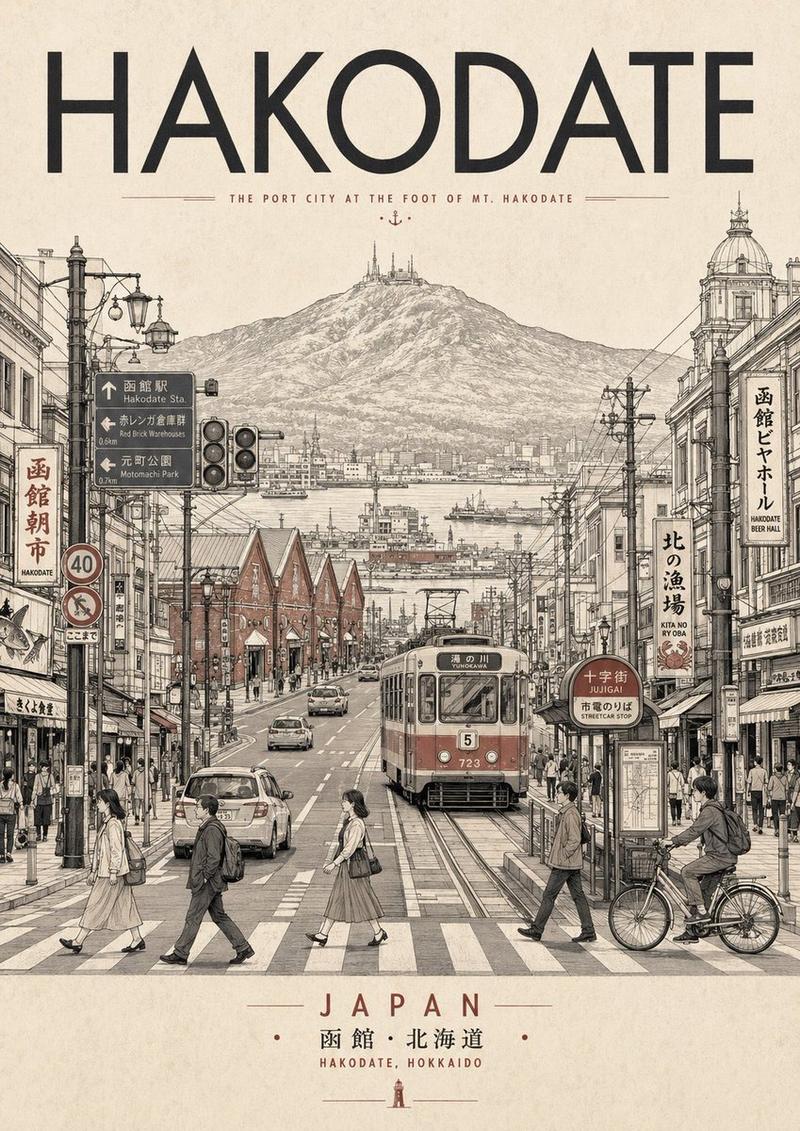
复古函馆旅行海报
Enlarge

复古函馆旅行海报

Prompt
Create a vintage Japanese travel poster for {argument name="destination city" default="Hakodate, Japan"} on warm aged cream paper with subtle folds, stains, and worn edges. The composition is vertical and centered, with three main text elements: a large bold black Japanese headline at the top reading {argument name="Japanese headline text" default="函館"}, a widely spaced romanized title beneath it reading {argument name="romanized title" default="HAKODATE"}, and a bottom caption between two thin red horizontal rules reading {argument name="bottom caption" default="日本 / HAKODATE, JAPAN"}. Under the headline, illustrate a detailed retro line-art street scene in muted beige, black ink, and restrained red accents: a straight tram-lined city street receding in one-point perspective, flanked by low Japanese storefronts with vertical shop signs, lanterns, awnings, overhead power lines, traffic lights, a red post box, bicycles, pedestrians, and two cars driving along the road. In the background, show a broad brown mountain rising behind the town, topped by a tall observation tower and a smaller red tower, evoking Mount Hakodate. Use crisp architectural pen-and-ink outlines, minimal flat color, nostalgic Showa-era graphic design, travel-guide poster aesthetics, clean centered layout, and no photorealism.
Category
Charts & Infographics
Model
GPT Image 2
Views4
Source ID
19726
Published
May 11, 2026

Guide

About "复古函馆旅行海报"

What is this prompt for?

"复古函馆旅行海报" AI image prompt for GPT Image 2 (Charts & Infographics). 生成一张怀旧风格的日本旅行海报,展现函馆街景、函馆山以及醒目的目的地排版,适用于编辑设计或墙面艺术装饰。 Copy it on Picva and recreate the look…

The full copyable prompt and example visuals above are ready for AI image generation or one-click recreate in Picva.

How to use this prompt

  1. Step 1

    Open the prompt detail

    Review the example visuals, category, and full prompt text for "复古函馆旅行海报".

  2. Step 2

    Copy the prompt

    Copy the prompt body from this page, or load it directly in Studio.

  3. Step 3

    Pick a model (GPT Image 2)

    Prefer GPT Image 2. If you switch models, keep subject and composition and tweak style terms.

  4. Step 4

    Generate and export

    Recreate the look in Picva, or export into your workflow for editing and publishing.

FAQ

What is the "复古函馆旅行海报" prompt?
It is an AI image-generation prompt for GPT Image 2 in the Charts & Infographics category. This page includes the full prompt text, example visuals, and a one-click recreate path in Picva.
How do I use this prompt to generate an image?
Copy the prompt from this page, or use Generate / Studio. Paste it into a compatible image model, or recreate the look in Picva with optional reference images.
Which model is this prompt for?
This page lists GPT Image 2. Most descriptive prompts also transfer to nearby image models such as GPT Image, Flux, or Midjourney with light style tweaks.
Can I use the result commercially?
You can usually copy the prompt for creation, but commercial use of the final image depends on the model terms, reference-image rights, and the generated content. Follow the source author and platform rules.