18

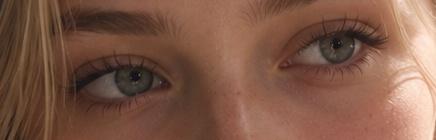
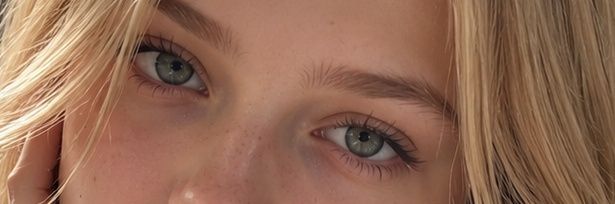
写实风格金发女性眼部特写
Enlarge

写实风格金发女性眼部特写

Prompt
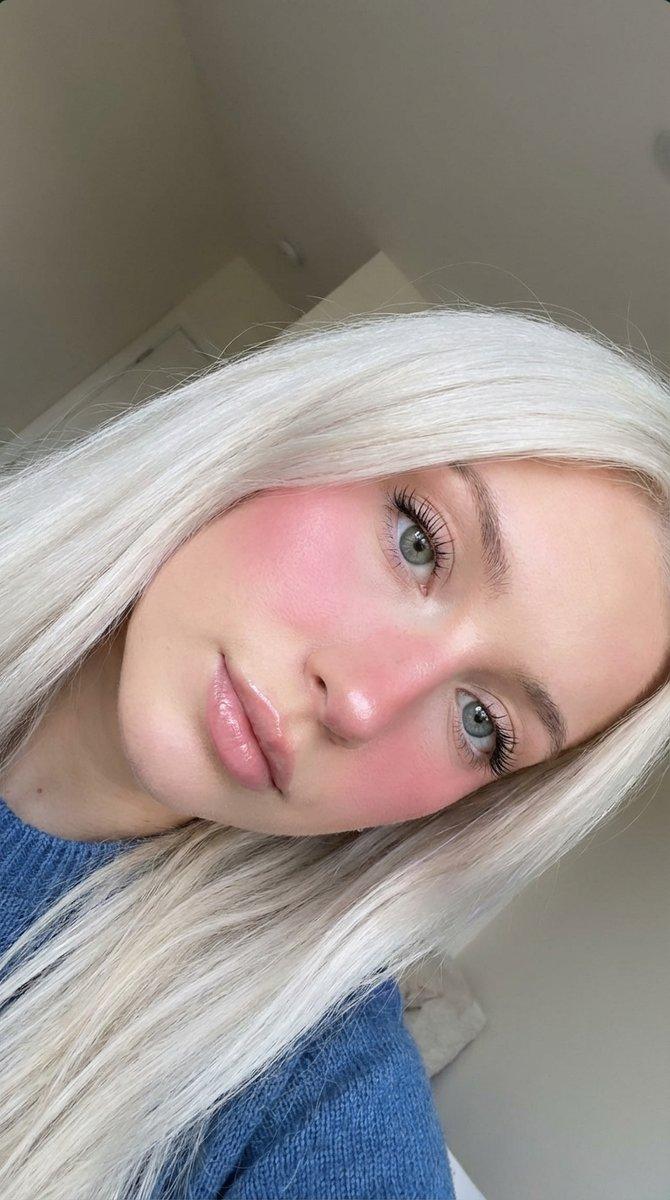
Create an ultra-photorealistic extreme close-up portrait focused on the eyes of a young woman with {argument name="hair color" default="sunlit blonde hair"}. The composition is a tight horizontal crop showing only the upper half of the face from just above the eyebrows to the bridge and top of the nose, with one side of the face partly framed by loose strands of hair. She has {argument name="eye color" default="pale blue-gray eyes"}, natural eyebrows, faint freckles across the nose and cheeks, realistic skin texture, and detailed upper and lower eyelashes with the lower lashes clearly visible but fine and natural. Her expression is calm and neutral, looking directly into the camera. Use warm natural daylight from the left, soft shadows, shallow depth of field, cinematic realism, high-resolution skin detail, natural makeup, slightly tousled hair, and a subtle golden outdoor glow. Aspect ratio should be a wide banner-like crop, approximately 4:1.
Category
Posters & Typography
Model
GPT Image 2
Creator
Ad Rei
Views1
Source ID
19746
Published
May 11, 2026

Guide

About "写实风格金发女性眼部特写"

What is this prompt for?

"写实风格金发女性眼部特写" AI image prompt for GPT Image 2 (Posters & Typography). 生成超写实的宽幅特写肖像,着重表现自然的眼睛、睫毛、皮肤纹理和温暖的日光,适用于美学或写实研究。 Copy it on Picva and recreate the look…

The full copyable prompt and example visuals above are ready for AI image generation or one-click recreate in Picva.

How to use this prompt

  1. Step 1

    Open the prompt detail

    Review the example visuals, category, and full prompt text for "写实风格金发女性眼部特写".

  2. Step 2

    Copy the prompt

    Copy the prompt body from this page, or load it directly in Studio.

  3. Step 3

    Pick a model (GPT Image 2)

    Prefer GPT Image 2. If you switch models, keep subject and composition and tweak style terms.

  4. Step 4

    Generate and export

    Recreate the look in Picva, or export into your workflow for editing and publishing.

FAQ

What is the "写实风格金发女性眼部特写" prompt?
It is an AI image-generation prompt for GPT Image 2 in the Posters & Typography category. This page includes the full prompt text, example visuals, and a one-click recreate path in Picva.
How do I use this prompt to generate an image?
Copy the prompt from this page, or use Generate / Studio. Paste it into a compatible image model, or recreate the look in Picva with optional reference images.
Which model is this prompt for?
This page lists GPT Image 2. Most descriptive prompts also transfer to nearby image models such as GPT Image, Flux, or Midjourney with light style tweaks.
Can I use the result commercially?
You can usually copy the prompt for creation, but commercial use of the final image depends on the model terms, reference-image rights, and the generated content. Follow the source author and platform rules.