11

电影级科幻角色开发项目
Enlarge

电影级科幻角色开发项目

Prompt
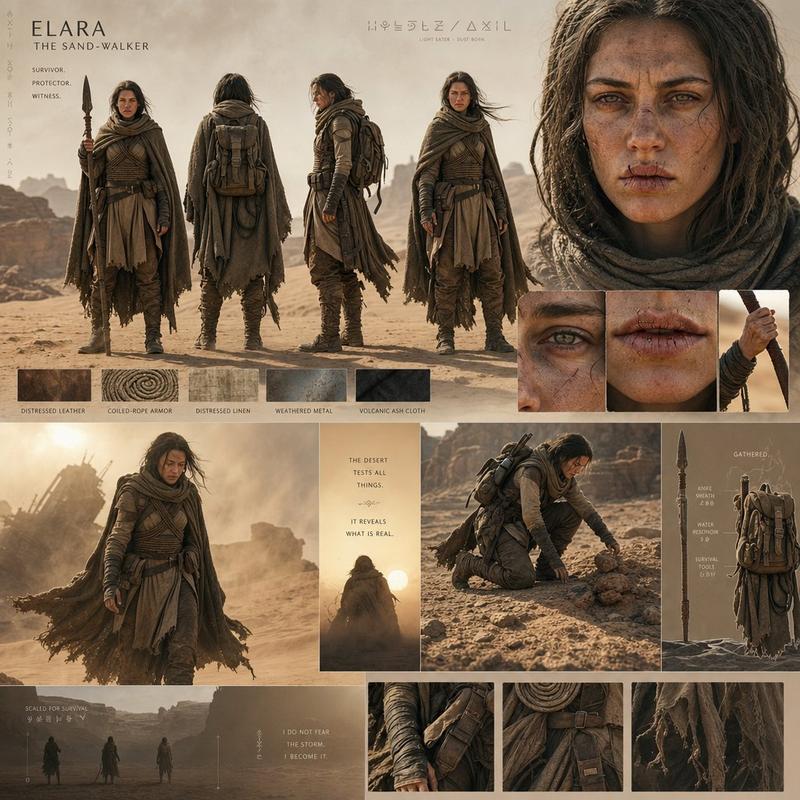
Create a high-end cinematic character development board for a grounded sci-fi film universe.

The presentation should resemble a professional Hollywood pre-production document rather than a clean template. Use layered panels, overlapping renders, handwritten-style annotations, and cinematic framing.
Design a realistic {argument name="character" default="female space pilot"} with believable anatomy, subtle asymmetry, realistic facial structure, and worn futuristic clothing. Include helmet concepts, suit material closeups, emotional portraits, full-body rotation views, and gear breakdowns.
Style: soft cool lighting, {argument name="style focus" default="NASA-inspired realism"}, cinematic lens blur, brushed metal textures, subtle futuristic interfaces, atmospheric sci-fi realism, premium concept-art presentation.
Category
UI & Interfaces
Model
GPT Image 2
Creator
Cherry 2.O
Views1
Source ID
19802
Published
May 12, 2026

Guide

About "电影级科幻角色开发项目"

What is this prompt for?

"电影级科幻角色开发项目" AI image prompt for GPT Image 2 (UI & Interfaces). 一款专为科幻概念艺术打造的专业好莱坞风格角色项目,包含精细渲染、装备拆解及氛围光影效果。 Copy it on Picva and recreate the look in one cli…

The full copyable prompt and example visuals above are ready for AI image generation or one-click recreate in Picva.

How to use this prompt

  1. Step 1

    Open the prompt detail

    Review the example visuals, category, and full prompt text for "电影级科幻角色开发项目".

  2. Step 2

    Copy the prompt

    Copy the prompt body from this page, or load it directly in Studio.

  3. Step 3

    Pick a model (GPT Image 2)

    Prefer GPT Image 2. If you switch models, keep subject and composition and tweak style terms.

  4. Step 4

    Generate and export

    Recreate the look in Picva, or export into your workflow for editing and publishing.

FAQ

What is the "电影级科幻角色开发项目" prompt?
It is an AI image-generation prompt for GPT Image 2 in the UI & Interfaces category. This page includes the full prompt text, example visuals, and a one-click recreate path in Picva.
How do I use this prompt to generate an image?
Copy the prompt from this page, or use Generate / Studio. Paste it into a compatible image model, or recreate the look in Picva with optional reference images.
Which model is this prompt for?
This page lists GPT Image 2. Most descriptive prompts also transfer to nearby image models such as GPT Image, Flux, or Midjourney with light style tweaks.
Can I use the result commercially?
You can usually copy the prompt for creation, but commercial use of the final image depends on the model terms, reference-image rights, and the generated content. Follow the source author and platform rules.