14

动漫道场手里剑回旋踢
Enlarge

动漫道场手里剑回旋踢

Prompt
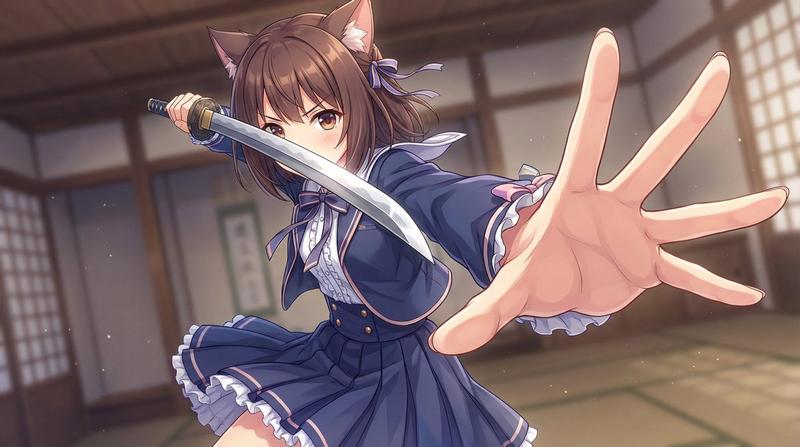
Create a dramatic vertical anime action illustration of {argument name="character description" default="a fierce young female martial artist with very long flowing pink hair and green eyes"} inside {argument name="setting" default="a traditional Japanese wooden dojo with tatami floors, shoji windows, rafters, and warm dusty sunlight"}. She is lunging forward low to the ground in a powerful spinning kick, wearing {argument name="outfit" default="a loose white karate gi with a black belt, wrapped fists, and a slightly open collar"}; her hair streams wildly across the frame in long ribbon-like strands. On the right side, a large rectangular straw tatami target mat is tilted upright at a steep angle, its edge bursting with splinters and straw debris from impact. Show exactly ten visible metal shuriken: eight embedded in the upright tatami target at different heights and angles, and two still flying through the air near the character. Emphasize speed with circular motion blur around her extended kicking leg, dust clouds, flying straw fragments, sparks, and dynamic diagonal composition. Use {argument name="visual style" default="high-detail cinematic anime, semi-realistic rendering, sharp linework, volumetric lighting, shallow depth of field"}. The mood should feel like {argument name="mood" default="an intense ninja training strike captured at the exact moment of impact"}. No text, no watermark, no extra characters.
Category
Charts & Infographics
Model
GPT Image 2
Views4
Source ID
20119
Published
May 13, 2026

Guide

About "动漫道场手里剑回旋踢"

What is this prompt for?

"动漫道场手里剑回旋踢" AI image prompt for GPT Image 2 (Charts & Infographics). 一幅充满电影感的动漫动作场景,描绘了一位粉色头发的武术家在传统道场中,向布满手里剑的榻榻米目标发起回旋踢。 Copy it on Picva and recreate the l…

The full copyable prompt and example visuals above are ready for AI image generation or one-click recreate in Picva.

How to use this prompt

  1. Step 1

    Open the prompt detail

    Review the example visuals, category, and full prompt text for "动漫道场手里剑回旋踢".

  2. Step 2

    Copy the prompt

    Copy the prompt body from this page, or load it directly in Studio.

  3. Step 3

    Pick a model (GPT Image 2)

    Prefer GPT Image 2. If you switch models, keep subject and composition and tweak style terms.

  4. Step 4

    Generate and export

    Recreate the look in Picva, or export into your workflow for editing and publishing.

FAQ

What is the "动漫道场手里剑回旋踢" prompt?
It is an AI image-generation prompt for GPT Image 2 in the Charts & Infographics category. This page includes the full prompt text, example visuals, and a one-click recreate path in Picva.
How do I use this prompt to generate an image?
Copy the prompt from this page, or use Generate / Studio. Paste it into a compatible image model, or recreate the look in Picva with optional reference images.
Which model is this prompt for?
This page lists GPT Image 2. Most descriptive prompts also transfer to nearby image models such as GPT Image, Flux, or Midjourney with light style tweaks.
Can I use the result commercially?
You can usually copy the prompt for creation, but commercial use of the final image depends on the model terms, reference-image rights, and the generated content. Follow the source author and platform rules.