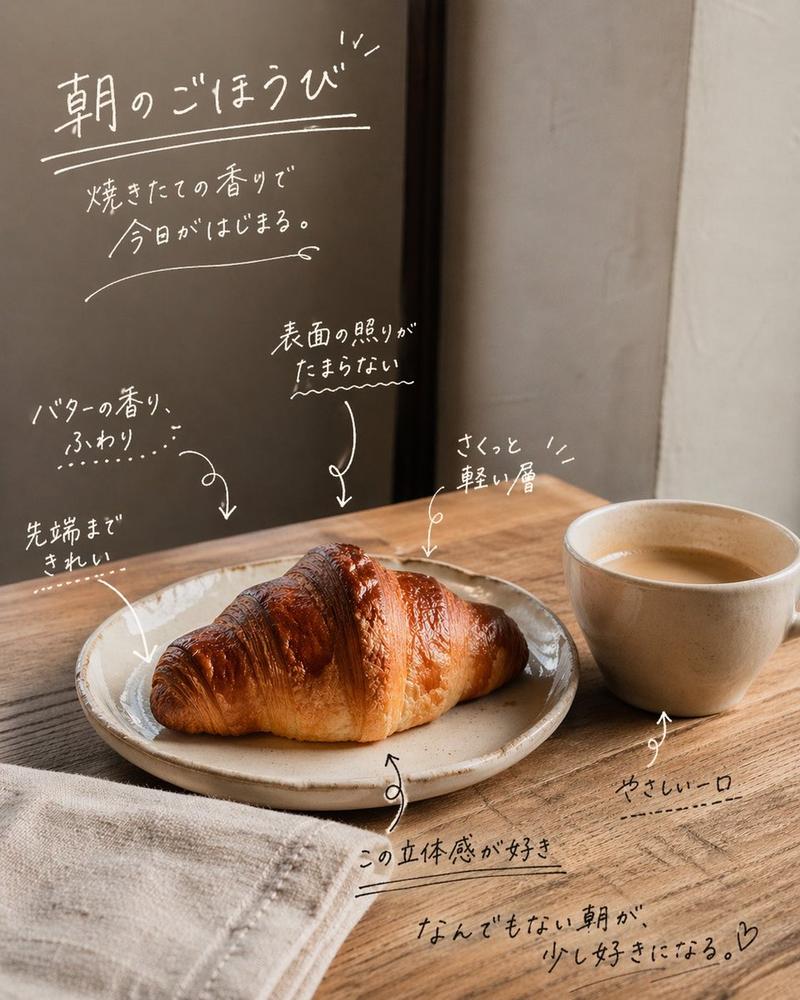
手写风咖啡馆照片标注
Prompt
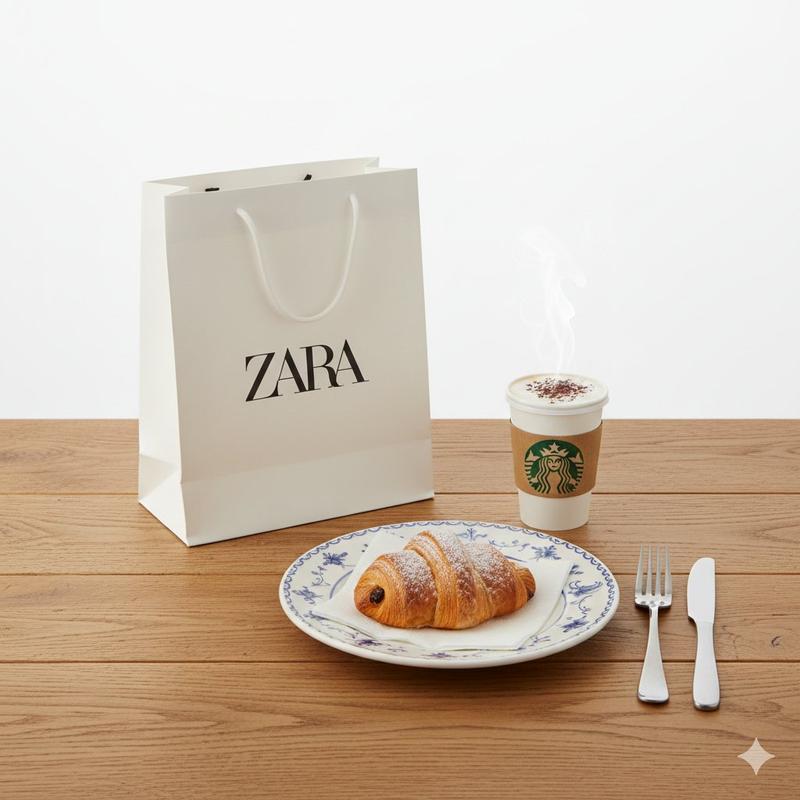
Using the provided reference photo as the unchanged base, add an emotional Instagram-style handwritten annotation overlay in thin white ink, as if written directly on the image. Do not change the croissant, coffee, table, lighting, crop, or background; only add typography, underlines, arrows, small doodle marks, and a heart.

Overlay style: casual Japanese hand lettering, warm cafe diary mood, slightly imperfect strokes, white chalk/paint-pen look, with thin arrows pointing to the croissant and cup. Keep the writing readable but natural, with varied sizes and spacing.

Add exactly 9 discrete handwritten text blocks:
1. Large top-left headline: {argument name="headline text" default="朝のごほうび"}, with double underline and small sparkle strokes.
2. Smaller line beneath it: {argument name="subtitle text" default="焼きたての香りで 今日がはじまる。"}, with a long curved underline.
3. Left-middle note pointing toward the croissant: {argument name="butter note" default="バターの香り、ふわり"}.
4. Lower-left note pointing to the croissant tip: "先端まで きれい".
5. Center note pointing to the glossy top: "表面の照りが たまらない".
6. Upper-right note pointing to the croissant layers: "さくっと 軽い層".
7. Bottom-center note with underline near the plate: "この立体感が好き".
8. Lower-right note pointing to the coffee cup: "やさしい一口".
9. Bottom handwritten closing phrase: {argument name="closing phrase" default="なんでもない朝が、少し好きになる。♡"}, underlined.

Composition: place most writing in the empty darker wall/window area and around the food without covering the main croissant too heavily. Use curved arrows, dotted emphasis marks, wavy underlines, and small decorative strokes to connect notes to the croissant and coffee. Avoid adding any logos, borders, stickers, or extra objects.- Category
- Charts & Infographics
- Model
- GPT Image 2
- Creator
- chi Okey
- Source ID
- 20134
- Published
- Apr 22, 2026
Views2



![Exploding [food item] with [filling], broken into two pieces with [filling actio](https://i.pixshop.app/storage/v1/render/image/public/prompt-source-media/promptsref/work-2413/image-1-e26dc765f3c49579.png?width=800&quality=75&resize=contain)