18

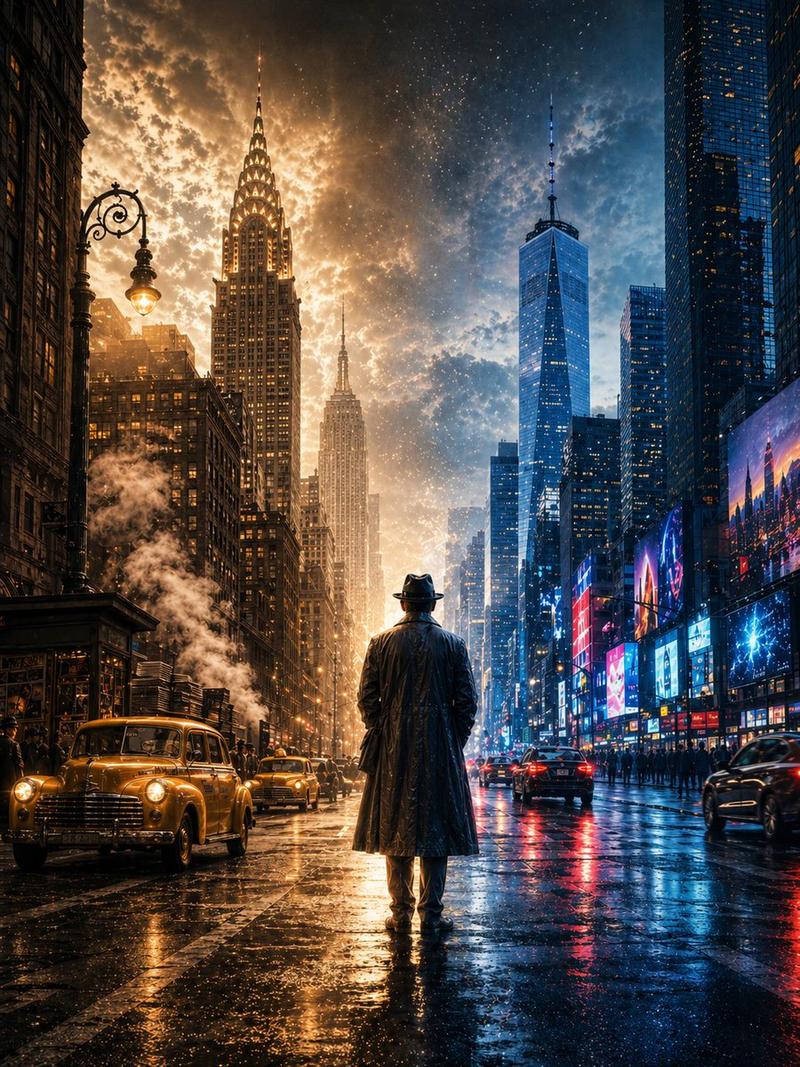
末日废土出租车幸存者
Enlarge

末日废土出租车幸存者

Prompt
Create a hyper-detailed cinematic vertical full-body portrait of {argument name="character name" default="a rugged lone survivor"} standing heroically on the roof of one battered yellow New York taxi in the middle of a deserted, ruined Times Square-like city street at dawn. The subject is centered, shown head to boots in a confident wide stance, wearing exactly four main outfit pieces: a distressed dark leather jacket, a dirty beige T-shirt, muddy olive cargo pants, and worn brown boots. His face is intentionally soft-blurred or obscured while the body and environment remain sharp. Surround him with a post-apocalyptic urban canyon of tall skyscrapers, old theater signs, digital billboards, ivy creeping up building facades, dust, broken glass, scattered rubble, weeds growing through cracked asphalt, and warm golden backlight shining between the buildings. Include exactly 8 visible vehicles in the scene: 1 foreground yellow taxi beneath the hero, 2 abandoned cars on the left side of the street, 3 distant cars in the center background, 1 white van on the right, and 1 gray car on the right foreground. Make the taxi roof dented and dirty, with a small TAXI roof sign visible near the hero's feet. Use realistic high-end photo manipulation, dramatic cinematic lighting, deep perspective, volumetric haze, gritty textures, muted greens and yellows, sharp environmental detail, 35mm lens feel, low-angle medium-long shot, no extra people, no watermark, no readable large text except the taxi sign.
Category
Posters & Typography
Model
GPT Image 2
Views2
Source ID
20857
Published
May 16, 2026

Guide

About "末日废土出租车幸存者"

What is this prompt for?

"末日废土出租车幸存者" AI image prompt for GPT Image 2 (Posters & Typography). 生成一张电影感竖构图肖像,描绘一名粗犷的幸存者站在荒废的“时代广场”风格城市中一辆破旧的出租车上。 Copy it on Picva and recreate the look i…

The full copyable prompt and example visuals above are ready for AI image generation or one-click recreate in Picva.

How to use this prompt

  1. Step 1

    Open the prompt detail

    Review the example visuals, category, and full prompt text for "末日废土出租车幸存者".

  2. Step 2

    Copy the prompt

    Copy the prompt body from this page, or load it directly in Studio.

  3. Step 3

    Pick a model (GPT Image 2)

    Prefer GPT Image 2. If you switch models, keep subject and composition and tweak style terms.

  4. Step 4

    Generate and export

    Recreate the look in Picva, or export into your workflow for editing and publishing.

FAQ

What is the "末日废土出租车幸存者" prompt?
It is an AI image-generation prompt for GPT Image 2 in the Posters & Typography category. This page includes the full prompt text, example visuals, and a one-click recreate path in Picva.
How do I use this prompt to generate an image?
Copy the prompt from this page, or use Generate / Studio. Paste it into a compatible image model, or recreate the look in Picva with optional reference images.
Which model is this prompt for?
This page lists GPT Image 2. Most descriptive prompts also transfer to nearby image models such as GPT Image, Flux, or Midjourney with light style tweaks.
Can I use the result commercially?
You can usually copy the prompt for creation, but commercial use of the final image depends on the model terms, reference-image rights, and the generated content. Follow the source author and platform rules.