19

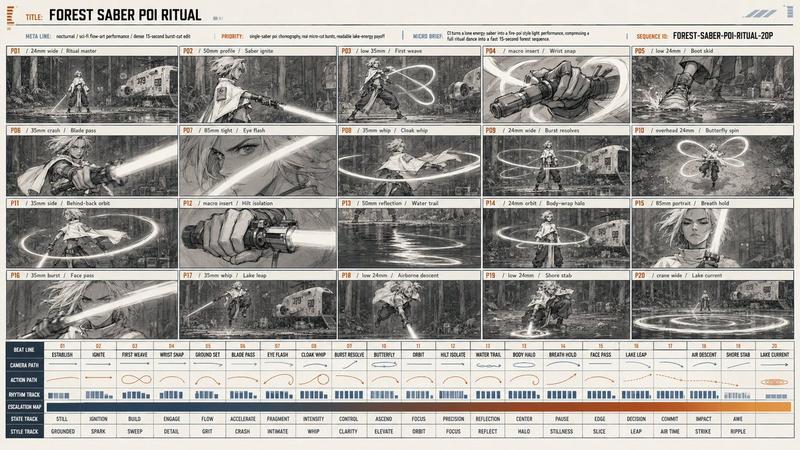
房间安装分镜脚本页
Enlarge

房间安装分镜脚本页

Prompt
Ultra realistic cinematic storyboard sheet showing 12 sequential panels of a {argument name="process" default="room electrical installation process"}, all frames arranged in a professional storyboard layout on a single white sheet, hand-drawn cinematic composition mixed with realistic rendering, static camera angles, documentary construction style.

Panel 1: Empty dusty unfinished room.
Panel 2: Electricians entering with tools and wire rolls.
Panel 3: Wall cutting for electrical wiring channels.
Panel 4: Ceiling wiring installation process.
Panel 5: AC copper pipe installation.
Panel 6: Switch board fitting and wire connections.
Panel 7: LED light holders installed.
Panel 8: Ceiling fan mounting process.
Panel 9: AC indoor unit mounted on wall.
Panel 10: Electricians testing electrical system.
Panel 11: Room cleaning and final adjustments.
Panel 12: Fully completed modern room with lights on, fan spinning and AC running.

Detailed storyboard frames, cinematic arrows and scene transition notes, realistic workers in safety uniforms, tools visible in every panel, consistent room layout across all storyboard frames, film production storyboard style, highly detailed black-and-white sketch mixed with soft cinematic shading, professional pre-production concept sheet, one single image containing all storyboard panels.
Category
Products & E-commerce
Model
GPT Image 2
Views3
Source ID
21303
Published
May 18, 2026

Guide

About "房间安装分镜脚本页"

What is this prompt for?

"房间安装分镜脚本页" AI image prompt for GPT Image 2 (Products & E-commerce). 一张超写实的 12 格分镜脚本页,展示了房间电气安装过程的连续步骤。 Copy it on Picva and recreate the look in one click.

The full copyable prompt and example visuals above are ready for AI image generation or one-click recreate in Picva.

How to use this prompt

  1. Step 1

    Open the prompt detail

    Review the example visuals, category, and full prompt text for "房间安装分镜脚本页".

  2. Step 2

    Copy the prompt

    Copy the prompt body from this page, or load it directly in Studio.

  3. Step 3

    Pick a model (GPT Image 2)

    Prefer GPT Image 2. If you switch models, keep subject and composition and tweak style terms.

  4. Step 4

    Generate and export

    Recreate the look in Picva, or export into your workflow for editing and publishing.

FAQ

What is the "房间安装分镜脚本页" prompt?
It is an AI image-generation prompt for GPT Image 2 in the Products & E-commerce category. This page includes the full prompt text, example visuals, and a one-click recreate path in Picva.
How do I use this prompt to generate an image?
Copy the prompt from this page, or use Generate / Studio. Paste it into a compatible image model, or recreate the look in Picva with optional reference images.
Which model is this prompt for?
This page lists GPT Image 2. Most descriptive prompts also transfer to nearby image models such as GPT Image, Flux, or Midjourney with light style tweaks.
Can I use the result commercially?
You can usually copy the prompt for creation, but commercial use of the final image depends on the model terms, reference-image rights, and the generated content. Follow the source author and platform rules.