唐风荔枝课件封面
Prompt
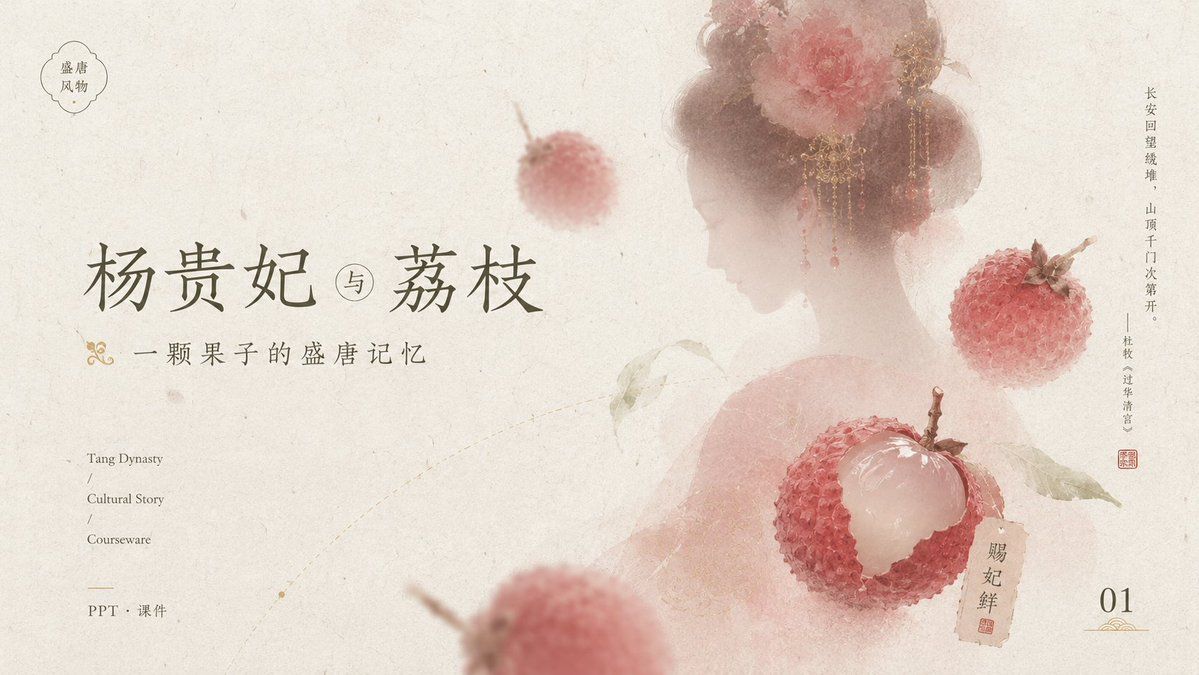
Goal: Create an elegant Tang-dynasty inspired courseware/PPT cover slide about {argument name="main title" default="杨贵妃 与 荔枝"}, with a poetic Chinese historical aesthetic centered on lychees and a veiled court beauty.

Canvas: 16:9 horizontal presentation cover, warm ivory handmade-rice-paper background with subtle fibers, stains, faint scratches, and ink-wash aging. Overall palette is muted cream, dusty rose, pale peach, faded red, olive gray, and ink gray.

Layout: Place the main title large on the left-center in refined Chinese calligraphy-style serif lettering. Put the small subtitle directly underneath with a decorative gold flourish at the far left. Keep generous negative space on the left and lower middle. On the right half, show a soft translucent back-view silhouette of a Tang-dynasty noblewoman with bare shoulders, high rounded hair buns, ornate gold dangling hair jewelry, and large pink-red peony flowers in her hair; her face area is intentionally covered by a plain pale beige rectangular privacy block. Add floating lychees around her and foreground depth blur.

Text content: Include exactly these visible text areas: 1) top-left small cloud-shaped seal containing “盛唐 / 风物”; 2) main title “杨贵妃 与 荔枝”; 3) subtitle “一颗果子的盛唐记忆”; 4) lower-left English stack “Tang Dynasty / Cultural Story / Courseware”; 5) lower-left Chinese label “PPT · 课件”; 6) right-side vertical poem text “长安回望绣堆,山顶千门次第开。——杜牧《过华清宫》”; 7) small tag near the peeled lychee reading “贵妃鲜” with a red seal mark; 8) bottom-right page number “01” with a small gold ornamental underline.

Subject details: Include exactly 4 visible lychee elements: one small blurred whole lychee floating near the upper center, one sharp whole lychee on the right side, one large peeled lychee in the lower-right center with translucent white flesh exposed and red bumpy skin opened around it, and one large heavily blurred partial lychee in the lower foreground. Add a few pale green lychee leaves connected to the peeled fruit. Make the lychees painterly but realistic, with bumpy red shells and soft natural highlights.

Visual style: Minimal luxury Chinese editorial design, museum-courseware cover, soft ink wash, translucent layering, shallow depth of field, delicate gold accents, understated red stamp marks, balanced asymmetrical composition, no modern UI elements.

Constraints: Keep the page clean and airy, maintain the exact count of 4 lychee elements, keep all typography readable, use no extra text beyond the specified labels, no watermark, no photorealistic harsh lighting.- Category
- Charts & Infographics
- Model
- GPT Image 2
- Creator
- 小小东
- Source ID
- 21567
- Published
- May 19, 2026
Views4