19

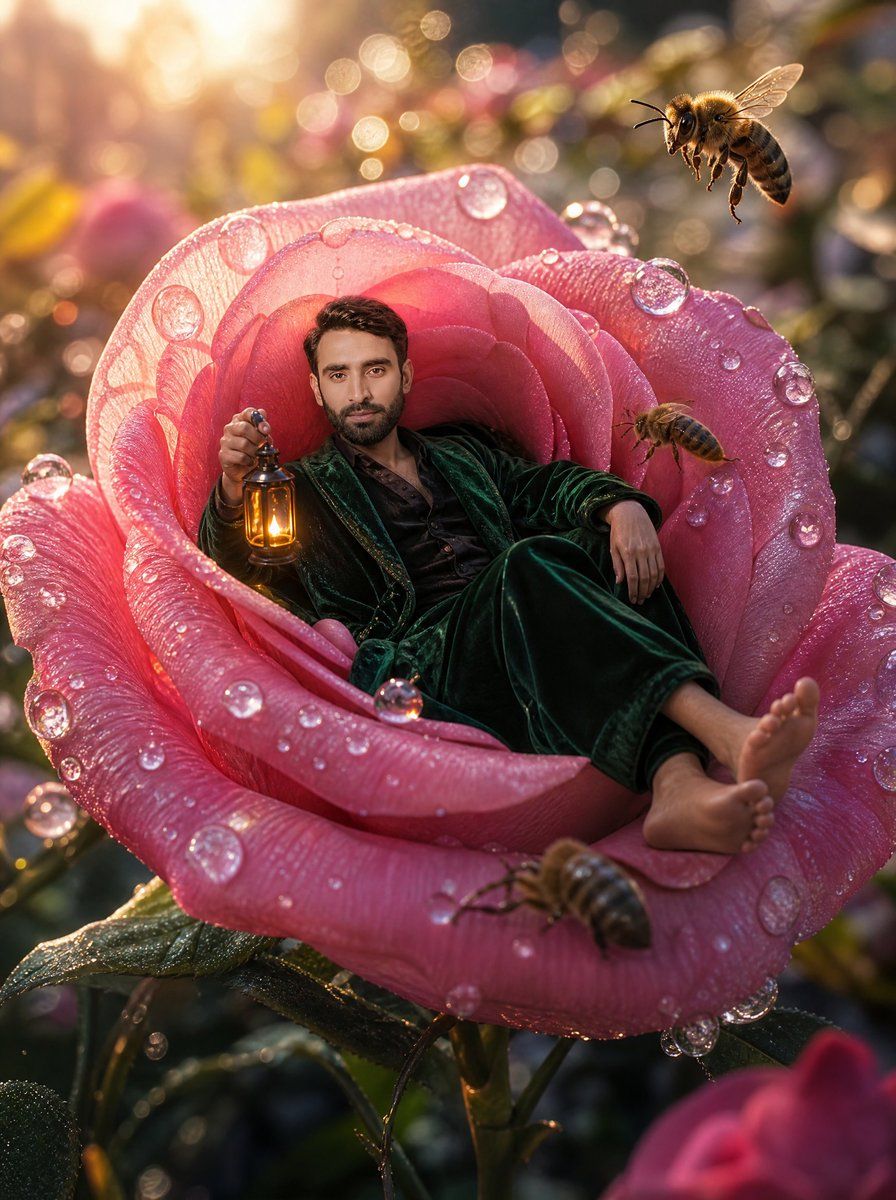
躺在巨大玫瑰花中的小人
Enlarge

躺在巨大玫瑰花中的小人

Prompt
Create a cinematic macro-fantasy photo-real scene of {argument name="character description" default="a relaxed adult man with short dark hair"} lounging inside the open center of an enormous pink rose as if it were a velvet armchair. He wears a dark emerald green velvet robe or pajama suit with a black shirt, bare feet stretched toward the front petal, one arm resting casually on the rose and the other hand holding a small antique brass lantern glowing warm amber. The rose is giant, richly detailed, and covered with sparkling morning dew: translucent droplets cling to the petals and catch the sunlight like glass beads. Include exactly 4 visible bees: one large sharply focused bee hovering in the upper right, one smaller bee flying near the right inner petal, one bee crawling or hovering on the front lower petal, and one softly blurred partial bee at the far right edge. The setting is a magical garden at sunrise with golden backlight, warm lens flare, shallow depth of field, circular bokeh, blurred flowers and leaves in the background, and a dreamy enchanted atmosphere. Use a vertical 3:4 composition, low macro viewpoint, ultra-detailed textures on petals, dew, velvet fabric, bee wings, and lantern metal. The mood should feel whimsical, luxurious, cozy, and surreal, with warm highlights and soft pink-and-gold color grading. Keep the face natural and visible unless replaced by {argument name="face source" default="the subject's uploaded face"}; do not add text, borders, logos, or extra people.
Category
Charts & Infographics
Model
GPT Image 2
Creator
Mr. Tariq
Views6
Source ID
22382
Published
May 24, 2026

Guide

About "躺在巨大玫瑰花中的小人"

What is this prompt for?

"躺在巨大玫瑰花中的小人" AI image prompt for GPT Image 2 (Charts & Infographics). 这是一个超现实的电影感花园肖像提示词,旨在将人物置于挂满露珠的巨大玫瑰花中,并配以蜜蜂和金色的日出光影。 Copy it on Picva and recreate the l…

The full copyable prompt and example visuals above are ready for AI image generation or one-click recreate in Picva.

How to use this prompt

  1. Step 1

    Open the prompt detail

    Review the example visuals, category, and full prompt text for "躺在巨大玫瑰花中的小人".

  2. Step 2

    Copy the prompt

    Copy the prompt body from this page, or load it directly in Studio.

  3. Step 3

    Pick a model (GPT Image 2)

    Prefer GPT Image 2. If you switch models, keep subject and composition and tweak style terms.

  4. Step 4

    Generate and export

    Recreate the look in Picva, or export into your workflow for editing and publishing.

FAQ

What is the "躺在巨大玫瑰花中的小人" prompt?
It is an AI image-generation prompt for GPT Image 2 in the Charts & Infographics category. This page includes the full prompt text, example visuals, and a one-click recreate path in Picva.
How do I use this prompt to generate an image?
Copy the prompt from this page, or use Generate / Studio. Paste it into a compatible image model, or recreate the look in Picva with optional reference images.
Which model is this prompt for?
This page lists GPT Image 2. Most descriptive prompts also transfer to nearby image models such as GPT Image, Flux, or Midjourney with light style tweaks.
Can I use the result commercially?
You can usually copy the prompt for creation, but commercial use of the final image depends on the model terms, reference-image rights, and the generated content. Follow the source author and platform rules.