19

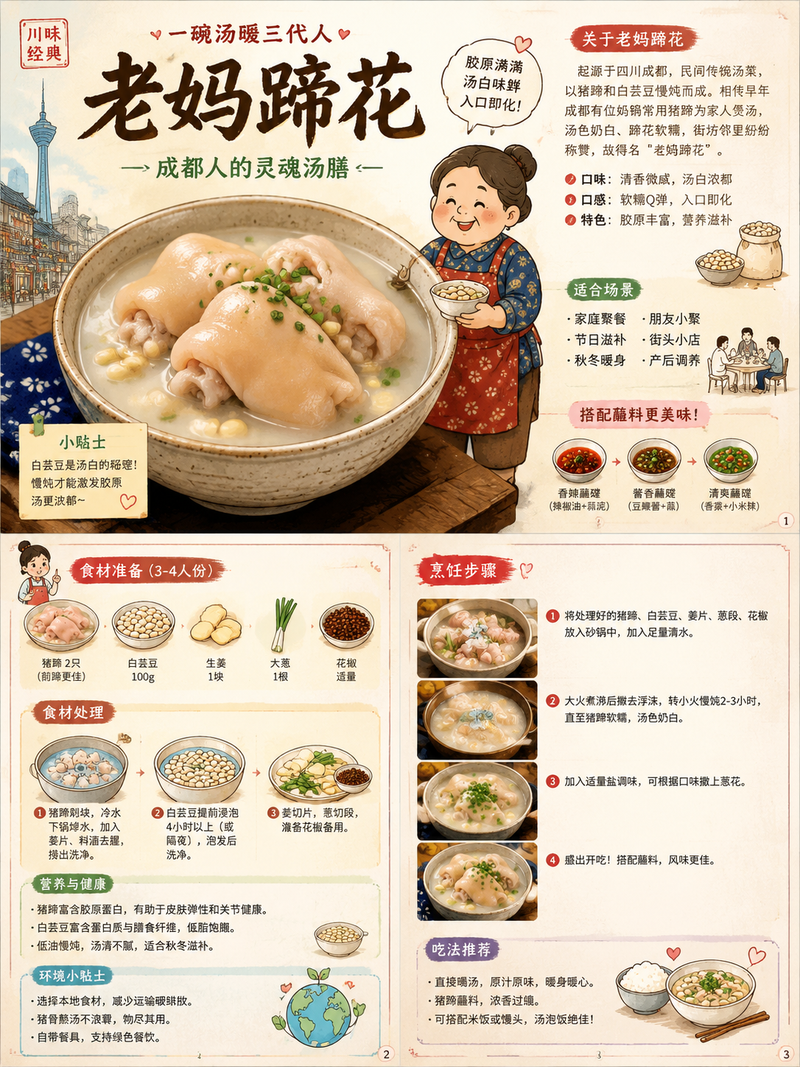
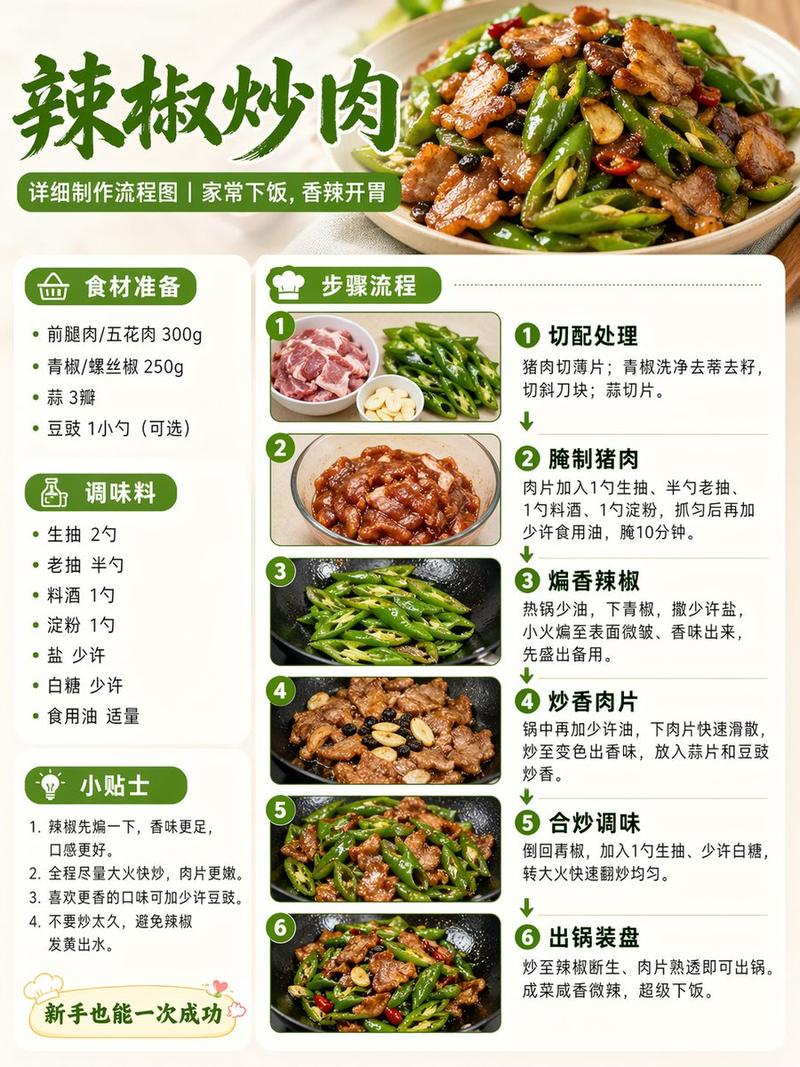
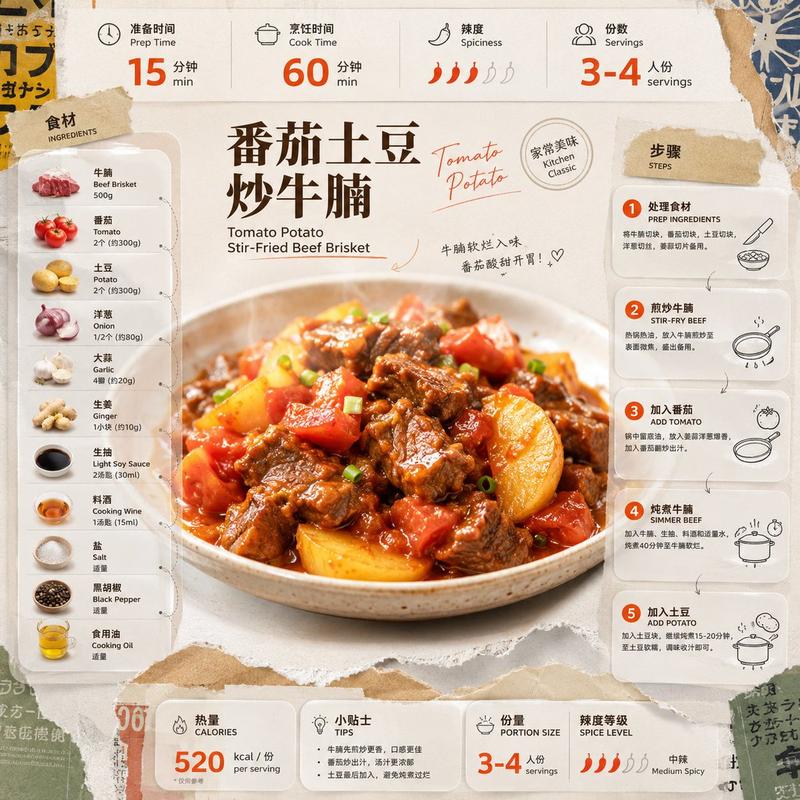
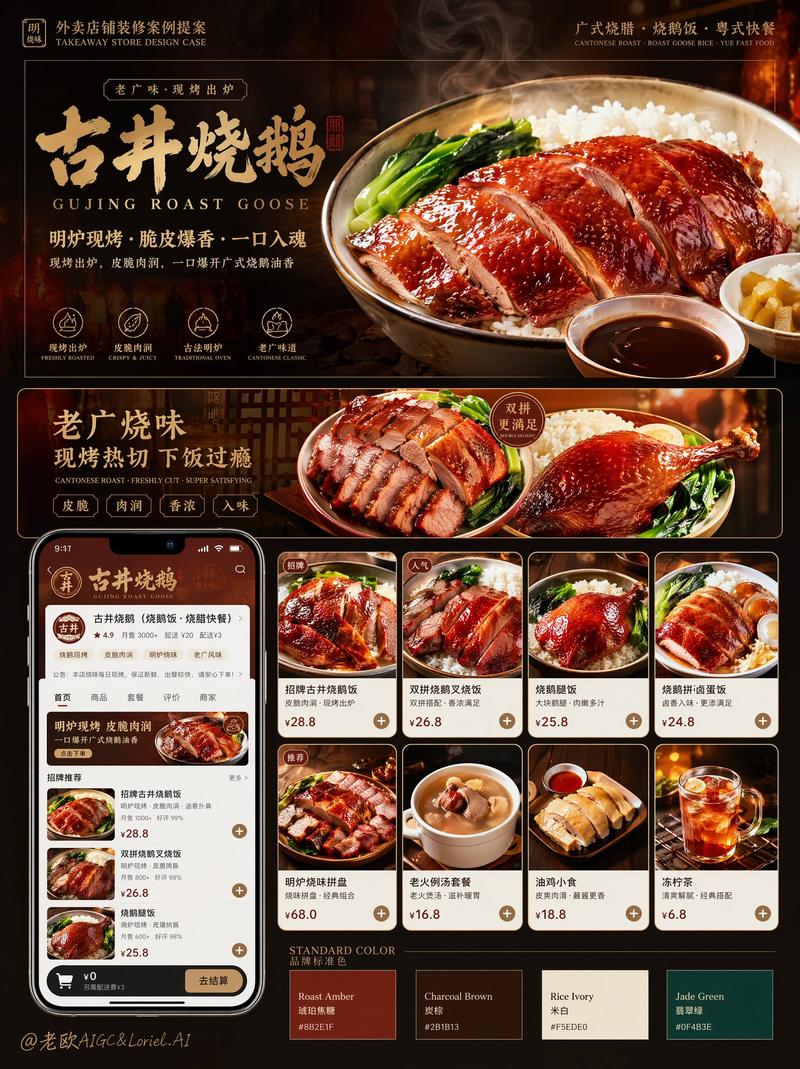
美食食谱视觉笔记海报
Enlarge

Example images

美食食谱视觉笔记海报

Prompt
生成一张高颜值美食食谱图文笔记海报,主题为《{argument name="菜名" default="[菜名]"}》。【整体风格】清新治愈系美食信息图风格,融合:小红书爆款食谱排版、日系手账感、轻手绘UI元素、美食杂志风。整体画面:温暖奶油色背景(米白 / 浅奶咖)、配色明亮但不刺眼、食物颜色鲜艳诱人、排版干净整齐、适合手机竖版阅读。【画面核心结构】1. 顶部标题区 - 超大字体菜名 - 搭配手绘小图标(辣椒 / 爱心 / 星星 / 蒸汽等)- 加一句食欲文案 2. 主视觉美食大图 - 一张超诱人的成品特写 - 食物占画面视觉中心 - 有明显光泽感与热气 - 强调“刚出锅”的感觉 - 镜头具有美食摄影质感 3. 食材准备模块 - 使用卡片式布局 - 展示主要食材 - 每个食材带小图标/实物图 - 标注用量 - 排版整洁清晰 4. 制作步骤模块 - 使用步骤编号(1、2、3…)- 每一步包含:小步骤配图、简短文字说明 - 箭头串联流程 - 让人一眼能看懂制作过程 - 图片具有真实烹饪过程感 5. 小贴士模块 - 使用:手绘便签风、虚线边框、小灯泡图标 6. 底部氛围文案 【视觉细节】大量手绘元素点缀、可爱箭头、涂鸦线条、圆角卡片、轻微纸张纹理、阴影柔和、信息密度高但不乱【画质要求】高清、高细节、食物极其诱人、适合做小红书封面、适合做图文笔记、4K 美食摄影质感【重点】不要出现 AI 绘画感,不要低质量插画感,不要过度卡通,整体更像:“专业美食博主制作的高质量图文笔记”。
Category
Charts & Infographics
Model
GPT Image 2
Views15
Source ID
22714
Published
May 26, 2026

Guide

About "美食食谱视觉笔记海报"

What is this prompt for?

"美食食谱视觉笔记海报" AI image prompt for GPT Image 2 (Charts & Infographics). 一份详细的布局提示词,用于创建具有手绘感和生活方式博客风格的高品质、美学美食食谱信息图。 Copy it on Picva and recreate the look in on…

The full copyable prompt and example visuals above are ready for AI image generation or one-click recreate in Picva.

How to use this prompt

  1. Step 1

    Open the prompt detail

    Review the example visuals, category, and full prompt text for "美食食谱视觉笔记海报".

  2. Step 2

    Copy the prompt

    Copy the prompt body from this page, or load it directly in Studio.

  3. Step 3

    Pick a model (GPT Image 2)

    Prefer GPT Image 2. If you switch models, keep subject and composition and tweak style terms.

  4. Step 4

    Generate and export

    Recreate the look in Picva, or export into your workflow for editing and publishing.

FAQ

What is the "美食食谱视觉笔记海报" prompt?
It is an AI image-generation prompt for GPT Image 2 in the Charts & Infographics category. This page includes the full prompt text, example visuals, and a one-click recreate path in Picva.
How do I use this prompt to generate an image?
Copy the prompt from this page, or use Generate / Studio. Paste it into a compatible image model, or recreate the look in Picva with optional reference images.
Which model is this prompt for?
This page lists GPT Image 2. Most descriptive prompts also transfer to nearby image models such as GPT Image, Flux, or Midjourney with light style tweaks.
Can I use the result commercially?
You can usually copy the prompt for creation, but commercial use of the final image depends on the model terms, reference-image rights, and the generated content. Follow the source author and platform rules.