20

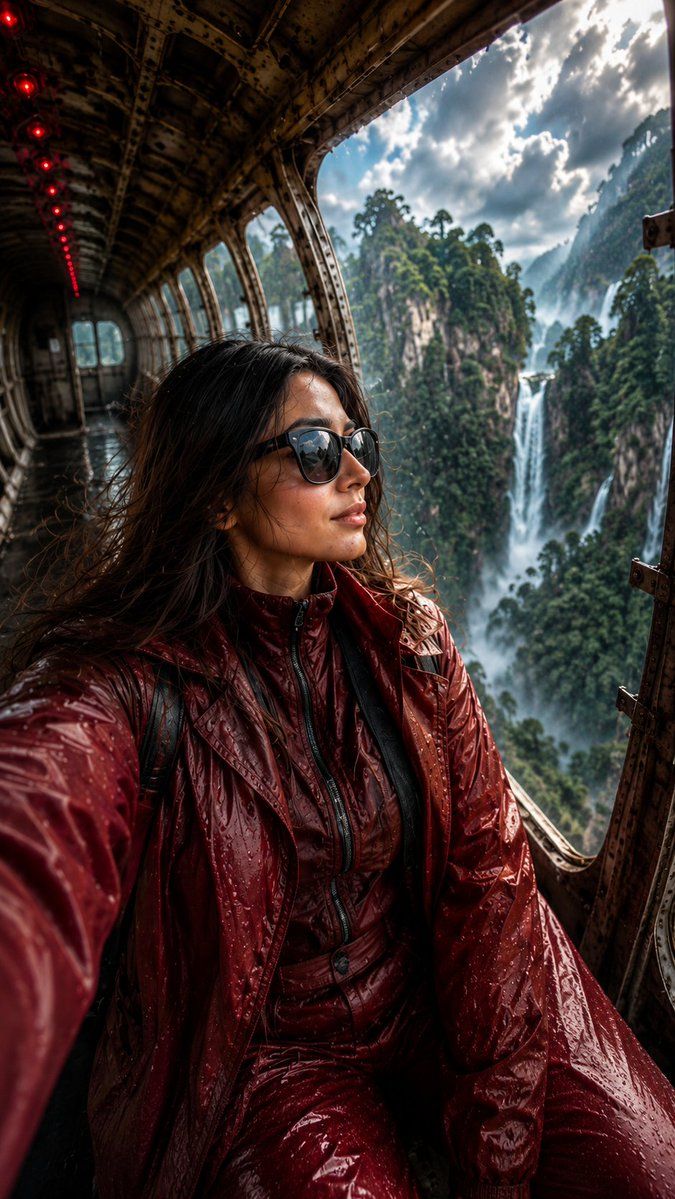
废弃飞机丛林自拍
Enlarge

废弃飞机丛林自拍

Prompt
Use my uploaded image, ultra-realistic cinematic selfie portrait of a confident young woman sitting inside a {argument name="location" default="gigantic abandoned airplane"} suspended above {argument name="background" default="lush tropical jungle cliffs"} and massive waterfalls, holding the camera with one hand in a natural iPhone selfie angle, relaxed calm expression with hand resting on cheek, wearing {argument name="outfit" default="fully modest deep burgundy futuristic rain outfit"} with glossy waterproof long jacket and matching loose pants, oversized black sunglasses, wet wavy hair with realistic rain droplets, dramatic cloudy sky after rain, soft mist floating around the mountains, cinematic sunlight rays entering through broken airplane windows, reflective wet metallic floor, glowing red emergency cabin lights in the background, luxury adventure traveler aesthetic.
Category
Photography & Realism
Model
GPT Image 2
Views2
Source ID
22846
Published
May 27, 2026

Guide

About "废弃飞机丛林自拍"

What is this prompt for?

"废弃飞机丛林自拍" AI image prompt for GPT Image 2 (Photography & Realism). 一个用于创建电影感自拍肖像的图生图提示词,场景设定在俯瞰热带丛林的未来感废弃飞机内。 Copy it on Picva and recreate the look in one cl…

The full copyable prompt and example visuals above are ready for AI image generation or one-click recreate in Picva.

How to use this prompt

  1. Step 1

    Open the prompt detail

    Review the example visuals, category, and full prompt text for "废弃飞机丛林自拍".

  2. Step 2

    Copy the prompt

    Copy the prompt body from this page, or load it directly in Studio.

  3. Step 3

    Pick a model (GPT Image 2)

    Prefer GPT Image 2. If you switch models, keep subject and composition and tweak style terms.

  4. Step 4

    Generate and export

    Recreate the look in Picva, or export into your workflow for editing and publishing.

FAQ

What is the "废弃飞机丛林自拍" prompt?
It is an AI image-generation prompt for GPT Image 2 in the Photography & Realism category. This page includes the full prompt text, example visuals, and a one-click recreate path in Picva.
How do I use this prompt to generate an image?
Copy the prompt from this page, or use Generate / Studio. Paste it into a compatible image model, or recreate the look in Picva with optional reference images.
Which model is this prompt for?
This page lists GPT Image 2. Most descriptive prompts also transfer to nearby image models such as GPT Image, Flux, or Midjourney with light style tweaks.
Can I use the result commercially?
You can usually copy the prompt for creation, but commercial use of the final image depends on the model terms, reference-image rights, and the generated content. Follow the source author and platform rules.