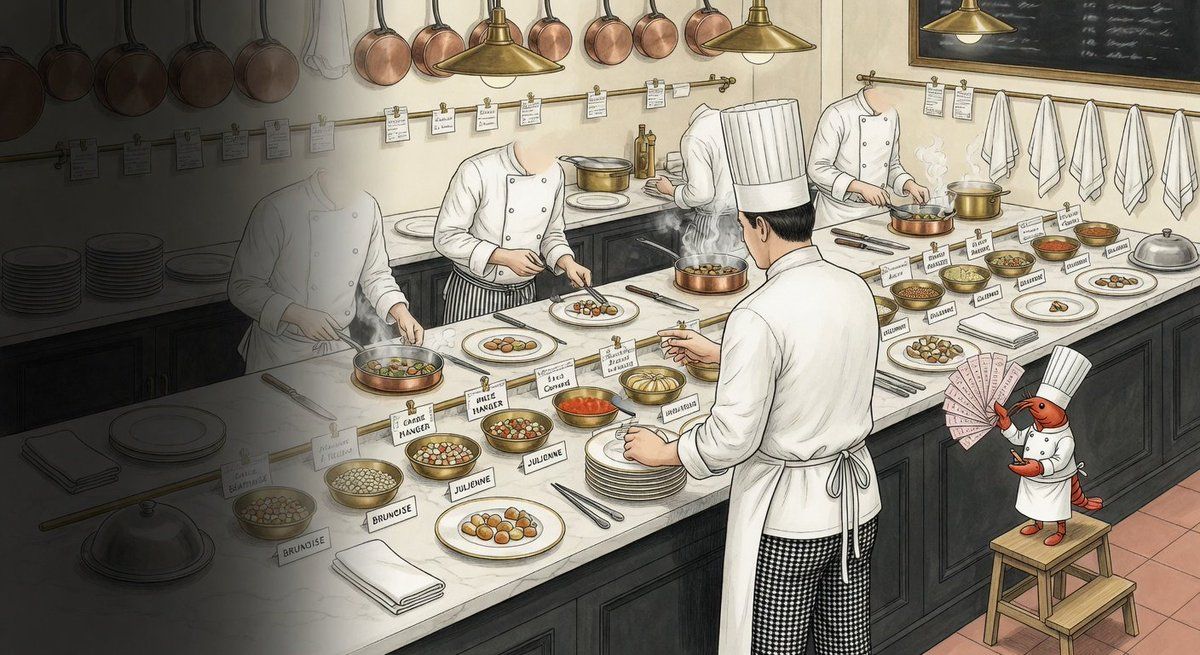
“被诅咒的仓库”厨房插画
Prompt
Create a wide hand-drawn editorial illustration of a surreal professional restaurant kitchen for {argument name="project name" default="a cursed repo visualization"}. Use a 16:9 canvas with a slightly elevated three-quarter view down a long white marble prep counter. The scene should feel like a whimsical, cursed software-repository metaphor rendered as a detailed ink-and-watercolor kitchen: warm cream walls, dark cabinetry, copper pans hanging along the back wall, brass pendant lamps, recipe tickets clipped to rails, towels on hooks, a chalkboard menu with illegible scribbles, stacks of plates, folded napkins, knives, tongs, saucepans, steaming bowls, and many tiny handwritten ingredient labels with mostly nonsensical text. Include exactly 5 human chefs: 1 dim ghostlike chef on the far left fading into a dark vignette, 1 chef at the left-center counter plating food, 1 partially obscured chef near the back center leaning over a pot, 1 large main chef seen from behind in the foreground wearing a tall toque and black-and-white checkered pants, and 1 chef on the right actively stirring a pan. Add exactly 1 anthropomorphic shrimp chef mascot standing on a small wooden step stool at the lower right, wearing a white chef coat and tall chef hat, holding a fan of pink order tickets like playing cards. The counter should contain exactly 12 prominent plated or bowled food items: 1 covered silver cloche near the lower left, 1 bowl of pale round beans labeled like gibberish, 1 bowl of mixed diced ingredients, 1 white plate of golden balls, 1 small red sauce bowl, 1 copper pan of round items steaming near the center, 1 plated tiny arrangement being assembled by the left-center chef, 1 central lidded or domed dish, 1 shallow bowl of grain-like filling, 1 reddish stew bowl, 1 white plate with a tiny plated garnish on the right, and 1 white plate of browned round bites at the far right. Scatter many small paper labels in front of the dishes; make the labels look hand-lettered and intentionally wrong or hard to read, including fragments resembling “BRUNCISE,” “JULIENNE,” “CANDI HANGER,” and other pseudo culinary/software terms. The left third of the image should be covered by a heavy dark smoky shadow and the right side should be clearer and warmer, creating an ominous-to-comedic contrast. Style: delicate black linework, muted watercolor wash, slightly vintage cookbook illustration, high detail, soft steam, no photorealism, no modern appliances, no clean vector graphics. Keep all text small, imperfect, and mostly illegible except for a few goofy labels. Use {argument name="overall mood" default="cursed but charming"} as the emotional tone, {argument name="mascot species" default="shrimp"} for the tiny chef mascot, and {argument name="color palette" default="warm cream, copper, charcoal, white marble, muted red accents"}.- Category
- Charts & Infographics
- Model
- GPT Image 2
- Creator
- Solomon Neas
- Source ID
- 22904
- Published
- May 27, 2026
Views5