19

武士审查海报
Enlarge

武士审查海报

Prompt
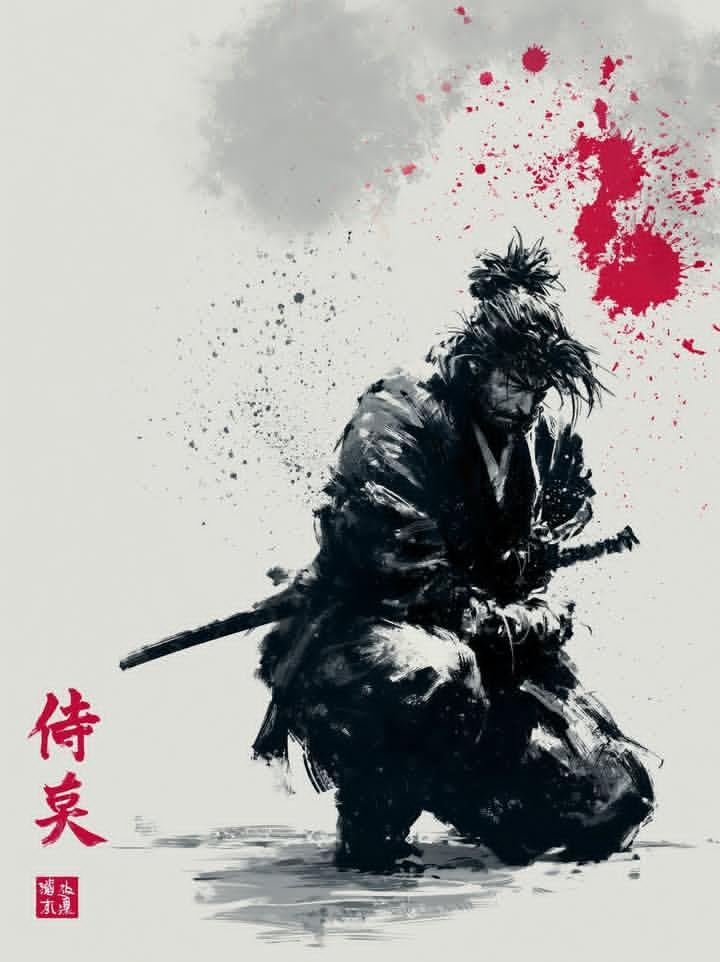
Create a dramatic fashion-editorial poster of a gritty wandering samurai holding a katana diagonally across the body. The subject is a single half-body figure with messy black hair tied in a loose topknot, windblown strands, rugged layered dark gray-black robes, dirty weathered fabric, frayed sleeves, leather cords at the waist, and a battle-worn metal katana with an ornate black-and-gold wrapped handle and round guard. The face must be obscured by a centered opaque square censor block in warm dark brown, covering the facial features while leaving hair, ear, hand, clothing, and sword visible. Compose the figure inside a bold abstract diagonal hot-pink slash shape on a clean white background, with sharp white geometric cutouts crossing the image so the pink shape feels like a large angular lightning-bolt or folded ribbon. Use high-contrast photorealistic detail, gritty texture, ink splatters and grime around the figure, strong daylight, crisp shadows, and a magazine-cover/poster aesthetic. The katana blade should run from the upper left handle area down toward the lower right foreground, long and reflective, dominating the composition. Add a small handwritten signature/date note in the bottom-right white margin reading {argument name="date text" default="May 28, 2026"} on the first line and {argument name="signature text" default="Oyagi"} on the second line. Keep the canvas vertical 2:3, minimal, no other text, no border, no watermark.
Category
Posters & Typography
Model
GPT Image 2
Creator
おやぎ
Views1
Source ID
22935
Published
May 28, 2026

Guide

About "武士审查海报"

What is this prompt for?

"武士审查海报" AI image prompt for GPT Image 2 (Posters & Typography). 一张竖版编辑风格海报,展示了一位写实风格的粗犷武士,配有斜向武士刀、亮粉色图形背景以及手写日期签名。 Copy it on Picva and recreate the look in o…

The full copyable prompt and example visuals above are ready for AI image generation or one-click recreate in Picva.

How to use this prompt

  1. Step 1

    Open the prompt detail

    Review the example visuals, category, and full prompt text for "武士审查海报".

  2. Step 2

    Copy the prompt

    Copy the prompt body from this page, or load it directly in Studio.

  3. Step 3

    Pick a model (GPT Image 2)

    Prefer GPT Image 2. If you switch models, keep subject and composition and tweak style terms.

  4. Step 4

    Generate and export

    Recreate the look in Picva, or export into your workflow for editing and publishing.

FAQ

What is the "武士审查海报" prompt?
It is an AI image-generation prompt for GPT Image 2 in the Posters & Typography category. This page includes the full prompt text, example visuals, and a one-click recreate path in Picva.
How do I use this prompt to generate an image?
Copy the prompt from this page, or use Generate / Studio. Paste it into a compatible image model, or recreate the look in Picva with optional reference images.
Which model is this prompt for?
This page lists GPT Image 2. Most descriptive prompts also transfer to nearby image models such as GPT Image, Flux, or Midjourney with light style tweaks.
Can I use the result commercially?
You can usually copy the prompt for creation, but commercial use of the final image depends on the model terms, reference-image rights, and the generated content. Follow the source author and platform rules.