20

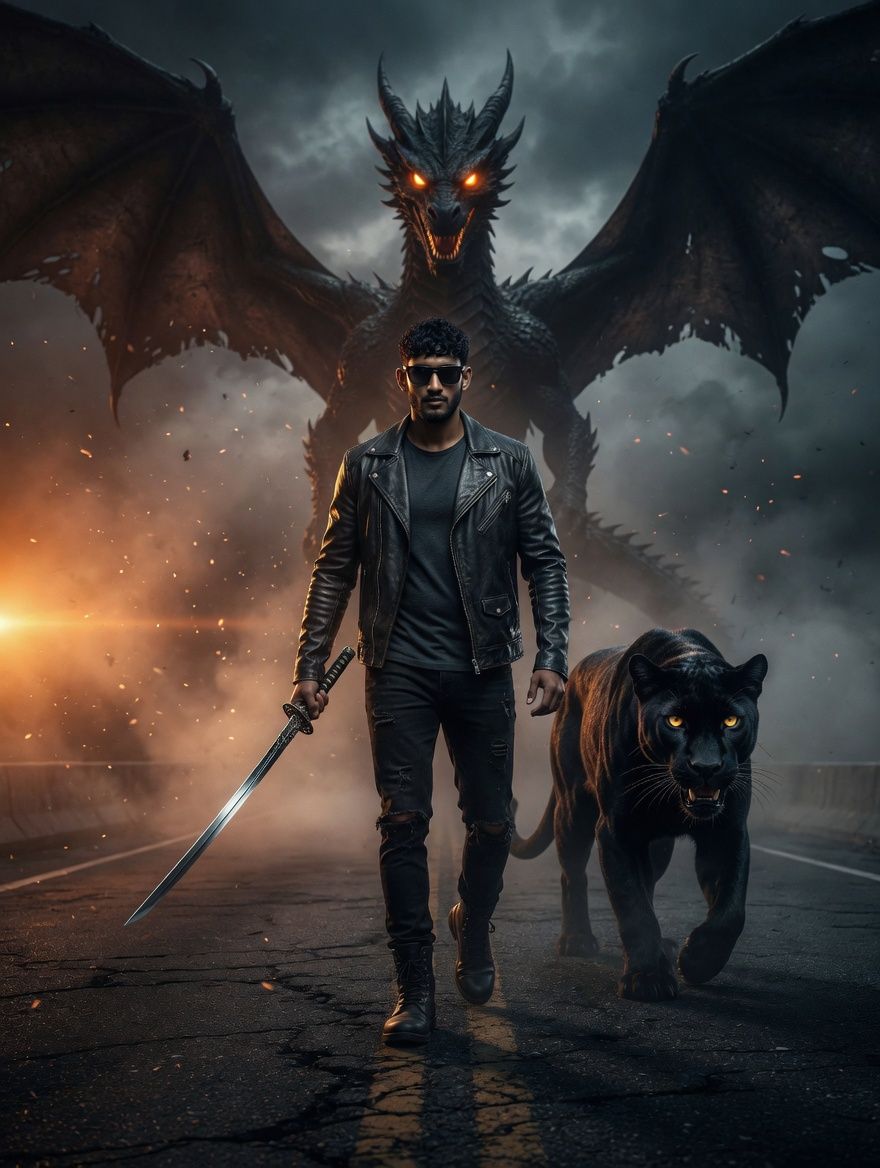
赛博朋克奇幻动作电影海报
Enlarge

赛博朋克奇幻动作电影海报

Prompt
A powerful cinematic action poster featuring a {argument name="character" default="stylish man"} walking forward on a dark highway. The man has short black hair, a well-groomed beard, wearing a black leather jacket, dark t-shirt, and ripped jeans with sunglasses, holding a sharp katana sword in one hand. Walking beside him is a {argument name="companion" default="fierce black panther"} with glowing yellow eyes. Looming large in the background is a massive, {argument name="creature" default="menacing black dragon"} with spread wings and glowing orange eyes. Moody atmosphere with smoke and dramatic dual lighting—warm orange light from the left and cool blue-grey light from the right. Cyberpunk and fantasy fusion, hyper-realistic, 8k resolution, ultra-detailed.
Category
Posters & Typography
Model
GPT Image 2
Views4
Source ID
23161
Published
May 29, 2026

Guide

About "赛博朋克奇幻动作电影海报"

What is this prompt for?

"赛博朋克奇幻动作电影海报" AI image prompt for GPT Image 2 (Posters & Typography). 一张充满张力的动作海报提示词,画面包含一名手持武士刀的男子、一只黑豹以及一条巨大的龙,背景设定在氛围感十足的高速公路上。 Copy it on Picva and recrea…

The full copyable prompt and example visuals above are ready for AI image generation or one-click recreate in Picva.

How to use this prompt

  1. Step 1

    Open the prompt detail

    Review the example visuals, category, and full prompt text for "赛博朋克奇幻动作电影海报".

  2. Step 2

    Copy the prompt

    Copy the prompt body from this page, or load it directly in Studio.

  3. Step 3

    Pick a model (GPT Image 2)

    Prefer GPT Image 2. If you switch models, keep subject and composition and tweak style terms.

  4. Step 4

    Generate and export

    Recreate the look in Picva, or export into your workflow for editing and publishing.

FAQ

What is the "赛博朋克奇幻动作电影海报" prompt?
It is an AI image-generation prompt for GPT Image 2 in the Posters & Typography category. This page includes the full prompt text, example visuals, and a one-click recreate path in Picva.
How do I use this prompt to generate an image?
Copy the prompt from this page, or use Generate / Studio. Paste it into a compatible image model, or recreate the look in Picva with optional reference images.
Which model is this prompt for?
This page lists GPT Image 2. Most descriptive prompts also transfer to nearby image models such as GPT Image, Flux, or Midjourney with light style tweaks.
Can I use the result commercially?
You can usually copy the prompt for creation, but commercial use of the final image depends on the model terms, reference-image rights, and the generated content. Follow the source author and platform rules.