Rams Park 足球科技海报
Prompt
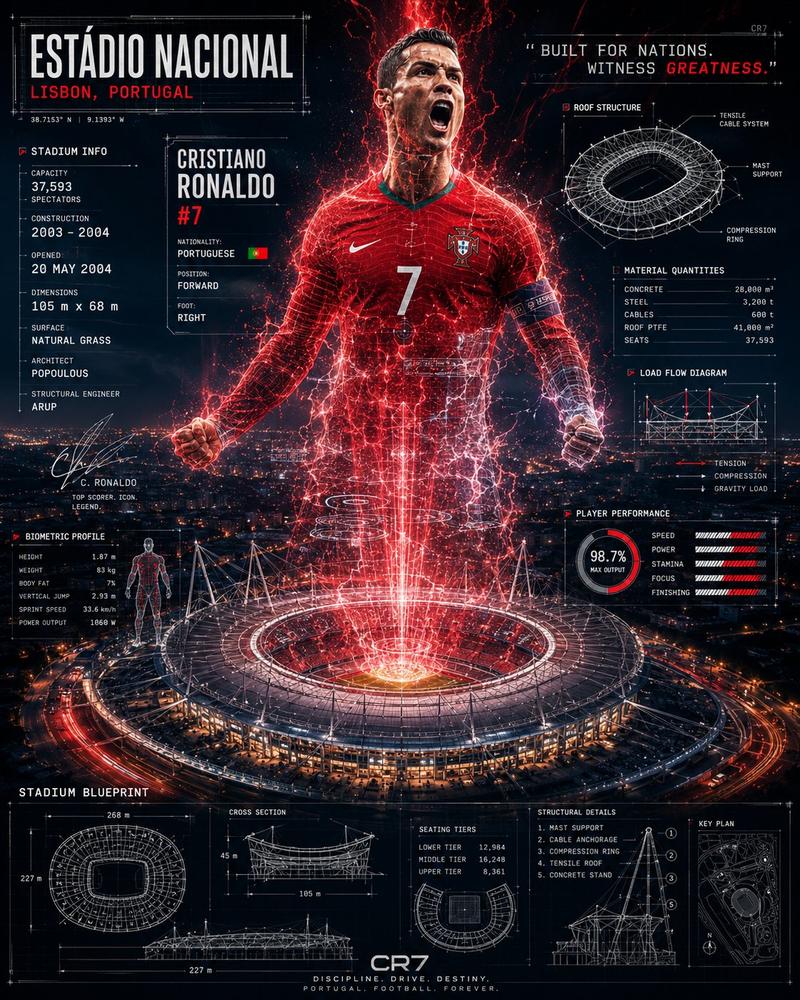
Goal: Create a dramatic vertical sports-engineering poster for {argument name="player name" default="ARDA GÜLER"} at {argument name="stadium name" default="RAMS PARK"}, combining a cinematic football hero hologram with detailed blueprint-style stadium data overlays.

Canvas: Portrait 4:5 poster, dark navy night palette, high contrast, ultra-detailed, futuristic technical infographic aesthetic. Background is an aerial nighttime city view with a brightly lit oval football stadium at the bottom center. From the stadium roof, red-orange energy beams and particles project upward to form a giant semi-transparent football player running toward the viewer.

Central subject: A young male footballer in a red {argument name="national team" default="Turkey"} jersey, number {argument name="jersey number" default="8"}, with the Turkish flag badge on the chest and a white swoosh logo. He is mid-run with clenched hands, athletic posture, glowing red electrical outlines, sparks, and holographic scan lines. Add a soft rectangular anonymized blur over the face, as if the face has been intentionally obscured. The lower body dissolves into red light streams connecting into the stadium.

Main stadium: Large modern oval stadium seen from above at night, orange-red illuminated facade, glowing open roof, visible sign reading “RAMS PARK” on the front. Add a Galatasaray-style crest centered on the facade. The stadium emits intense red-white light upward, like a sports-tech energy projection.

Layout: Surround the central player and stadium with exactly 13 technical information panels drawn in thin white blueprint lines, using small condensed uppercase technical typography, subtle grid marks, measurement arrows, and schematic line art.

Panel count and content:
1. Top-left title plate: “ALI SAMI YEN SPOR KOMPLEKSI”, huge headline “RAMS PARK”, coordinates “40.8606° N, 28.9940° E”, and “ISTANBUL, TÜRKIYE”.
2. Left upper stadium info panel: “STADIUM INFO ///”, capacity “52,223 SPECTATORS”, construction “2007”, renovation “2021”, plus a stylized signature.
3. Left middle dimensions panel: small top-down stadium plan, labels “LENGTH: 105 m”, “WIDTH: 68 m”, “TOTAL AREA: 85,000 m²”.
4. Left player identity card: large name “ARDA GÜLER”, large number “8”, small Turkish flag, labels “TURKEY”, “ATTACKING MIDFIELDER”, “RIGHT FOOTED”.
5. Left biometrics panel: “PLAYER BIOMETRICS ///” with exact stat list: Height 1.76 m, Weight 67 kg, Top Speed 32.1 km/h, Acceleration 4.2 m/s², Stamina 94/100, Agility 93/100, Vision 95/100, Pass Accuracy 91/100, Shot Power 88/100, Energy Output 98%.
6. Left lower chart: “ENERGY OUTPUT” with a white waveform graph and “98%”.
7. Top-right roof engineering panel: circular roof structure blueprint titled “ROOF ENGINEERING”, labels “STEEL CABLE STRUCTURE”, “ETFE MEMBRANE COVER”, “RING BEAM SYSTEM”, “MAX CANTILEVER 65 m”.
8. Right upper cross-section panel: stadium section drawing titled “CROSS SECTION”, labels “UPPER TIER”, “MIDDLE TIER”, “LOWER TIER”, “PREMIUM LEVEL”, “PITCH LEVEL”.
9. Right material quantities panel: “MATERIAL QUANTITIES” with list: Steel (structural) 18,000 ton, Concrete 42,000 m³, ETFE membrane 48,000 m², Cables total length 24,000 m, Seats 52,223.
10. Right middle tactical heatmap panel: mini football pitch with red-orange heat dots and white tactical arrows, titled “TACTICAL HEATMAP ///”.
11. Right movement patterns panel: “MOVEMENT PATTERNS ///” with four rows labeled “SPRINT”, “DRIBBLE”, “PASS”, “RUN LINE”, each represented by arrow and dashed line patterns.
12. Bottom-left load flow diagram: structural roof/load schematic titled “LOAD FLOW DIAGRAM”, labels “VERTICAL LOAD”, “HORIZONTAL LOAD”, “WIND LOAD”, “CABLE TENSION”.
13. Bottom center/right engineering base panels: include “ELEVATION (SOUTH)” with stadium elevation drawing and measurements “274 m” width and “45 m” height, plus “FOUNDATION & STRUCTURE” showing pile foundation cross-section with labels “PILE FOUNDATION Ø1500mm”, “DEPTH: 35 m”, “PILE COUNT: 304”, “REINFORCED CONCRETE RING BEAM”.

Visual style: Photorealistic stadium and city, mixed with holographic red particle effects and crisp CAD blueprint overlays. Use thin white technical lines, subtle scan texture, glowing red highlights, star-like particles, lens bloom, and dark atmospheric haze. Typography should look like a condensed industrial monospace display font, mostly uppercase, with intentionally dense but legible micro-labels.

Constraints: Keep exactly one central player, one main stadium, and exactly 13 surrounding technical panels. Do not add extra logos beyond the Turkish flag, simple swoosh-like mark, RAMS PARK text, and the crest on the stadium facade. Maintain the face-obscuring rectangular blur. No watermark, no social media UI, no extra captions outside the poster design.- Category
- Charts & Infographics
- Model
- GPT Image 2
- Creator
- mertzabun.ai
- Source ID
- 23354
- Published
- May 30, 2026
Views2