15

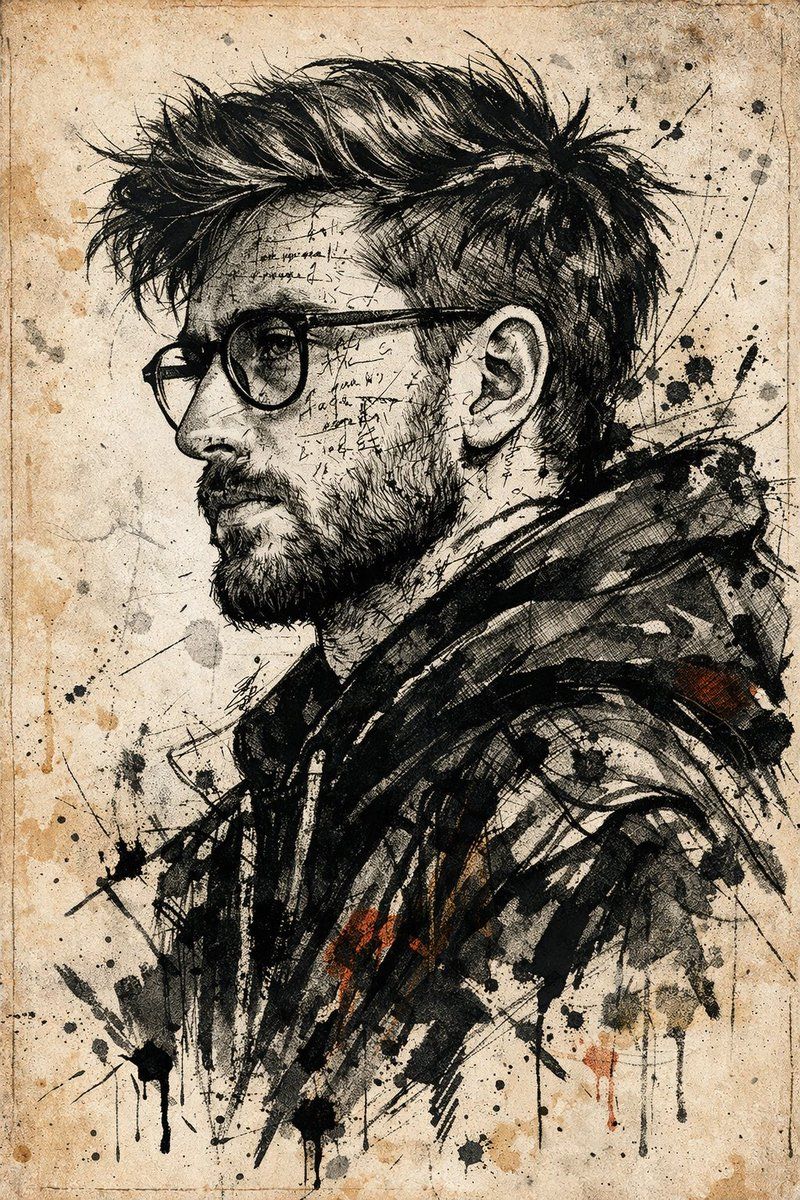
水墨手稿风格表现力肖像
Enlarge

水墨手稿风格表现力肖像

Prompt
Use the uploaded photo as the primary face reference. Preserve the person's exact facial structure, skin tone, beard shape, nose, eyes, expression, likeness, and proportions from the reference image.

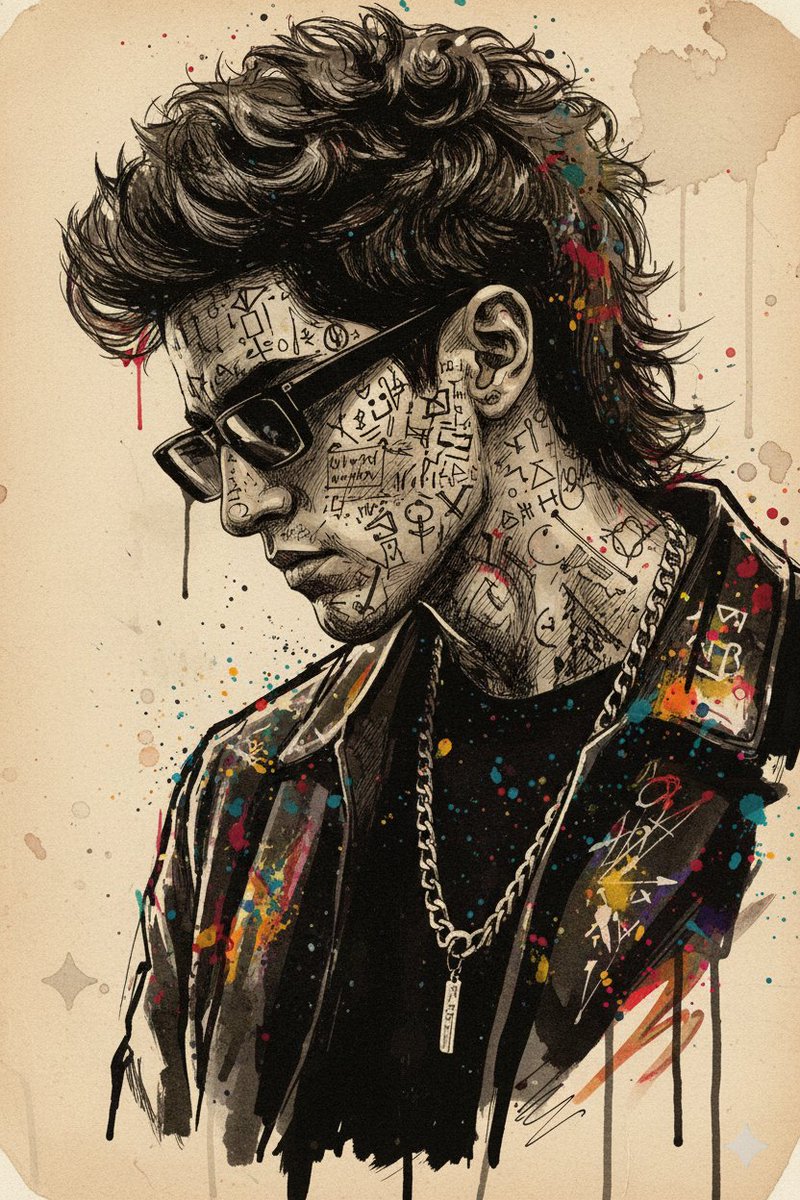
Create a dramatic, high-impact side-profile portrait in an {argument name="style" default="expressive ink sketch and mixed-media illustration style"}. The man should feel intense, chaotic, and emotionally charged, with his face and upper body layered in cryptic handwritten text, abstract symbols, and glyph-like marks that wrap around the facial contours, suggesting inner turmoil and hidden meaning.

Dress him in a {argument name="clothing" default="dark abstract jacket"} built from heavy textured strokes, sharp angular linework, vibrant ink accents, fine pen details, aggressive brush marks, splashes, and controlled smears. The visual language should feel raw, rebellious, bold, experimental, and editorial, blending precise illustration with conceptual art.

Use a {argument name="background" default="pale aged-parchment background"} with subtle grain, faded paper texture, delicate linework, ink stains, and the feeling of an old manuscript or forgotten document. Keep the composition high contrast, expressive, intense, and artistically precise.
Category
Photography & Realism
Model
GPT Image 2
Creator
PromptLab
Views6
Source ID
23623
Published
Jun 1, 2026

Guide

About "水墨手稿风格表现力肖像"

What is this prompt for?

"水墨手稿风格表现力肖像" AI image prompt for GPT Image 2 (Photography & Realism). 一个艺术肖像提示词,可将人脸参考图转化为带有神秘符号和混合媒介元素、充满表现力的水墨素描。 Copy it on Picva and recreate the look in…

The full copyable prompt and example visuals above are ready for AI image generation or one-click recreate in Picva.

How to use this prompt

  1. Step 1

    Open the prompt detail

    Review the example visuals, category, and full prompt text for "水墨手稿风格表现力肖像".

  2. Step 2

    Copy the prompt

    Copy the prompt body from this page, or load it directly in Studio.

  3. Step 3

    Pick a model (GPT Image 2)

    Prefer GPT Image 2. If you switch models, keep subject and composition and tweak style terms.

  4. Step 4

    Generate and export

    Recreate the look in Picva, or export into your workflow for editing and publishing.

FAQ

What is the "水墨手稿风格表现力肖像" prompt?
It is an AI image-generation prompt for GPT Image 2 in the Photography & Realism category. This page includes the full prompt text, example visuals, and a one-click recreate path in Picva.
How do I use this prompt to generate an image?
Copy the prompt from this page, or use Generate / Studio. Paste it into a compatible image model, or recreate the look in Picva with optional reference images.
Which model is this prompt for?
This page lists GPT Image 2. Most descriptive prompts also transfer to nearby image models such as GPT Image, Flux, or Midjourney with light style tweaks.
Can I use the result commercially?
You can usually copy the prompt for creation, but commercial use of the final image depends on the model terms, reference-image rights, and the generated content. Follow the source author and platform rules.