14

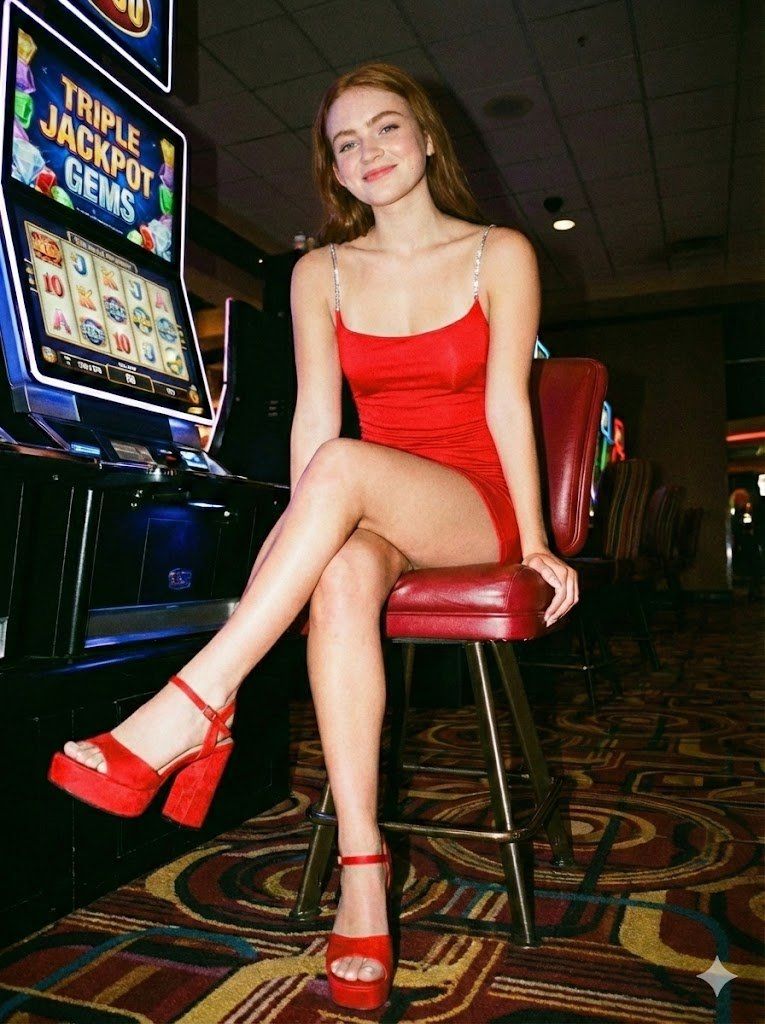
赌场狗仔队抓拍肖像
Enlarge

赌场狗仔队抓拍肖像

Prompt
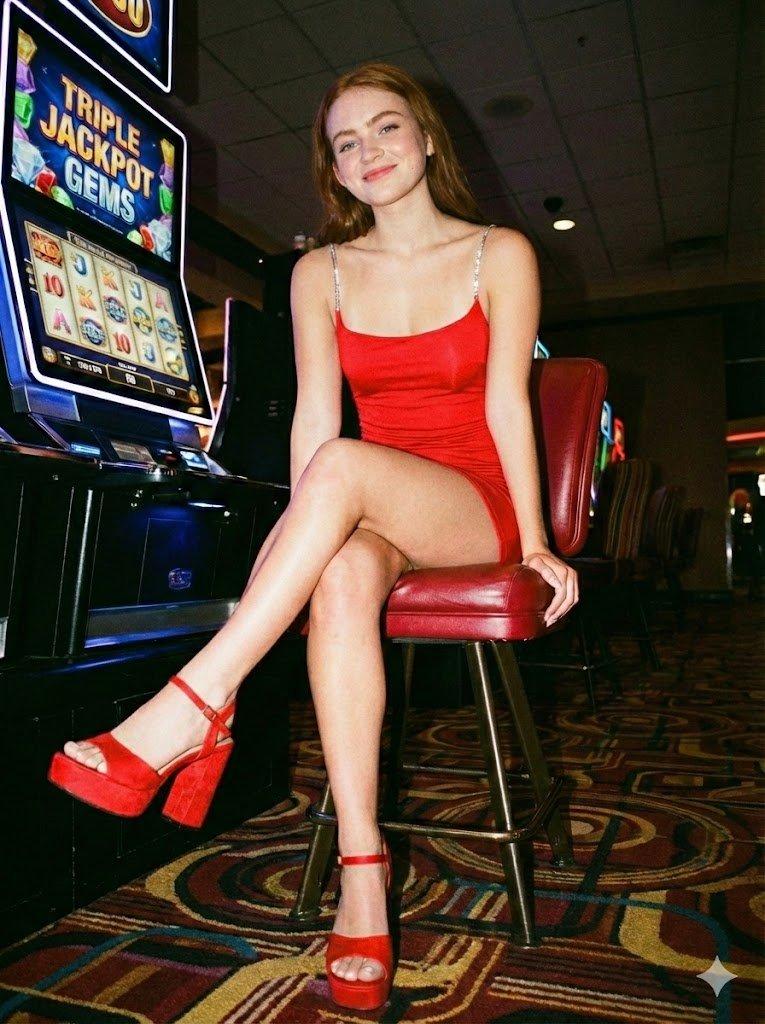
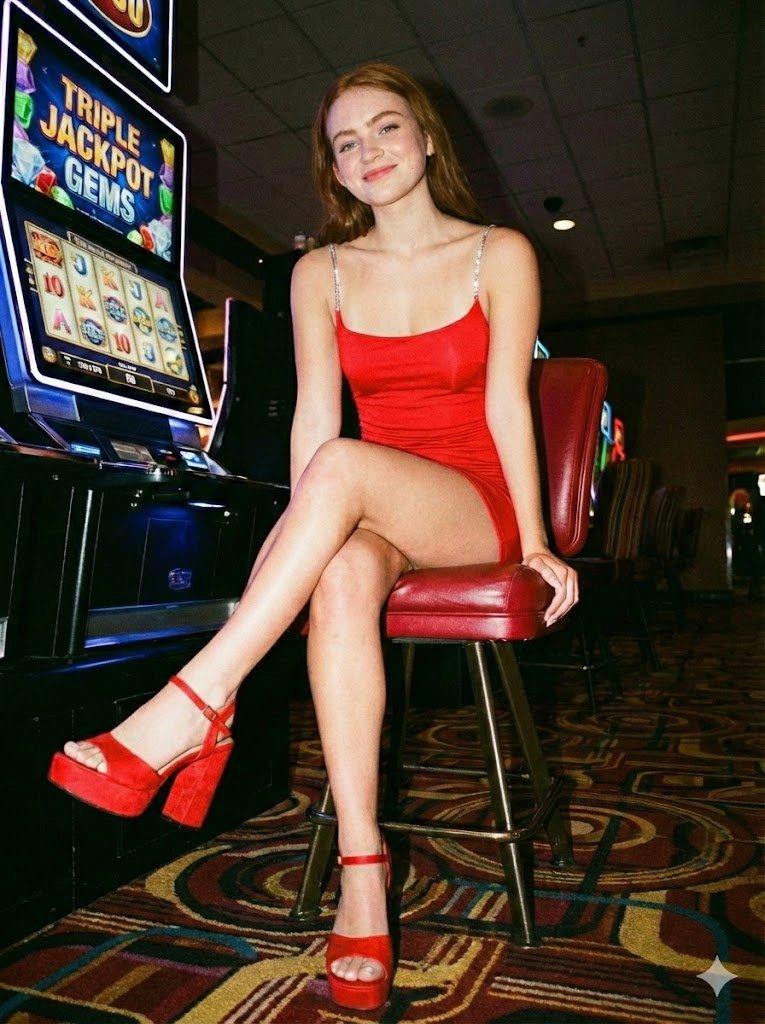
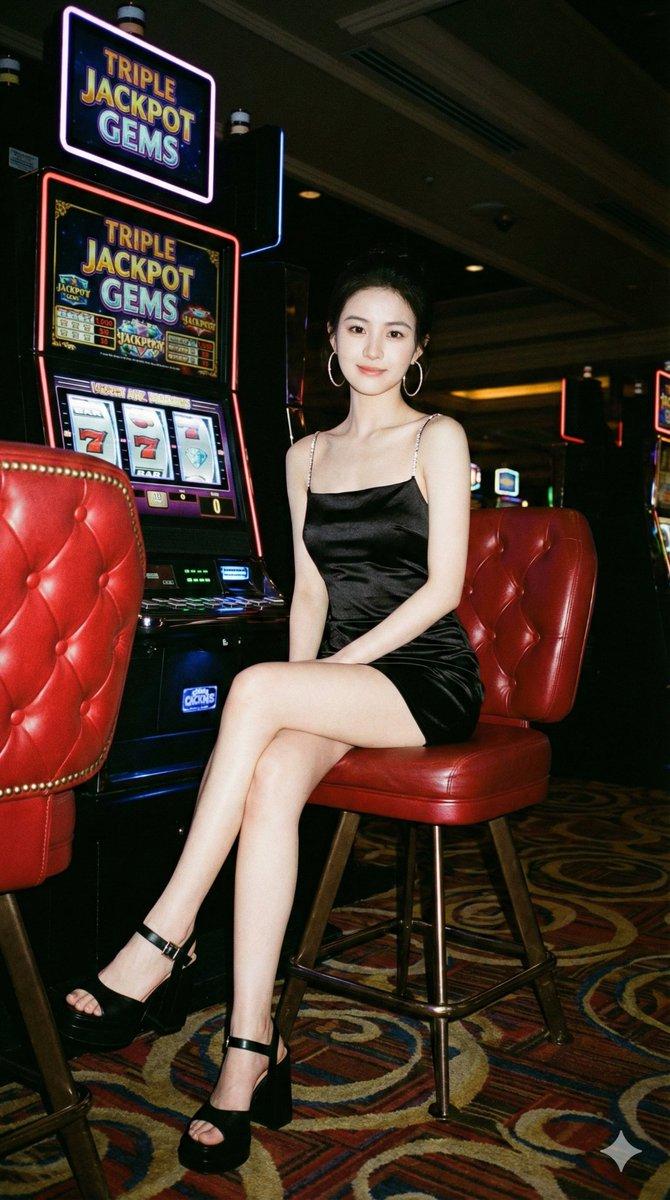
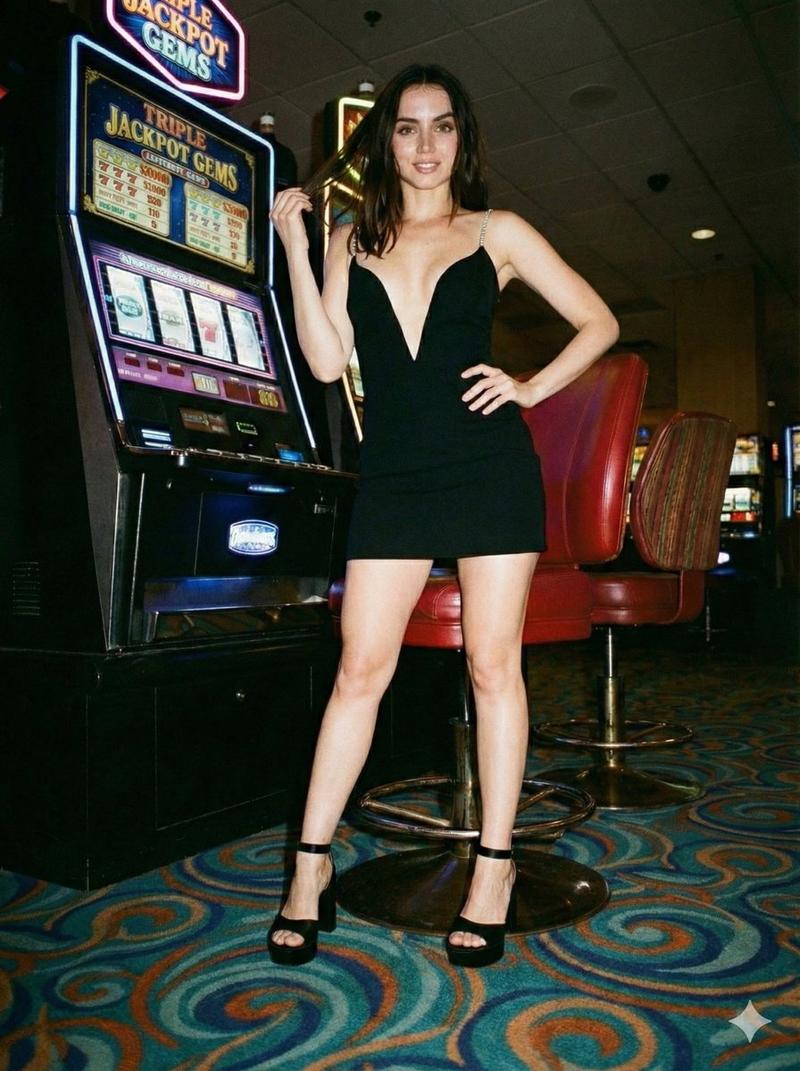
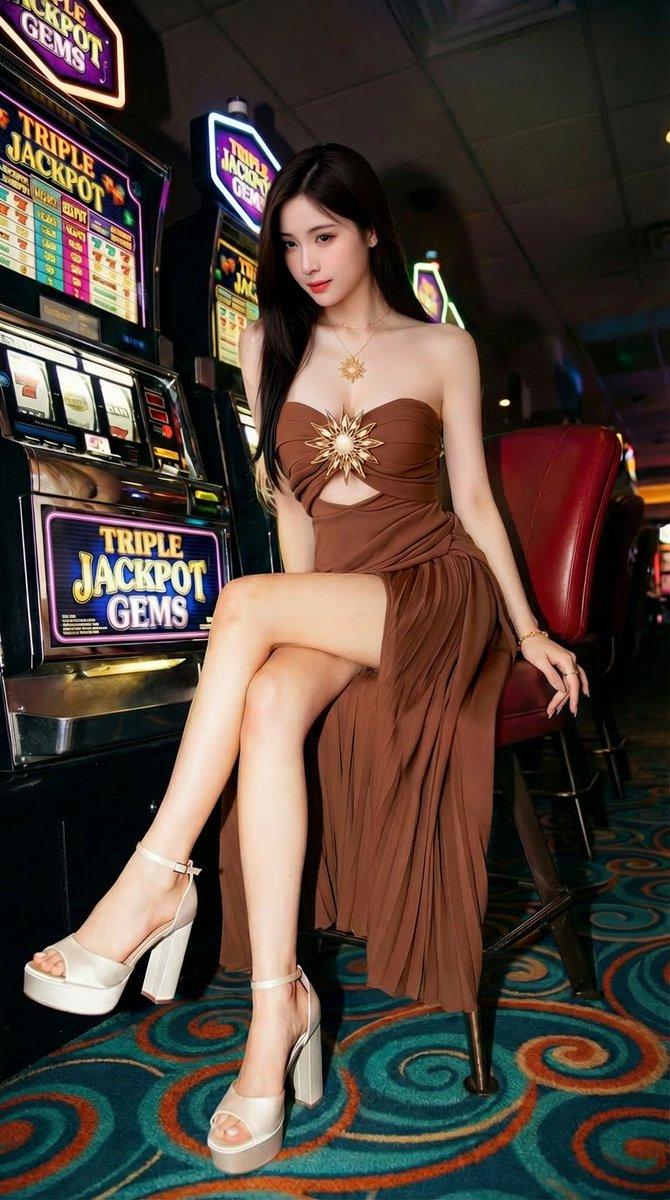
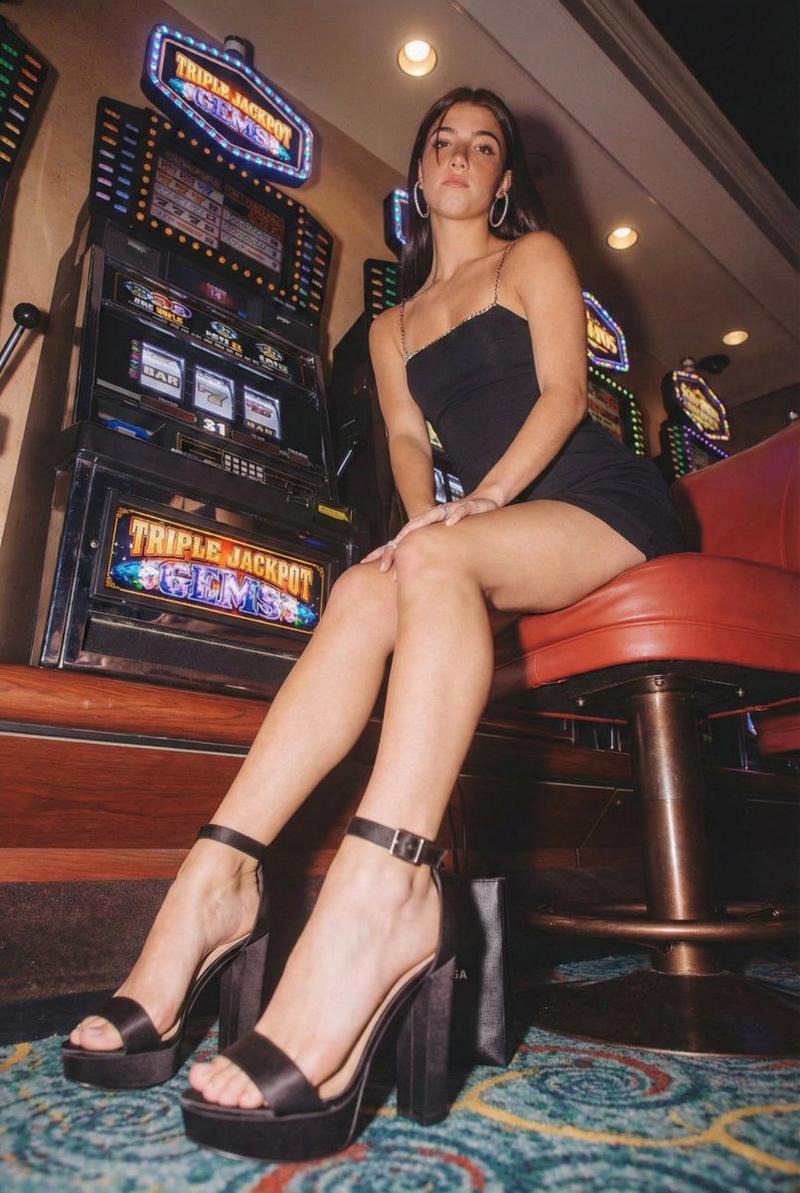
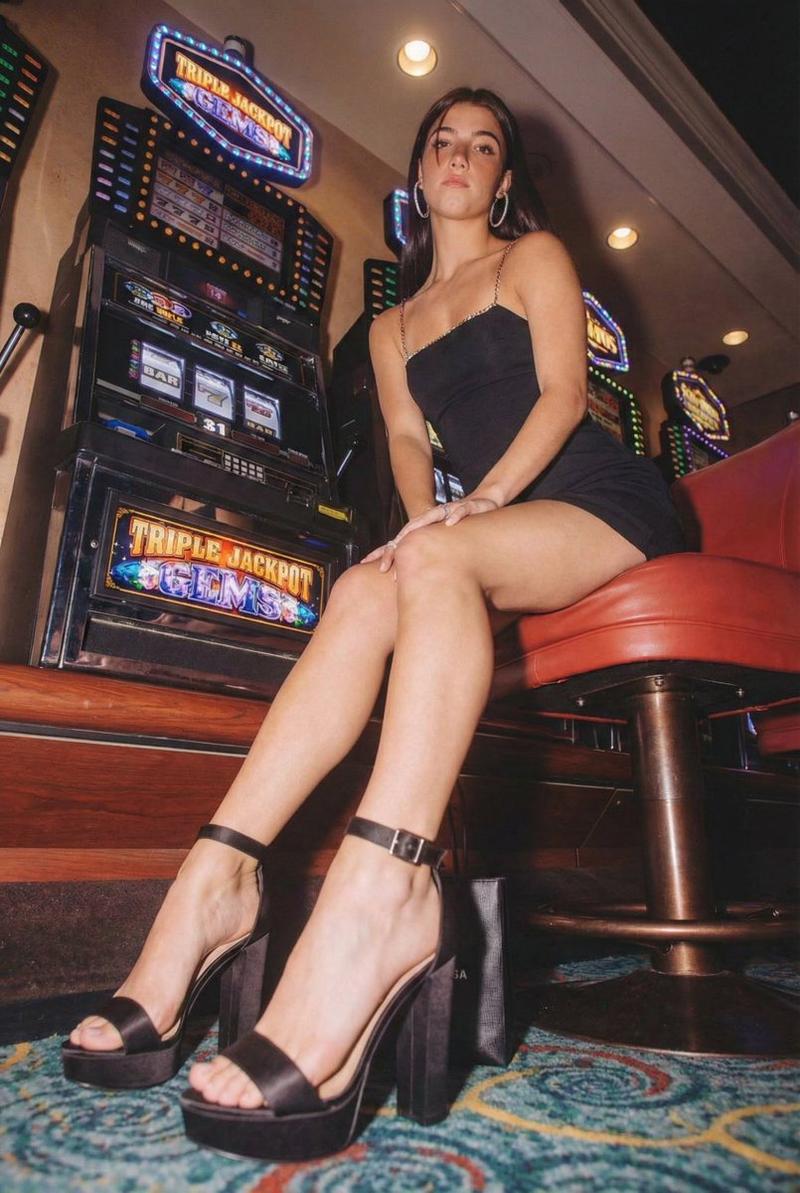
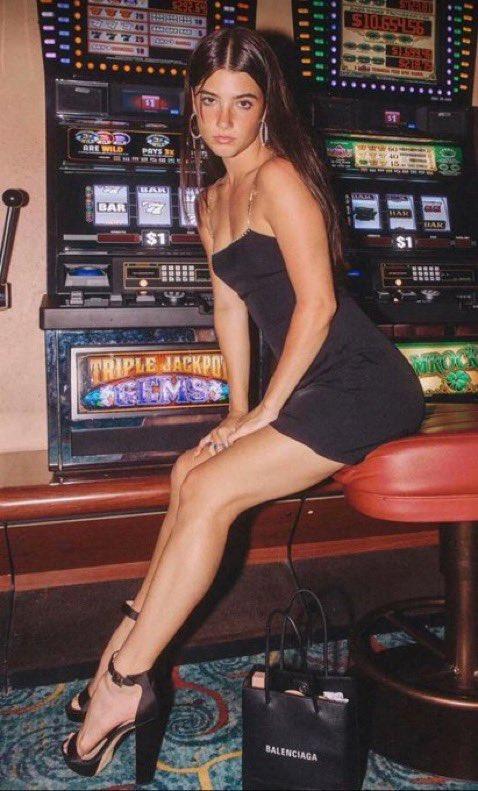
Worm's-eye view flash photography of a young woman seated on a {argument name="furniture" default="red leather bar stool"} inside a dimly lit casino. {argument name="outfit" default="Fitted black slip dress with sparkling rhinestone spaghetti straps"}, black satin platform block heels with buckle ankle straps, large silver hoop earrings. Large neon slot machine labeled '{argument name="sign text" default="TRIPLE JACKPOT GEMS"}' to her left. Retro casino carpet with swirling teal, blue, and orange patterns. Hard on-camera flash, strong shadows behind the subject, Y2K digicam candid paparazzi aesthetic, high saturation, slight film grain, low angle looking up at the subject to emphasize the legs and shoes.
Category
Charts & Infographics
Model
GPT Image 2
Creator
PromptLab
Views6
Source ID
24147
Published
Jun 4, 2026

Guide

About "赌场狗仔队抓拍肖像"

What is this prompt for?

"赌场狗仔队抓拍肖像" AI image prompt for GPT Image 2 (Charts & Infographics). 一种 Y2K 数码相机风格的提示词,用于拍摄女性在复古赌场环境中的抓拍闪光摄影作品。 Copy it on Picva and recreate the look in one c…

The full copyable prompt and example visuals above are ready for AI image generation or one-click recreate in Picva.

How to use this prompt

  1. Step 1

    Open the prompt detail

    Review the example visuals, category, and full prompt text for "赌场狗仔队抓拍肖像".

  2. Step 2

    Copy the prompt

    Copy the prompt body from this page, or load it directly in Studio.

  3. Step 3

    Pick a model (GPT Image 2)

    Prefer GPT Image 2. If you switch models, keep subject and composition and tweak style terms.

  4. Step 4

    Generate and export

    Recreate the look in Picva, or export into your workflow for editing and publishing.

FAQ

What is the "赌场狗仔队抓拍肖像" prompt?
It is an AI image-generation prompt for GPT Image 2 in the Charts & Infographics category. This page includes the full prompt text, example visuals, and a one-click recreate path in Picva.
How do I use this prompt to generate an image?
Copy the prompt from this page, or use Generate / Studio. Paste it into a compatible image model, or recreate the look in Picva with optional reference images.
Which model is this prompt for?
This page lists GPT Image 2. Most descriptive prompts also transfer to nearby image models such as GPT Image, Flux, or Midjourney with light style tweaks.
Can I use the result commercially?
You can usually copy the prompt for creation, but commercial use of the final image depends on the model terms, reference-image rights, and the generated content. Follow the source author and platform rules.