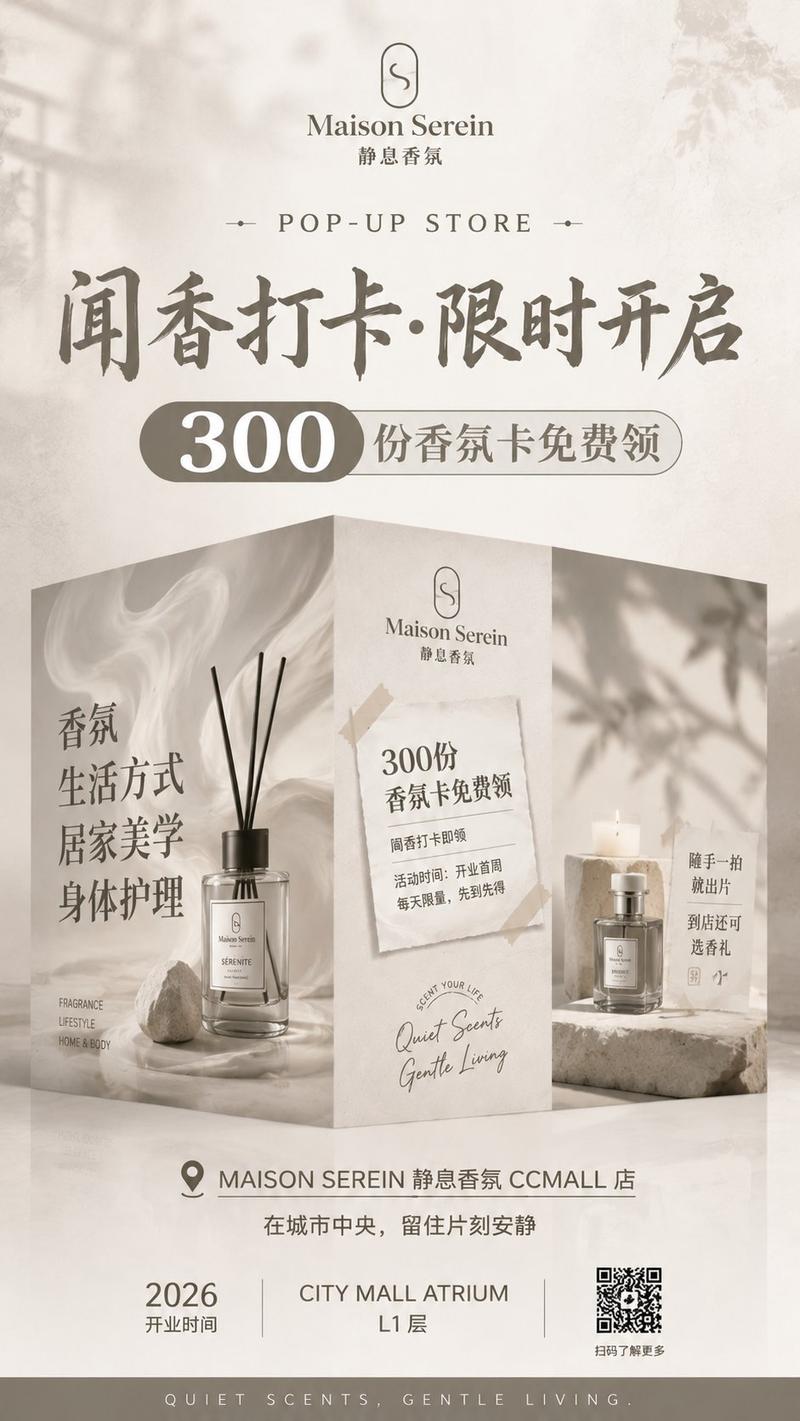
Newton Coffee 开业海报
Prompt
Goal: Create a vertical premium coffee shop grand-opening promotional poster for {argument name="brand name" default="牛顿咖啡"}, with a warm beige marble-paper background, brown typography, taped paper collage elements, and a realistic mall storefront mockup in the center.

Canvas: Portrait poster, 2:3 ratio, high resolution. Use an elegant cream, caramel, coffee-brown, and warm gold palette. The overall mood is modern Chinese commercial advertising, cozy, polished, and upscale.

Top section: Center a simple coffee-cup logo with steam above the brand name {argument name="brand name" default="牛顿咖啡"} and small English text “NEWTON COFFEE”. Below it place spaced uppercase text “NEW STORE OPENS”. The main oversized headline should read {argument name="headline text" default="拍围挡 · 喝咖啡"} in bold dark-brown Chinese serif display type.

Coupon banner: Under the headline, add a torn white paper strip taped at the upper-right corner with beige masking tape. On the left of the strip draw a small line-art steaming cup and handwritten “Enjoy!”. In the center place a huge “1000”. On the right place Chinese and English offer text: “杯免费送”, “FREE COFFEE”, “FREE COFFEE”.

Central storefront scene: Create a realistic curved mall construction hoarding / storefront wall with glossy floor reflections and glass mall architecture behind it. The hoarding is wrapped in coffee-themed graphics with swirling latte foam and marble textures. It contains exactly 5 visible collage areas: 1) left vertical torn-edge coffee photo showing latte art in a cup, 2) small taped left notice reading “新店开业 / 1000杯 / 免费送 / FREE COFFEE”, 3) large central cream panel with the logo, brand name, and handwritten slogan {argument name="slogan" default="好咖啡,这里喝得到!"}, 4) right taped notice reading “NEW STORE OPENS / 2026 / 6/9 / 我们在这里等你”, 5) lower-right torn photo of a warm coffee shop interior with a small cup illustration beside it.

Central feature icons: Along the bottom of the large central panel, show exactly 3 minimal brown line icons with labels: 1) coffee bean icon labeled “现磨咖啡 / FRESHLY GROUND”, 2) milk carton icon labeled “鲜奶拿铁 / FRESH MILK LATTE”, 3) dessert cloche icon labeled “手作甜点 / HANDMADE DESSERT”.

Instruction section below storefront: On a clean cream background, create exactly 3 horizontal participation steps separated by arrows: 1) camera icon with “拍围挡打卡”, 2) cup icon with “领免费咖啡”, 3) smiley icon with “进店体验”. Beneath the steps, add two centered lines of smaller Chinese instruction text: “拍下围挡任意角度照片,发布至社交平台并带话题 #牛顿咖啡新店开业#” and “即可到店领取免费咖啡一杯!每日限量,先到先得!”

Bottom information row: Create exactly 3 information blocks with thin vertical dividers: 1) location pin icon, “牛顿商场名”, “NEWTON MALL”; 2) stacked-floor icon, “L1层”, “LEVEL L1”; 3) calendar icon, {argument name="opening date" default="2026 - 6 - 9"}, “盛大开业”. At the very bottom add handwritten Chinese text “牛顿喝了都说好的咖啡” with a casual underline.

Visual style: Elegant Chinese coffee retail poster, photorealistic storefront mockup combined with paper collage, torn paper edges, masking tape, soft shadows, warm lighting, subtle marble texture, coffee foam swirls, refined typography, balanced central alignment.

Constraints: Keep all listed text legible and in the same approximate positions. Use exactly 3 feature icons, exactly 3 participation steps, exactly 3 bottom information blocks, and exactly 5 visible collage areas on the storefront. No extra logos, no watermark, no QR code.- Category
- Posters & Typography
- Model
- GPT Image 2
- Creator
- 牛顿AI中转站
- Source ID
- 24957
- Published
- Jun 9, 2026
Views0