15

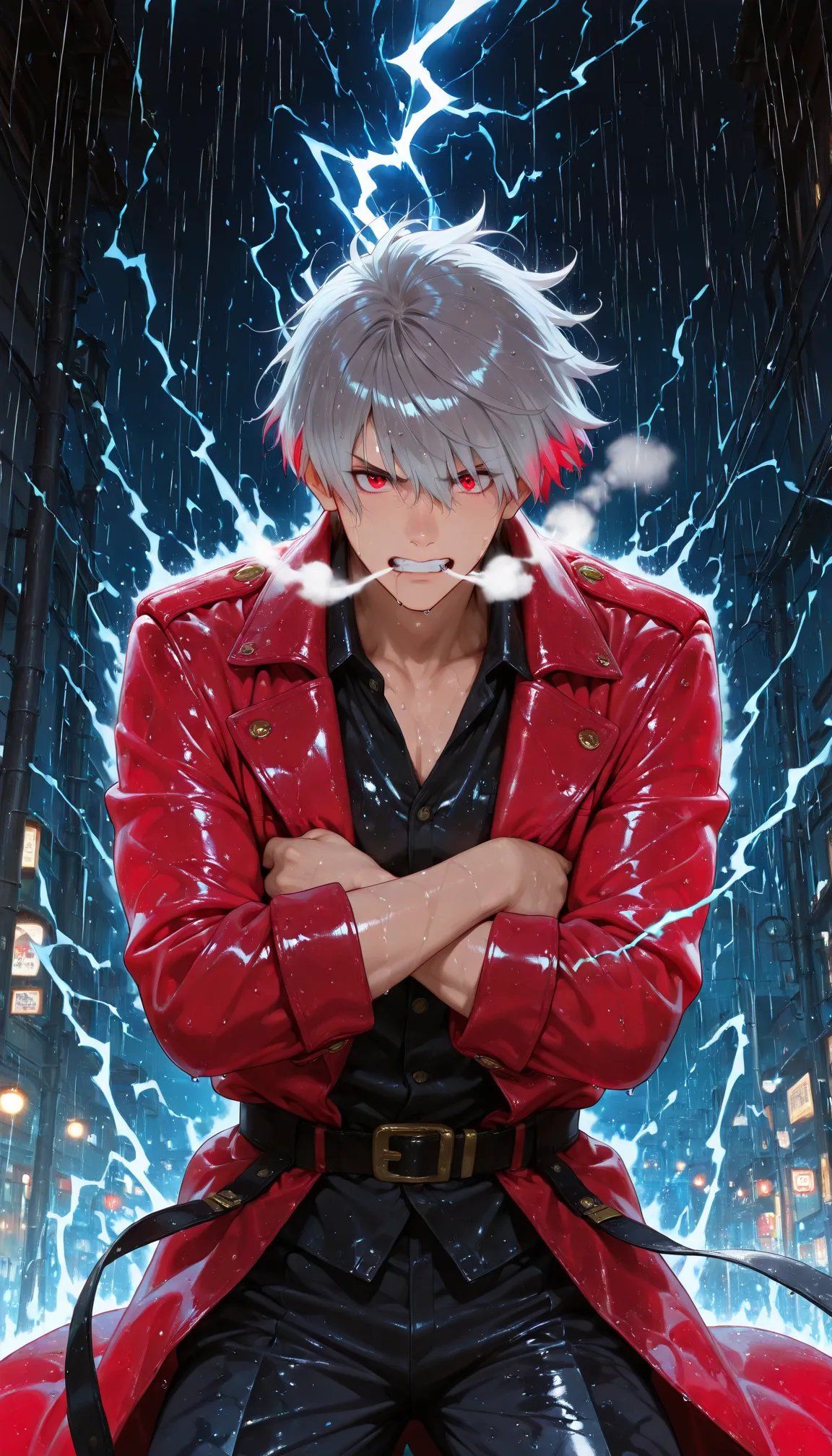
雨中身着红衣的动漫剑客
Enlarge

Example images

雨中身着红衣的动漫剑客

Prompt
Create a dramatic vertical anime-style portrait of {argument name="character name" default="a mysterious white-haired swordsman"} standing centered in a narrow futuristic city alley at night during heavy rain. He has shaggy layered {argument name="hair color" default="silver-white hair with vivid red tips near the ears"}, a confident powerful posture, and his face is deliberately covered by a plain semi-opaque rectangular censor block in muted gray-pink, placed over the entire facial area. He wears a glossy wet {argument name="coat color" default="crimson red"} long leather trench coat with large lapels, gold buttons and shoulder details, over a black open-collar shirt, black shiny pants, and a black belt with a brass buckle. His arms are crossed tightly across his chest, sleeves rolled slightly, with rain droplets and highlights on his skin and clothing. Behind him, bright electric-blue lightning cracks across the dark sky and forms jagged energy arcs around his silhouette, creating a glowing halo effect; include visible steam or mist puffs near his shoulders. The background is a tall, dark urban alley with shadowed building walls on both sides, small glowing signs and streetlights near the lower edges, deep perspective, wet reflective surfaces, and dense vertical rain streaks. Use high-contrast cinematic lighting, saturated blues and reds, glossy reflections, sharp anime illustration detail, dynamic composition, and a heroic low-angle feel. No text, no watermark, no extra characters.
Category
Architecture & Spaces
Model
GPT Image 2
Creator
Toshi
Views4
Source ID
24968
Published
Jun 9, 2026

Guide

About "雨中身着红衣的动漫剑客"

What is this prompt for?

"雨中身着红衣的动漫剑客" AI image prompt for GPT Image 2 (Architecture & Spaces). 一张电影感十足的竖版动漫肖像,描绘了一位身穿亮面红衣的白发角色,伫立在闪电交加的雨夜城市巷弄中。 Copy it on Picva and recreate the look…

The full copyable prompt and example visuals above are ready for AI image generation or one-click recreate in Picva.

How to use this prompt

  1. Step 1

    Open the prompt detail

    Review the example visuals, category, and full prompt text for "雨中身着红衣的动漫剑客".

  2. Step 2

    Copy the prompt

    Copy the prompt body from this page, or load it directly in Studio.

  3. Step 3

    Pick a model (GPT Image 2)

    Prefer GPT Image 2. If you switch models, keep subject and composition and tweak style terms.

  4. Step 4

    Generate and export

    Recreate the look in Picva, or export into your workflow for editing and publishing.

FAQ

What is the "雨中身着红衣的动漫剑客" prompt?
It is an AI image-generation prompt for GPT Image 2 in the Architecture & Spaces category. This page includes the full prompt text, example visuals, and a one-click recreate path in Picva.
How do I use this prompt to generate an image?
Copy the prompt from this page, or use Generate / Studio. Paste it into a compatible image model, or recreate the look in Picva with optional reference images.
Which model is this prompt for?
This page lists GPT Image 2. Most descriptive prompts also transfer to nearby image models such as GPT Image, Flux, or Midjourney with light style tweaks.
Can I use the result commercially?
You can usually copy the prompt for creation, but commercial use of the final image depends on the model terms, reference-image rights, and the generated content. Follow the source author and platform rules.