Golden Plaza 舞蹈项目
Prompt
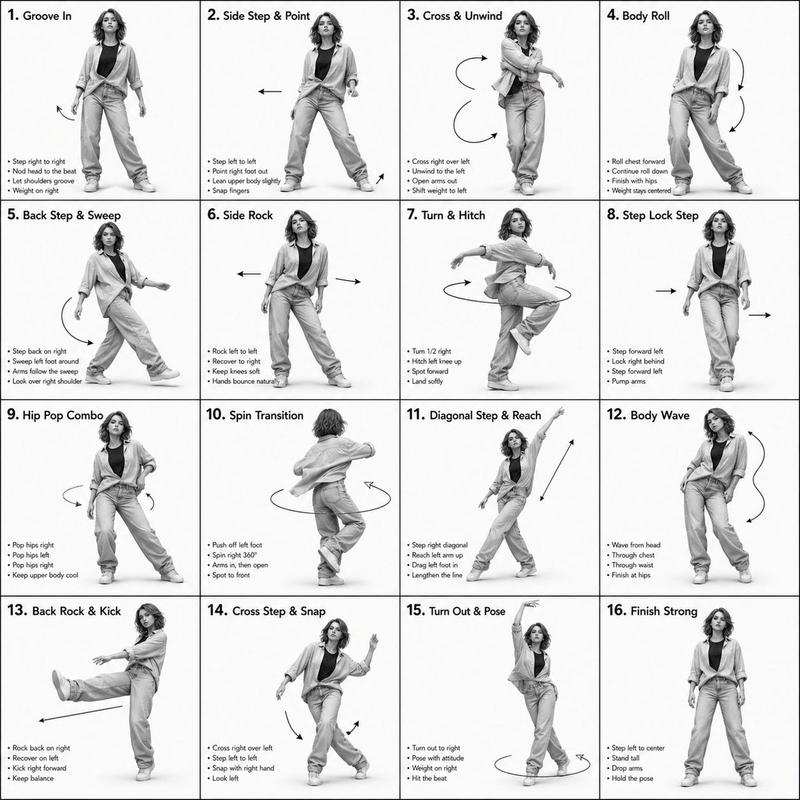
Goal: Create a clean production storyboard sheet for a vertical AI influencer dance video titled {argument name="video title" default="Golden Plaza Routine."}, showing a 15-second routine as a 4-by-4 grid of exactly 16 numbered shot cards.

Canvas: Square white storyboard layout, thin gray borders, editorial production-board style. Top header reads: “Golden Plaza Routine.” followed by “15-SECOND VERTICAL DANCE VIDEO · STORYBOARD”. Use black bold sans-serif typography, compact labels, and a polished creator-workflow aesthetic.

Main subject: A fashionable female AI influencer dancer, {argument name="character identity" default="young woman with long wavy brown hair and confident street-dance energy"}, wearing {argument name="outfit" default="cream varsity jacket, white crop top, loose light-blue jeans, and sneakers"}. She dances outdoors in a modern city plaza during golden hour, with warm sunlight, urban buildings, trees, and pavement in the background. Keep her identity and outfit consistent across all panels.

Layout: Use exactly 16 discrete storyboard panels arranged in 4 rows and 4 columns. Each panel has a small black number box at top left, a shot title, a timestamp, short notes, and a vertical-photo frame showing the dancer. The photos should look like realistic smartphone captures with natural HDR, warm sunlight, shallow motion blur where appropriate, and consistent lens perspective.

Panel content: Include exactly these 16 shot cards:
01 — “READY HIT” — 0:00 — Notes: first blast, clean silhouette, outdoor space. Full-body stance, dancer preparing to start.
02 — “SUNLIT SHOULDER POP” — 0:01 — Notes: sharp upper-body hit, natural sunlight. Medium shot with hair and jacket catching light.
03 — “HAND FRAME” — 0:02 — Notes: clean hands, sharp face, consistent identity. Dancer frames her face with both hands.
04 — “PLAZA SIDE STEP” — 0:03 — Notes: smooth weight transfer, full-body visible. Wide full-body step pose.
05 — “STREET ARM WAVE” — 0:04 — Notes: fluid motion, natural wrist, readable arms. Dynamic arm wave pose.
06 — “CHEST HIT” — 0:05 — Notes: grounded rhythm, realistic body mechanics. Strong torso accent, one hand near hip.
07 — “HALF TURN” — 0:06 — Notes: realistic fabric motion, consistent profile. Dancer turning with hair and jacket movement.
08 — “HAIR SWEEP” — 0:07 — Notes: recognizable face, social-native energy. Hair-sweep movement with body angled.
09 — “LOW GROOVE” — 0:08 — Notes: athletic movement, realistic anatomy. Low crouched dance groove.
10 — “PAVEMENT GLIDE” — 0:09 — Notes: clear footwork, no cropped feet. Full-body footwork stance.
11 — “ARM CROSS” — 0:10 — Notes: strong pose, clean limbs. Medium shot with crossed arms.
12 — “WRIST FLICK” — 0:11 — Notes: controlled gesture, rings catch a highlight. Close-medium hand gesture pose.
13 — “SPIN PREP” — 0:12 — Notes: motion blur begins, stable posture. Full-body preparation for spin.
14 — “GOLDEN SPIN RELEASE” — 0:13 — Notes: dynamic blur, stable identity. Spinning pose with motion-blurred background and hair.
15 — “FINAL DROP” — 0:14 — Notes: energetic beat drop, clear body line. Low dramatic final-move pose.
16 — “SIGNATURE POSE” — 0:15 — Notes: social freeze-frame, polished ending. Confident final pose with hand near hair.

Bottom production strip: Add a horizontal footer with a small smartphone product-style image on the left and camera specs reading: “SHOT ON IPHONE 15 PRO | 26MM LENS | 24FPS | NATURAL HDR”. Add notes below: “Handheld imperfections, autofocus breathing, subtle compression artifacts, full-body choreography, outdoor golden-hour lighting, open city plaza, consistent AI influencer identity, consistent streetwear outfit.” On the right, add a boxed section titled “NEGATIVE PROMPT (FOR REFERENCE ONLY)” containing compact text about avoiding cartoon/anime/CGI, plastic skin, celebrity resemblance, copyrighted choreography, inconsistent face, changing outfit, bad anatomy, extra fingers, broken limbs, warped hands, cluttered background, harsh shadows, watermark, and logo.

Visual style: Realistic photo storyboard, creator production-document aesthetic, crisp thin-line grid, white margins, black text, warm golden-hour color grading, smartphone realism. Use {argument name="setting" default="modern golden-hour city plaza"} and maintain a cohesive AI influencer dance-video workflow look.

Constraints: Keep all 16 panels visible and numbered correctly, preserve the exact timestamps and shot titles, do not add extra panels, do not crop off feet in full-body shots, keep the same dancer and outfit throughout, and avoid logos or watermarks.- Category
- Posters & Typography
- Model
- GPT Image 2
- Creator
- Mushraf Ali
- Source ID
- 25264
- Published
- Jun 11, 2026
Views1