17

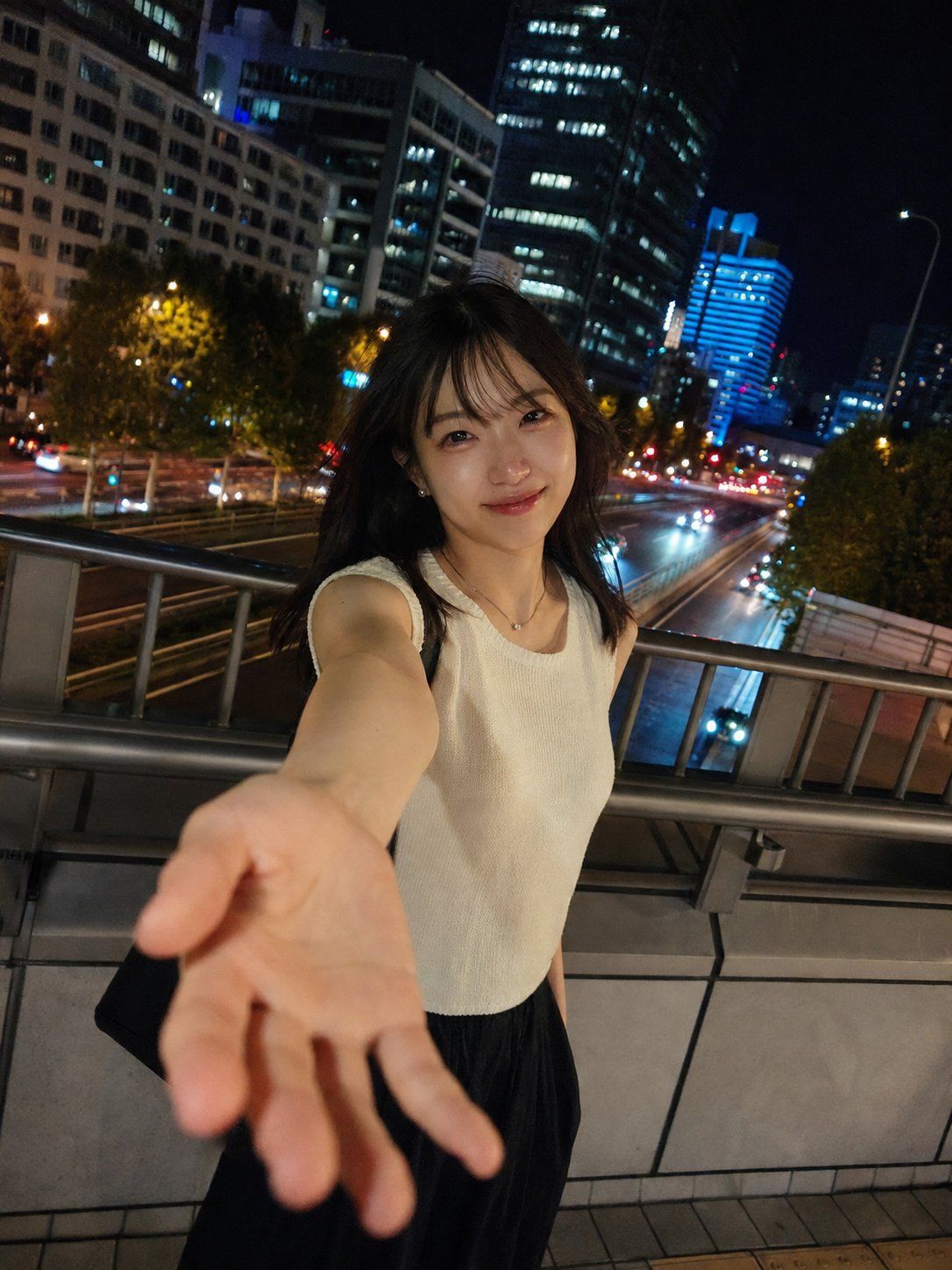
城市夜景随拍人像
Enlarge

城市夜景随拍人像

Prompt
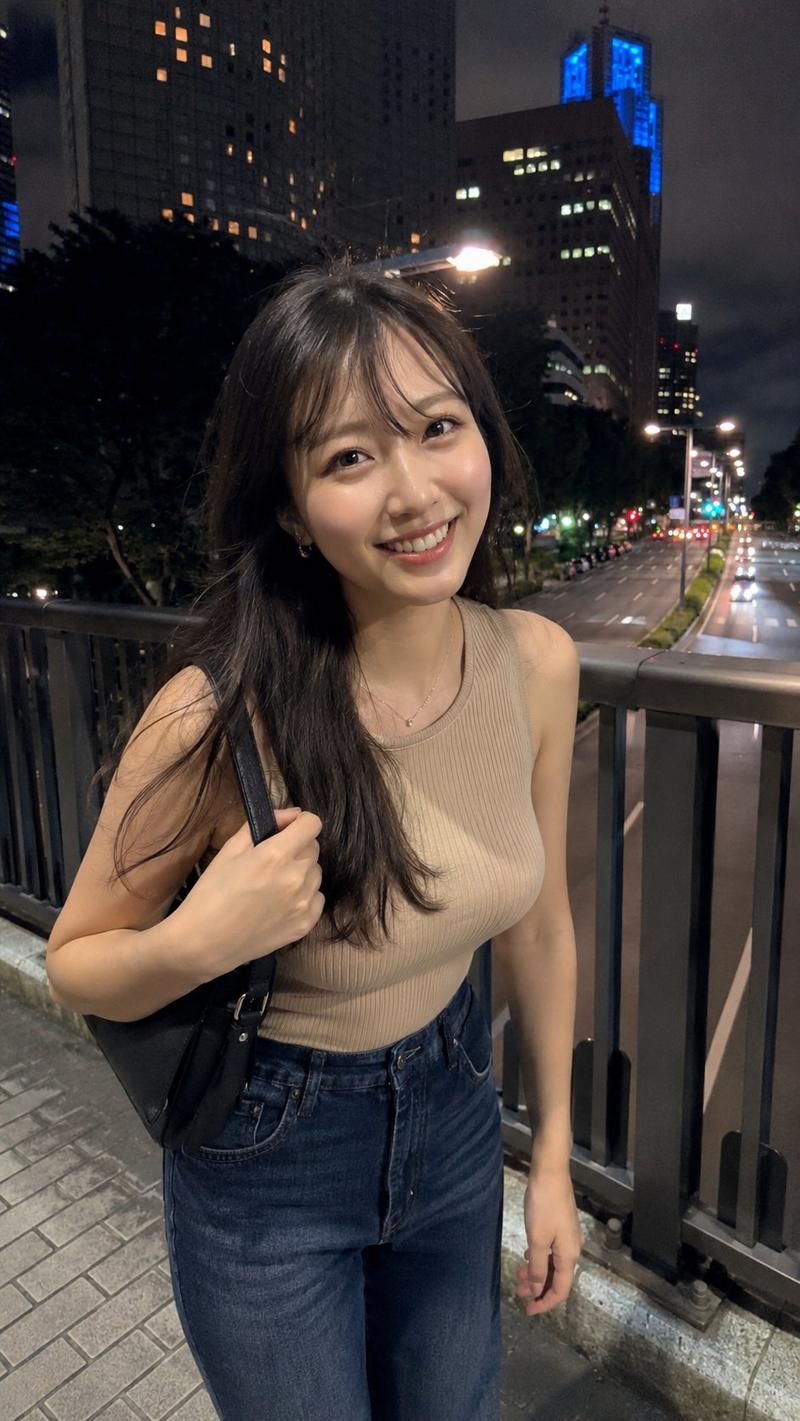
[主体] {argument name="identity" default="22 岁左右的成年东亚女性"}, {argument name="setting" default="夜晚的城市人行天桥"}, 男友视角手机夜景随拍。 [核心姿势] - 女性站在天桥栏杆旁,在约会地点安静等待。 - 发现男友到来时自然抬头,流露出如释重负、开心但不过分夸张的笑容。 - 一只手伸向镜头,仿佛在说“快过来”或“牵手吧”。 - 手部靠近镜头,因广角透视显得略大,指尖有轻微的柔焦效果。 - 双肩放松,站姿自然,不做作,不刻意强调身体曲线。 - 表情温柔亲密,展现出在熟人面前的自在感。 - 深棕色至黑色中长发,因夜风和湿度显得有些凌乱,带有刘海。 [环境] 夜晚的城市天桥,保留栏杆、地砖、路灯、高层建筑、蓝色发光结构、远处的道路、车灯和树木等结构细节。背景具有真实的城市夜间阴影噪点和光影层次。 [服装/细节] {argument name="clothing" default="白色或浅色无袖针织上衣"}, 黑色长裙或宽松长裤,休闲约会风格。佩戴小巧项链、低调耳环,背着黑色单肩包。 [构图] 3:4 竖构图。女性位于中心偏下位置。层次:伸出的手 → 自然的笑容和柔和的眼神 → 天桥栏杆 → 夜间道路和摩天大楼灯光。构图略微倾斜,如同手机快拍。 [相机] 真实的手机夜景快拍质感,男友视角,特写,约 24mm 广角,略低于视线水平。移动端 HDR,面部对焦,轻微夜间噪点,运动模糊,社交媒体压缩感。 [氛围] 温暖的头顶路灯与建筑灯光及蓝色反射光交织。由于 HDR 效果,脸颊和鼻尖有真实的亮部和轻微的过曝感。 [风格] 日系城市夜景人像,社交媒体风格,自然且亲密。
Category
Brand & Logos
Model
GPT Image 2
Creator
水木易
Views11
Source ID
25649
Published
Jun 14, 2026

Guide

About "城市夜景随拍人像"

What is this prompt for?

"城市夜景随拍人像" AI image prompt for GPT Image 2 (Brand & Logos). 生成一张写实的手机风格夜景人像,展现一位东亚女性在城市天桥上的随拍瞬间,捕捉自然亲密的氛围。 Copy it on Picva and recreate the look in one click.

The full copyable prompt and example visuals above are ready for AI image generation or one-click recreate in Picva.

How to use this prompt

  1. Step 1

    Open the prompt detail

    Review the example visuals, category, and full prompt text for "城市夜景随拍人像".

  2. Step 2

    Copy the prompt

    Copy the prompt body from this page, or load it directly in Studio.

  3. Step 3

    Pick a model (GPT Image 2)

    Prefer GPT Image 2. If you switch models, keep subject and composition and tweak style terms.

  4. Step 4

    Generate and export

    Recreate the look in Picva, or export into your workflow for editing and publishing.

FAQ

What is the "城市夜景随拍人像" prompt?
It is an AI image-generation prompt for GPT Image 2 in the Brand & Logos category. This page includes the full prompt text, example visuals, and a one-click recreate path in Picva.
How do I use this prompt to generate an image?
Copy the prompt from this page, or use Generate / Studio. Paste it into a compatible image model, or recreate the look in Picva with optional reference images.
Which model is this prompt for?
This page lists GPT Image 2. Most descriptive prompts also transfer to nearby image models such as GPT Image, Flux, or Midjourney with light style tweaks.
Can I use the result commercially?
You can usually copy the prompt for creation, but commercial use of the final image depends on the model terms, reference-image rights, and the generated content. Follow the source author and platform rules.