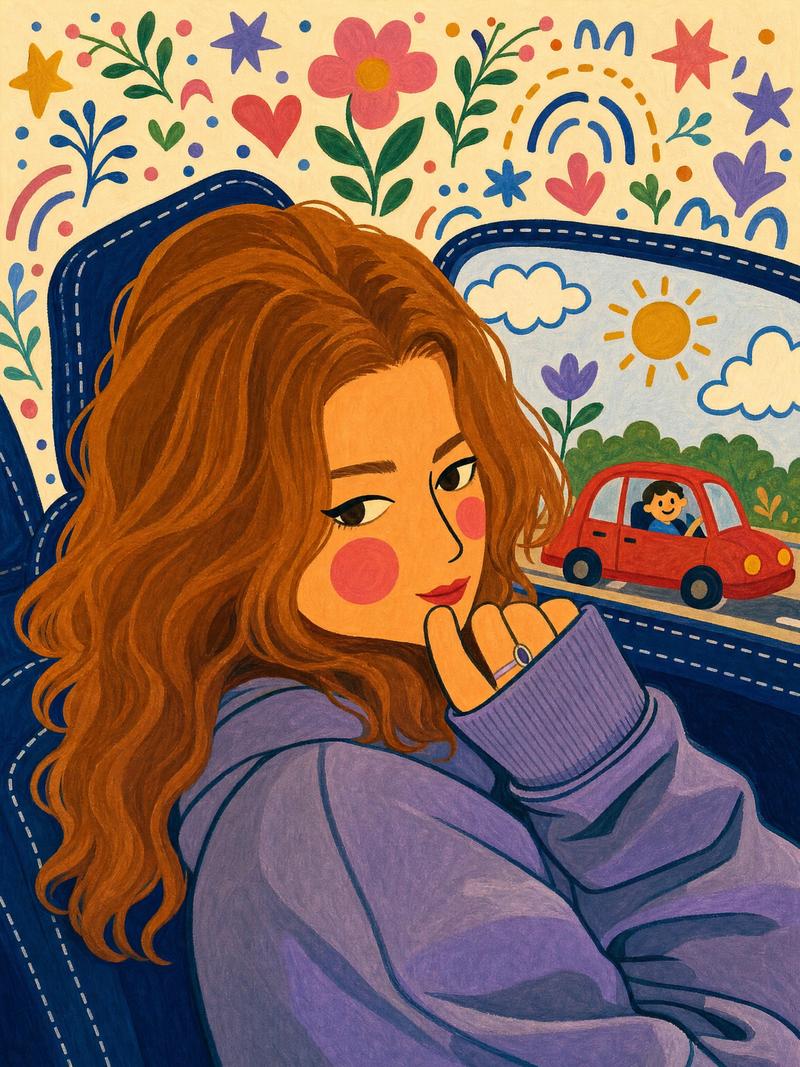
风格化水粉民俗艺术插画
Prompt
Create a stylized gouache and marker illustration based on the following artistic style. Do not invent a new scene, transform the user’s reference photo using these exact visual characteristics:

•Style: Flat folk-art gouache illustration with bold opaque color and a matte poster-paint finish.
•Anatomy & Lines: Thick confident outlines, simplified blocky shapes, flat color fills with minimal shading, slightly rounded and softened proportions.
•Facial Features: Stylized heavy-lidded eyes with a graphic winged eyeliner flick, thin arched eyebrows, a long thin nose drawn with a single curved line, and small flat closed-mouth smiling lips. Clean, minimalist, doll-like facial structure.
•Complexion: Warm peachy skin tone, no freckles, with prominent solid rosy-pink circular blush on the cheeks (flat color, not stippled or textured).
•Composition: Close-up cropped portrait, {argument name="subject description" default="subject resting cheek on hand with elbow raised, seated inside a car"}. Interior rendered in flat navy-blue with dashed white stitch details on the seats and door panel. Through the window, a simplified scene with {argument name="background elements" default="a small red cartoon car, a smiling cartoon driver, a yellow sun, scalloped blue-outlined clouds, and scattered decorative leaves/hearts/flowers"}. Negative space above the figure filled with whimsical folk-art motifs: {argument name="decorative motifs" default="stars, sprigs, dots, arches, and a flower"}, on a cream background.
•Color Palette: Warm tones (peach skin, mustard yellow, coral pink, brown hair) contrasted against cool accents (navy blue, sky blue, purple, green), with high saturation throughout and no gradients.- Category
- Posters & Typography
- Model
- GPT Image 2
- Creator
- Sairah
- Source ID
- 25890
- Published
- Jun 17, 2026
Views0