18

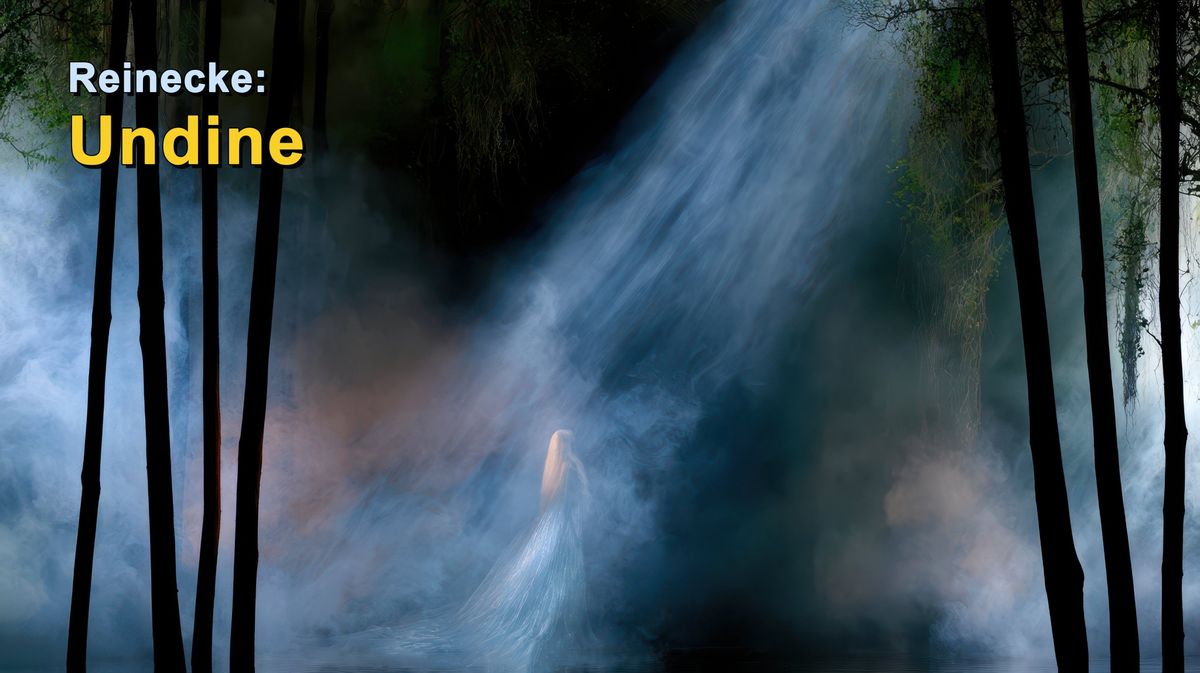
Reinecke Undine 森林标题卡
Enlarge

Reinecke Undine 森林标题卡

Prompt
Create a cinematic horizontal title card for a classical music video about {argument name="composer and work" default="Reinecke: Undine"}. Use a 16:9 widescreen canvas. The scene is a dark Romantic forest at night, filled with blue-gray mist and water vapor, with a shallow reflective pool along the bottom edge. A powerful diagonal shaft of cold moonlight enters from the upper right and illuminates a ghostly water spirit or undine standing near the lower center, small in scale, with very long pale blonde hair and a translucent silver-blue gown that blends into the fog and water. Frame the image with exactly 9 prominent black tree trunks in the foreground: 5 clustered on the left side and 4 on the right side, with thin hanging branches and moss near the top. The atmosphere should feel mysterious, mythic, and operatic, with deep greens, blacks, cyan-blue haze, and soft volumetric lighting. Add bold title text in the upper left: exactly 2 lines, line 1 reads {argument name="top title text" default="Reinecke:"} in white, smaller bold sans-serif, and line 2 reads {argument name="main title text" default="Undine"} in large bright yellow bold sans-serif with a subtle dark shadow. Keep the typography clean and highly legible, leave the rest of the image free of text, no logos, no watermark.
Category
Posters & Typography
Model
GPT Image 2
Views0
Source ID
26383
Published
Jun 20, 2026

Guide

About "Reinecke Undine 森林标题卡"

What is this prompt for?

"Reinecke Undine 森林标题卡" AI image prompt for GPT Image 2 (Posters & Typography). 一张电影质感的浪漫主义时期音乐标题卡,展现了雾气缭绕的月光森林、幽灵般的水精灵以及醒目的作曲家与作品名称。 Copy it on Picva and recr…

The full copyable prompt and example visuals above are ready for AI image generation or one-click recreate in Picva.

How to use this prompt

  1. Step 1

    Open the prompt detail

    Review the example visuals, category, and full prompt text for "Reinecke Undine 森林标题卡".

  2. Step 2

    Copy the prompt

    Copy the prompt body from this page, or load it directly in Studio.

  3. Step 3

    Pick a model (GPT Image 2)

    Prefer GPT Image 2. If you switch models, keep subject and composition and tweak style terms.

  4. Step 4

    Generate and export

    Recreate the look in Picva, or export into your workflow for editing and publishing.

FAQ

What is the "Reinecke Undine 森林标题卡" prompt?
It is an AI image-generation prompt for GPT Image 2 in the Posters & Typography category. This page includes the full prompt text, example visuals, and a one-click recreate path in Picva.
How do I use this prompt to generate an image?
Copy the prompt from this page, or use Generate / Studio. Paste it into a compatible image model, or recreate the look in Picva with optional reference images.
Which model is this prompt for?
This page lists GPT Image 2. Most descriptive prompts also transfer to nearby image models such as GPT Image, Flux, or Midjourney with light style tweaks.
Can I use the result commercially?
You can usually copy the prompt for creation, but commercial use of the final image depends on the model terms, reference-image rights, and the generated content. Follow the source author and platform rules.