18

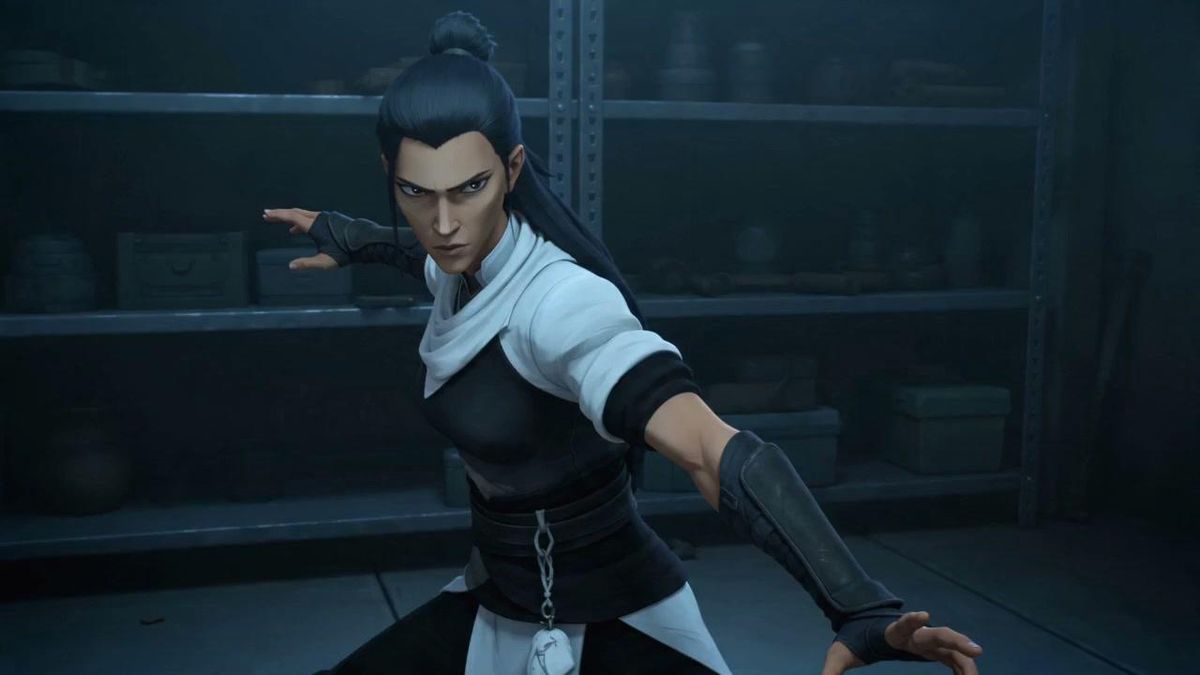
忍者格斗过场动画(已打码)
Enlarge

忍者格斗过场动画(已打码)

Prompt
Create a cinematic 16:9 still frame of a stylized 3D anime action heroine in a dark industrial storage room, rendered like a high-quality game cutscene. The character is {argument name="character type" default="a young female ninja fighter"} in a dynamic defensive martial-arts pose, torso turned toward camera, one arm extended forward to the right edge of the frame and the other arm reaching back to the left. She has {argument name="hair style" default="long dark blue-black hair tied in a high topknot with loose length down the back"}, pointed elf-like ears, fingerless gloves, black leather forearm guards, a black fitted chest armor piece, a white scarf-like collar and white short sleeves, a wide black waist wrap with a small dangling silver chain and pale cloth tab, and dark pants. Place a solid square pixelated censor block over the center of the face, obscuring all facial features. The background is a dim blue-green warehouse or armory with metal shelving, indistinct boxes, jars, and equipment in shadow. Use moody low-key lighting, cool teal shadows, subtle rim light on the hair and shoulders, shallow depth of field, realistic fabric and leather textures, dramatic action composition, no text, no watermark, no extra characters.
Category
Posters & Typography
Model
GPT Image 2
Views0
Source ID
26452
Published
Jun 21, 2026

Guide

About "忍者格斗过场动画(已打码)"

What is this prompt for?

"忍者格斗过场动画(已打码)" AI image prompt for GPT Image 2 (Posters & Typography). 一张电影感 3D 动漫风格的动作静态图,展示了一位面部被遮挡的女性忍者在阴暗储藏室中的姿态,适用于游戏过场动画或角色概念视觉图。 Copy it on Picva and r…

The full copyable prompt and example visuals above are ready for AI image generation or one-click recreate in Picva.

How to use this prompt

  1. Step 1

    Open the prompt detail

    Review the example visuals, category, and full prompt text for "忍者格斗过场动画(已打码)".

  2. Step 2

    Copy the prompt

    Copy the prompt body from this page, or load it directly in Studio.

  3. Step 3

    Pick a model (GPT Image 2)

    Prefer GPT Image 2. If you switch models, keep subject and composition and tweak style terms.

  4. Step 4

    Generate and export

    Recreate the look in Picva, or export into your workflow for editing and publishing.

FAQ

What is the "忍者格斗过场动画(已打码)" prompt?
It is an AI image-generation prompt for GPT Image 2 in the Posters & Typography category. This page includes the full prompt text, example visuals, and a one-click recreate path in Picva.
How do I use this prompt to generate an image?
Copy the prompt from this page, or use Generate / Studio. Paste it into a compatible image model, or recreate the look in Picva with optional reference images.
Which model is this prompt for?
This page lists GPT Image 2. Most descriptive prompts also transfer to nearby image models such as GPT Image, Flux, or Midjourney with light style tweaks.
Can I use the result commercially?
You can usually copy the prompt for creation, but commercial use of the final image depends on the model terms, reference-image rights, and the generated content. Follow the source author and platform rules.