宋瓷展览海报
Prompt
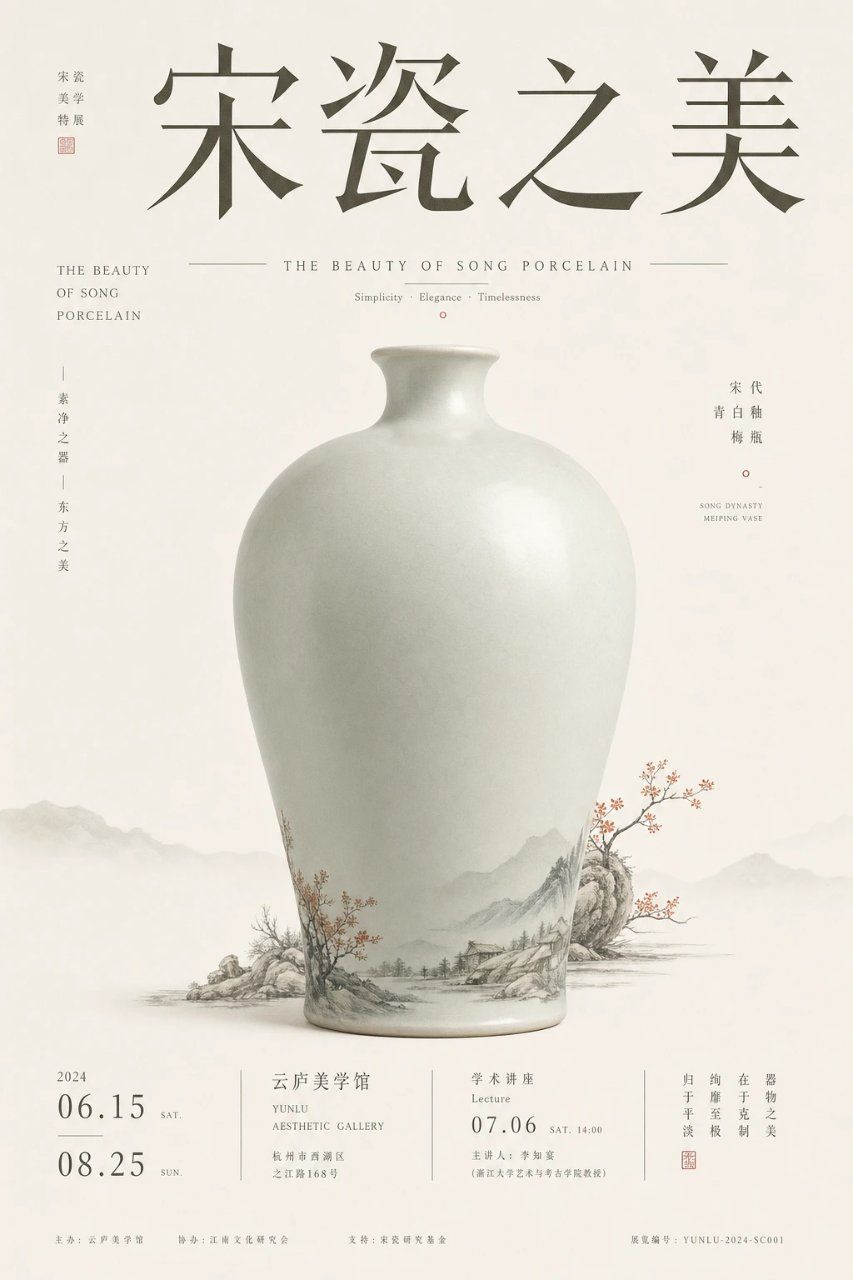
Goal: Create an elegant Chinese museum exhibition poster for {argument name="exhibition title" default="宋瓷之美"}, celebrating Song dynasty porcelain aesthetics with a refined cultural-artifact layout.

Canvas: Vertical poster in a 2:3 ratio, warm ivory rice-paper background with subtle fiber texture, generous negative space, quiet museum atmosphere.

Main subject: A single large pale celadon-white Song dynasty meiping vase centered in the lower-middle of the poster. The vase has a rounded shoulder, narrow short neck, small flared lip, smooth matte-glazed porcelain surface, soft realistic lighting, and a faint gray-green tint. Around the lower body of the vase, integrate delicate ink-wash landscape decoration: misty mountains, rocks, tiny riverside houses, bare trees, and small red plum blossoms; let the painted landscape visually extend beyond the vase base into the background like traditional Chinese shanshui painting.

Layout and typography: Place four oversized dark gray Chinese calligraphy characters across the top reading {argument name="exhibition title" default="宋瓷之美"}. Use a graceful Song-style serif/calligraphic font with wide spacing. At the upper left, add a small vertical curator-style label reading “策展 / 美学 / 特展” with a small red seal beneath it. Below the main title, center a thin horizontal rule on both sides of the English subtitle “THE BEAUTY OF SONG PORCELAIN”, and below it add the small tagline “Simplicity · Elegance · Timelessness” with a tiny red circle mark.

Side text: On the left side, include one English stacked subtitle block reading “THE BEAUTY / OF SONG / PORCELAIN” and one vertical Chinese phrase reading “素净之器 | 东方之美”. On the right side, include a vertical Chinese label reading “宋代 / 青白釉 / 梅瓶”, a tiny red circle, and small English text “SONG DYNASTY / MEIPING VASE”.

Bottom information band: Create a clean exhibition information footer divided by thin vertical lines into 4 sections. Section 1 shows the year “2024” and exactly 2 large date entries: “06.15 SAT.” and “08.25 SUN.” Section 2 shows the venue {argument name="venue name" default="云庐美学馆"}, English “YUNLU AESTHETIC GALLERY”, and a small address line. Section 3 shows event type “学术讲座 / Lecture”, date {argument name="lecture date" default="07.06"}, time “SAT. 14:00”, and a small host line. Section 4 contains a short vertical Chinese slogan about porcelain beauty, a small red seal, and fine museum-style registration text. Add tiny sponsor/organizer lines along the very bottom, including a serial number similar to “YUNLU-2024-SC001”.

Visual style: Minimalist high-end museum poster, Song dynasty aesthetics, muted ink-gray typography, pale celadon porcelain, soft foggy mountain silhouettes in the background, tiny accents of cinnabar red, precise editorial grid, restrained luxury, no people, no modern objects, no clutter.

Constraints: Use exactly 1 central vase, exactly 2 main dates in the footer, exactly 4 footer information sections, and exactly 1 large top Chinese title. Keep all text crisp and aligned, with realistic porcelain shading and delicate ink-painting detail.- Category
- Posters & Typography
- Model
- GPT Image 2
- Creator
- 小小东
- Source ID
- 26793
- Published
- Jun 25, 2026
Views0