17

赛博朋克雨中安卓仿生人肖像
Enlarge

赛博朋克雨中安卓仿生人肖像

Prompt
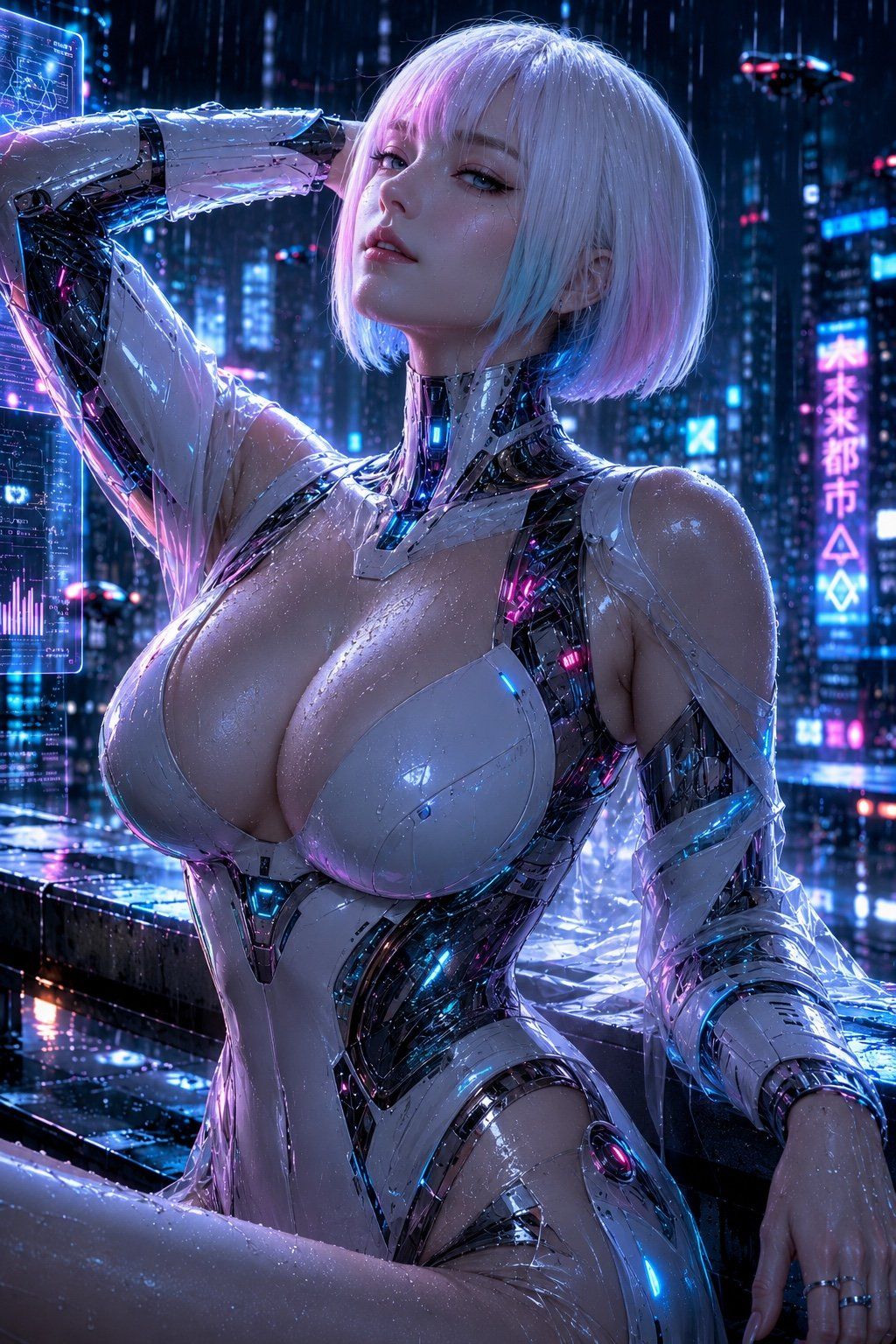
主体:雨中的安卓仿生人。人物/表情:一位清晰可见的成年女性安卓仿生人,年龄设定为 {argument name="age range" default="20 多岁后期"}。发型为 {argument name="hairstyle" default="银色短波波头"},刘海轻垂过眼帘,发梢带有淡淡的粉色和青色反光。透明皮肤上挂着雨滴,双唇微启。下巴微抬,以冷峻沉稳的目光俯视镜头。服装/姿势:未来感紧身衣,由白色光泽装甲和黑色内部框架组成。流线型白色装甲包裹胸部和腰部,从颈部到肩部、腋下及手臂可见黑色机械关节和发光线条。发光颜色为青色和洋红色。人物右手抬起置于头部后方(屏幕左侧),湿润的前臂横过额头。左臂自然下垂至屏幕右下方,指尖搭在湿漉漉的栏杆上。坐在屋顶边缘,一膝前屈,上半身微微后仰。背景/光影:午夜雨中的未来城市。高层建筑的窗户灯光、蓝色和粉色的垂直霓虹灯招牌、湿润的金属栏杆,屏幕左侧有半透明的全息 UI。背景中有抽象且无法辨认的发光标识。主光源为左前方的洋红色霓虹灯,辅助光源为右后方的青蓝色光。头发顶部有白色轮廓光,脸颊和胸部的雨滴中有细微反光。阴影深重地落在黑色机械框架一侧,霓虹灯在湿润的地面上投射出长长的倒影。构图/相机:肖像比例 2:3。从大腿上部到头顶的特写肖像。人物主体较大,略微偏向画面中心右侧,面部位于屏幕上方三分之一处。低机位略微仰拍。中长焦镜头特有的压缩感,背景城市灯光轻微虚化。焦点位于眼睛和面部,保留了雨滴和装甲的细腻反光。质感/风格:写实的赛博朋克科幻视觉效果。精准描绘湿润皮肤、碳纤维质感的黑色框架、透明水滴以及霓虹灯反光。以蓝紫色和洋红色为主的高对比度,雨滴和薄雾增加了氛围的深度。非过度风格化的动漫脸,而是具有摄影质感的皮肤与金属材质。负面提示词:看起来未成年、不自然的面部或视线、手指多余或缺失、手腕或肘部骨折、手臂与装甲融合、胸甲变形、悬浮部件、湿润程度不一致、与光源不匹配的阴影、乱码文字、Logo、水印、多余人物、过度性暗示、裸露、塑料感皮肤。
Category
UI & Interfaces
Model
GPT Image 2
Views9
Source ID
26869
Published
Jun 26, 2026

Guide

About "赛博朋克雨中安卓仿生人肖像"

What is this prompt for?

"赛博朋克雨中安卓仿生人肖像" AI image prompt for GPT Image 2 (UI & Interfaces). 一份极其详尽的专业提示词,用于生成高质量的赛博朋克雨中霓虹城市女性安卓仿生人图像。 Copy it on Picva and recreate the look in one clic…

The full copyable prompt and example visuals above are ready for AI image generation or one-click recreate in Picva.

How to use this prompt

  1. Step 1

    Open the prompt detail

    Review the example visuals, category, and full prompt text for "赛博朋克雨中安卓仿生人肖像".

  2. Step 2

    Copy the prompt

    Copy the prompt body from this page, or load it directly in Studio.

  3. Step 3

    Pick a model (GPT Image 2)

    Prefer GPT Image 2. If you switch models, keep subject and composition and tweak style terms.

  4. Step 4

    Generate and export

    Recreate the look in Picva, or export into your workflow for editing and publishing.

FAQ

What is the "赛博朋克雨中安卓仿生人肖像" prompt?
It is an AI image-generation prompt for GPT Image 2 in the UI & Interfaces category. This page includes the full prompt text, example visuals, and a one-click recreate path in Picva.
How do I use this prompt to generate an image?
Copy the prompt from this page, or use Generate / Studio. Paste it into a compatible image model, or recreate the look in Picva with optional reference images.
Which model is this prompt for?
This page lists GPT Image 2. Most descriptive prompts also transfer to nearby image models such as GPT Image, Flux, or Midjourney with light style tweaks.
Can I use the result commercially?
You can usually copy the prompt for creation, but commercial use of the final image depends on the model terms, reference-image rights, and the generated content. Follow the source author and platform rules.