19

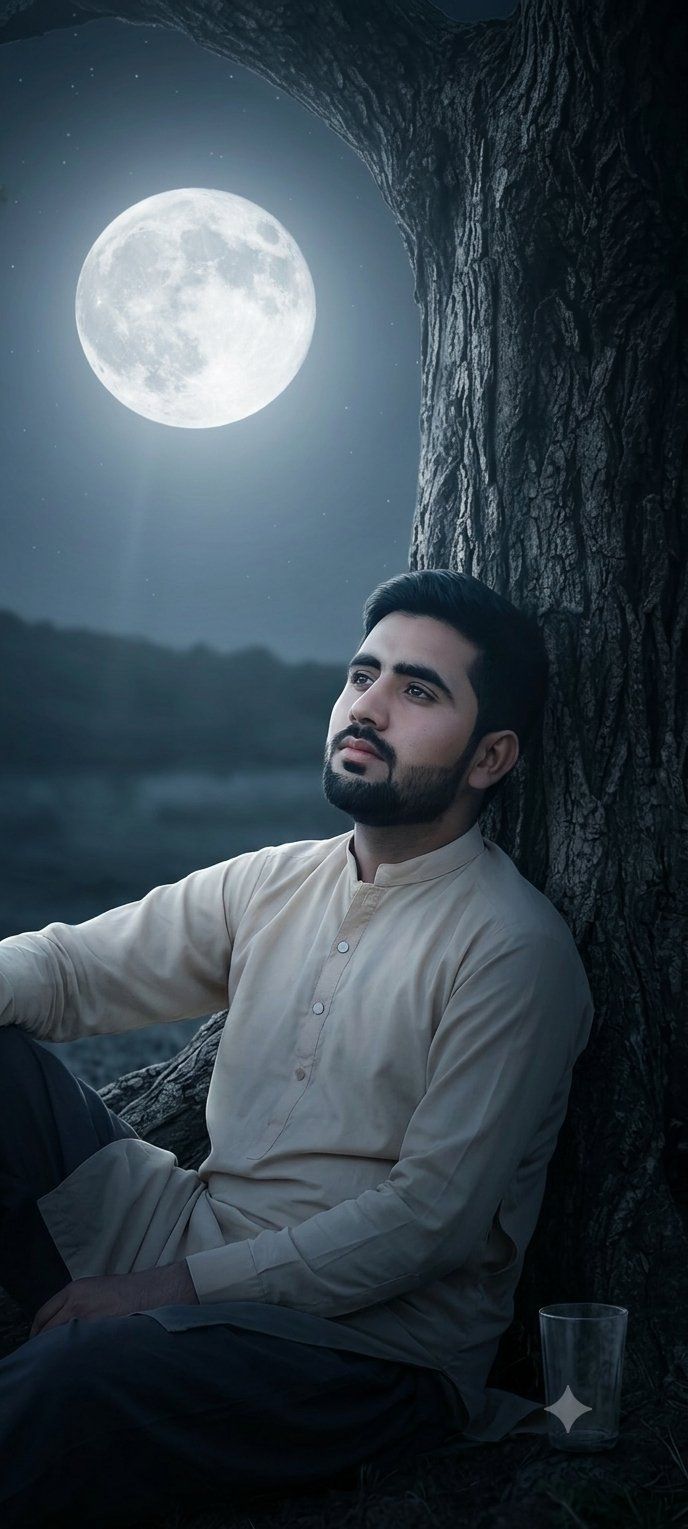
月光下的古树树干肖像
Enlarge

月光下的古树树干肖像

Prompt
A photograph, closely replicating the composition and visual elements of the image found in 44859_2.png. The photograph depicts a close-up of a large, gnarled, deeply textured {argument name="tree type" default="ancient tree trunk"} rising on the right side of the frame, its branches forming an arching dark canopy. Under this canopy, a {argument name="person description" default="solitary young man with dark, styled hair"}, identical to the person shown in 44859_2.png, is seen in the bottom right, looking directly upwards. The large, clear, luminous {argument name="sky element" default="full moon"}, exactly as positioned and appearing in 44859_2.png, is the central focus of the night sky on the left. Soft, cool moonlight from the moon is the primary light source, creating deep shadows on the tree bark and a distinct light beam illuminating the man and the tree's contours. The scene maintains a wide night sky showing a few stars, the dark horizon below the moon, and the specific composition. This image focuses entirely on the photorealistic render and does not include any social media text, UI elements, user profiles, or captions.
Category
UI & Interfaces
Model
GPT Image 2
Views2
Source ID
26937
Published
Jun 27, 2026

Guide

About "月光下的古树树干肖像"

What is this prompt for?

"月光下的古树树干肖像" AI image prompt for GPT Image 2 (UI & Interfaces). 一个详细的写实风格提示词,旨在重现月光下古树与仰望男子的特定夜景,并严格保持构图与光影效果。 Copy it on Picva and recreate the look in one cl…

The full copyable prompt and example visuals above are ready for AI image generation or one-click recreate in Picva.

How to use this prompt

  1. Step 1

    Open the prompt detail

    Review the example visuals, category, and full prompt text for "月光下的古树树干肖像".

  2. Step 2

    Copy the prompt

    Copy the prompt body from this page, or load it directly in Studio.

  3. Step 3

    Pick a model (GPT Image 2)

    Prefer GPT Image 2. If you switch models, keep subject and composition and tweak style terms.

  4. Step 4

    Generate and export

    Recreate the look in Picva, or export into your workflow for editing and publishing.

FAQ

What is the "月光下的古树树干肖像" prompt?
It is an AI image-generation prompt for GPT Image 2 in the UI & Interfaces category. This page includes the full prompt text, example visuals, and a one-click recreate path in Picva.
How do I use this prompt to generate an image?
Copy the prompt from this page, or use Generate / Studio. Paste it into a compatible image model, or recreate the look in Picva with optional reference images.
Which model is this prompt for?
This page lists GPT Image 2. Most descriptive prompts also transfer to nearby image models such as GPT Image, Flux, or Midjourney with light style tweaks.
Can I use the result commercially?
You can usually copy the prompt for creation, but commercial use of the final image depends on the model terms, reference-image rights, and the generated content. Follow the source author and platform rules.