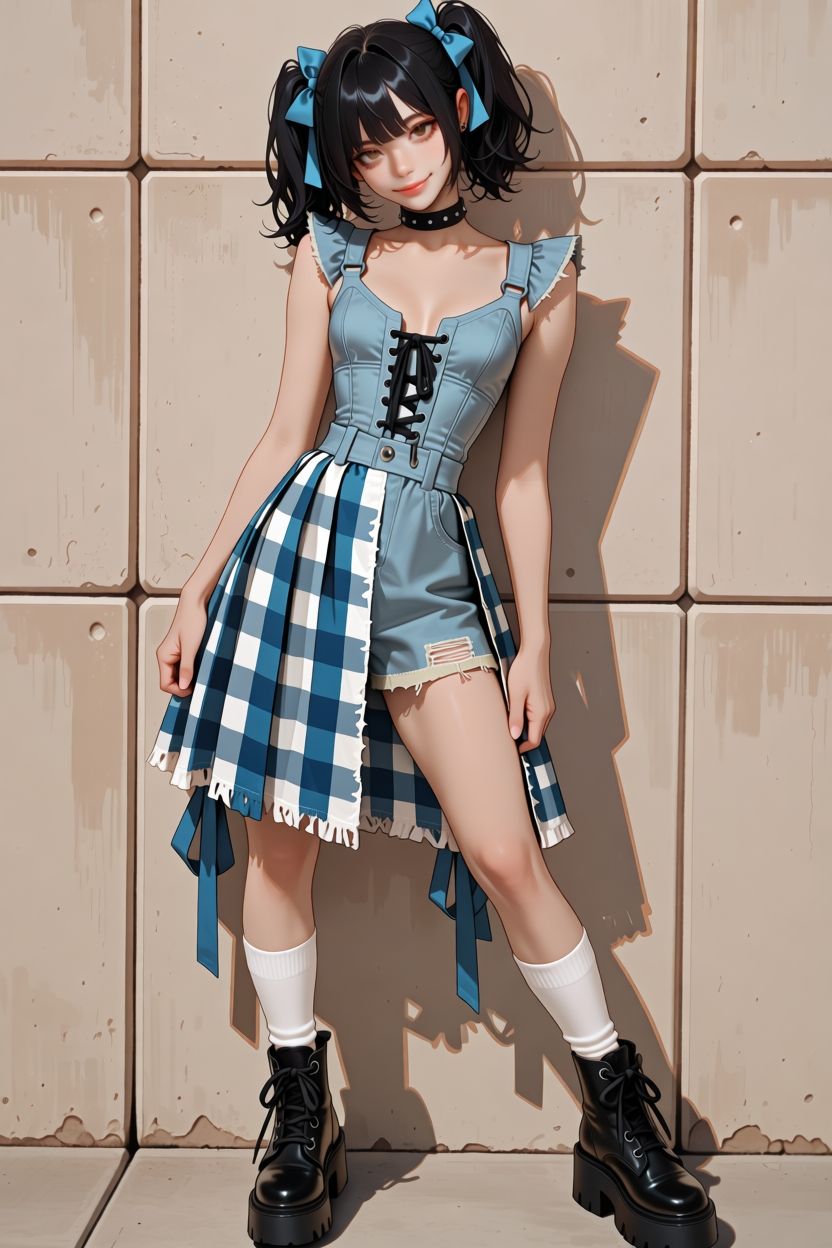
动漫风牛仔格纹少女
Prompt
Create a polished anime-style full-body fashion illustration of a cute young woman standing against a beige tiled concrete wall in warm sunlight. She has {argument name="hair color" default="glossy black"} hair in high twin ponytails with short bangs and loose curled ends, each ponytail tied with a bright blue bow. Her expression is playful and slightly mischievous, with soft reddish-brown eyes, a small smile, and a gentle head tilt. She wears a black studded choker, a pale blue denim romper with structured bodice panels, ruffled shoulder straps, a sweetheart neckline, black lace-up front detail, belt loops, and short fitted shorts with one distressed ripped patch. Over one side is an asymmetrical blue-and-white gingham check skirt panel with frayed white hem, hanging ribbons, and layered fabric pieces. She also wears white mid-calf socks and chunky black lace-up platform combat boots. Pose her leaning casually with one hip cocked, one knee bent inward, arms relaxed at her sides, feet apart, and her body casting a crisp shadow on the wall. Use a vertical 2:3 composition, full body centered, detailed clean line art, smooth cel-shaded anime rendering, glossy highlights on hair and boots, soft skin shading, high-detail clothing folds, warm late-afternoon lighting, subtle wall stains and chips, no text, no watermark, no extra characters.- Category
- Characters & People
- Model
- GPT Image 2
- Creator
- Harf_Done
- Source ID
- 27004
- Published
- Jun 27, 2026
Views1


![[Nano Banana Pro] Shadow & Glitch Effect (Prompt below) I used this method to br](https://cdn.pixshop.app/prompt-library/tweet-1998674412271448083/preview-0-1768130373122-0jn14eer.jpeg)