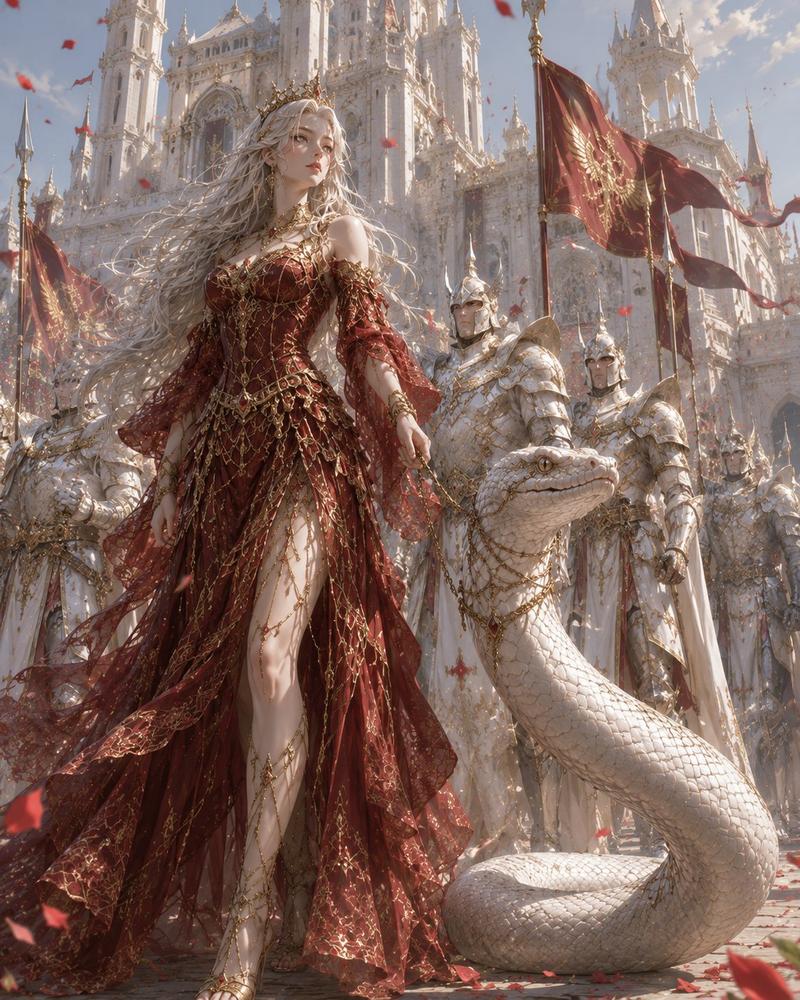
女王与白蛇大教堂
Prompt
Create a cinematic dark-fantasy royal scene titled {argument name="title theme" default="The Queen and the Serpent"}: a pale young queen kneels in prayer inside an opulent Gothic cathedral, hands pressed together, eyes gently closed, expression serene and solemn. She has extremely long, voluminous silver-white curly hair cascading to the floor, a delicate gold crown or halo-like filigree headpiece, porcelain skin, and wears an elaborate deep crimson gown with gold embroidery, sheer flowing sleeves, a high slit revealing one bent knee, and a long train spread across a red-and-gold carpet. Beside and slightly behind her is one enormous white serpent, coiled on the polished marble floor, its upper body raised in an elegant S-curve and its head turned toward the queen; the snake has pearlescent ivory scales, golden eyes, subtle gold jewelry around its neck, and a calm guardian-like presence. The setting is a grand medieval cathedral sanctuary with towering pointed arches, tall stained-glass windows glowing with warm backlight, ornate gilded altar structures, carved marble columns, candelabras with lit candles, red royal banners bearing gold crowns and lion-like heraldic emblems, floral arrangements, and reflective marble flooring. Use warm sunlight streaming through stained glass, soft haze, rim lighting around the queen’s hair and serpent scales, rich red and gold color palette, ultra-detailed textures, romantic baroque-gothic elegance, realistic fantasy illustration, vertical composition, full-body view, no modern objects, no text, no watermark.- Category
- Photography & Realism
- Model
- GPT Image 2
- Creator
- カーブミラー
- Source ID
- 27935
- Published
- Jul 7, 2026
Views0