18

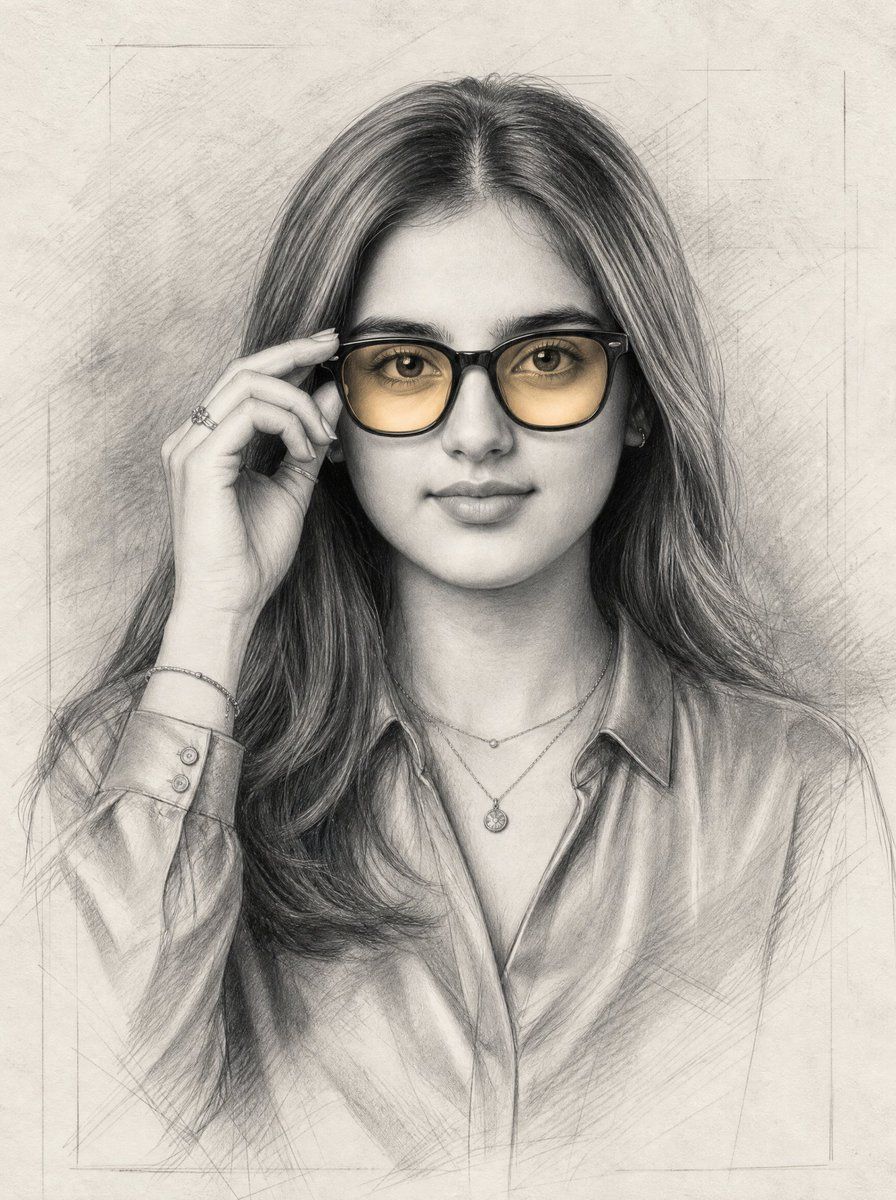
琥珀色眼镜石墨肖像
Enlarge

琥珀色眼镜石墨肖像

Prompt
Create a vertical graphite pencil portrait on warm off-white textured paper of {argument name="character name" default="a young woman"} shown from the chest up, centered and facing forward. She has long, softly wavy {argument name="hair color" default="dark brown hair"} parted near the middle, smooth youthful facial features, large expressive eyes, full natural eyebrows, a small straight nose, and a subtle closed-mouth smile. She wears oversized black rectangular eyeglasses with translucent {argument name="lens tint" default="amber-yellow tinted lenses"}; one hand is raised to the left side of the glasses as if adjusting the frame, showing slim fingers and a small ring. Add delicate jewelry: exactly 3 visible pieces, a ring on the raised hand, a thin bracelet on the wrist, and layered fine necklaces with one small round pendant. Dress her in a slightly shiny collared button-up blouse with soft folds and open neckline. Render the image as a highly detailed realistic charcoal-and-graphite sketch with fine crosshatching, visible pencil construction lines, softly shaded skin, detailed hair strands, and subtle smudging; keep the background minimal with faint rectangular guide lines and sketch marks. Use mostly monochrome gray pencil tones, with the eyeglass lenses the only warm colored accent. Maintain a calm, elegant studio portrait mood, symmetrical composition, no text, no watermark, no photorealistic color background.
Category
Charts & Infographics
Model
GPT Image 2
Creator
Arina Ai
Views2
Source ID
28445
Published
Jul 11, 2026

Guide

About "琥珀色眼镜石墨肖像"

What is this prompt for?

"琥珀色眼镜石墨肖像" AI image prompt for GPT Image 2 (Charts & Infographics). 一个写实的铅笔素描肖像提示词,用于创作一位优雅的年轻女性正在调整琥珀色眼镜的画面。 Copy it on Picva and recreate the look in one cl…

The full copyable prompt and example visuals above are ready for AI image generation or one-click recreate in Picva.

How to use this prompt

  1. Step 1

    Open the prompt detail

    Review the example visuals, category, and full prompt text for "琥珀色眼镜石墨肖像".

  2. Step 2

    Copy the prompt

    Copy the prompt body from this page, or load it directly in Studio.

  3. Step 3

    Pick a model (GPT Image 2)

    Prefer GPT Image 2. If you switch models, keep subject and composition and tweak style terms.

  4. Step 4

    Generate and export

    Recreate the look in Picva, or export into your workflow for editing and publishing.

FAQ

What is the "琥珀色眼镜石墨肖像" prompt?
It is an AI image-generation prompt for GPT Image 2 in the Charts & Infographics category. This page includes the full prompt text, example visuals, and a one-click recreate path in Picva.
How do I use this prompt to generate an image?
Copy the prompt from this page, or use Generate / Studio. Paste it into a compatible image model, or recreate the look in Picva with optional reference images.
Which model is this prompt for?
This page lists GPT Image 2. Most descriptive prompts also transfer to nearby image models such as GPT Image, Flux, or Midjourney with light style tweaks.
Can I use the result commercially?
You can usually copy the prompt for creation, but commercial use of the final image depends on the model terms, reference-image rights, and the generated content. Follow the source author and platform rules.