可爱辣妹风天台时尚人像
Prompt
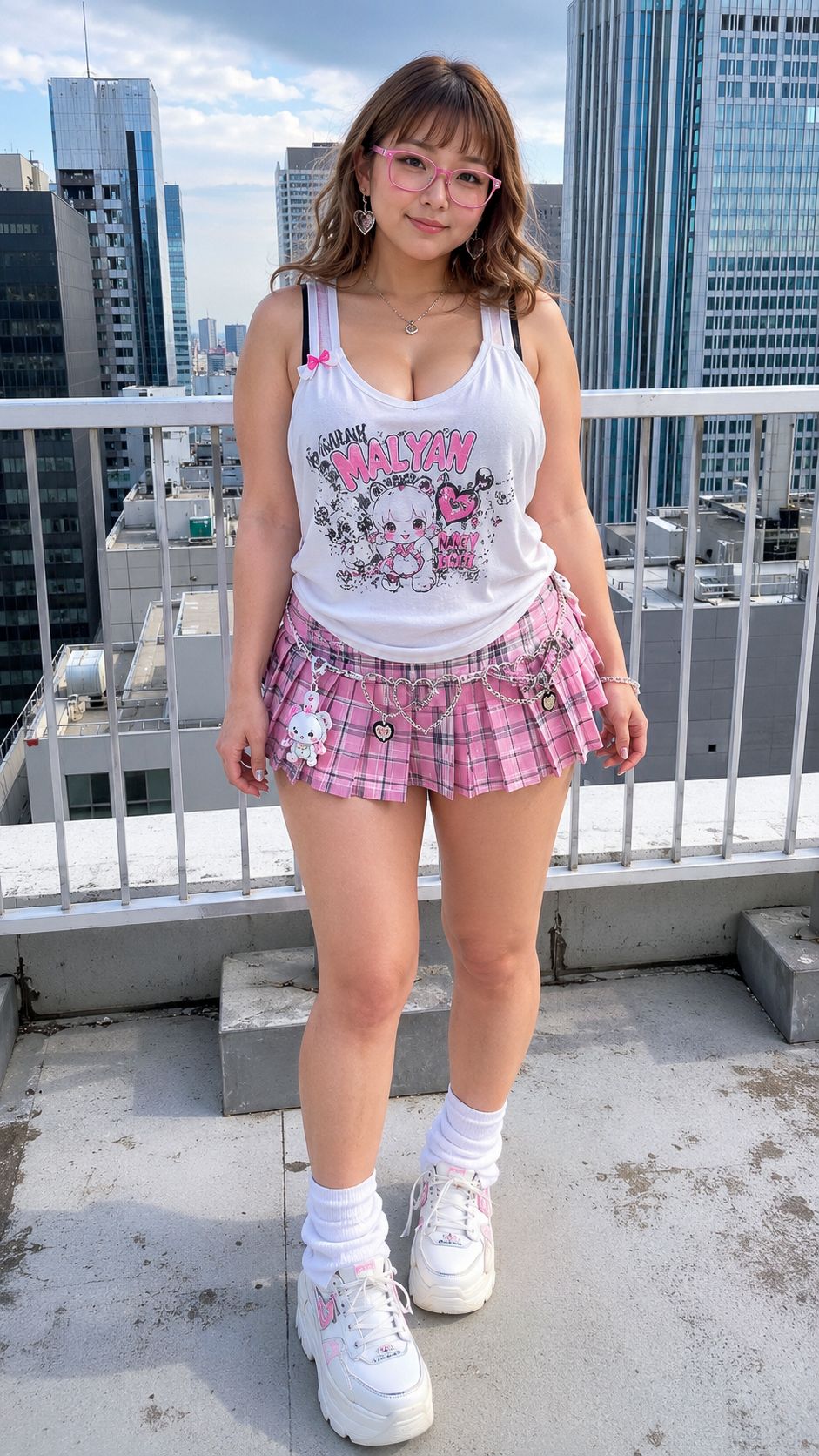
Create a realistic full-body vertical street-fashion photo of a cheerful young adult woman posing on a city rooftop in daylight, centered and facing the camera with a relaxed stance and soft smile. She has {argument name="hair color" default="light brown wavy shoulder-length hair with straight bangs"}, pink translucent glasses, natural cute makeup, and a curvy kawaii-gal silhouette. Dress her in {argument name="fashion style" default="pink-and-white cute gyaru fashion"}: a white sleeveless tank top with a low scoop neckline and a large pastel anime-style graphic reading “MALLYAN” across the chest, a pink plaid pleated micro skirt, white crew socks, and chunky white platform sneakers with small pink accents. Include exactly 7 visible accessories: 1 pair of pink glasses, 2 heart-shaped dangling earrings, 2 delicate necklaces, 1 small pink bow pinned near the tank strap, and 1 silver charm chain belt with heart charms and a tiny plush bunny charm hanging from the skirt. Set the scene on a concrete rooftop terrace with a white metal safety railing behind her, gray rooftop blocks and weathered concrete underfoot, and tall modern office buildings and skyscrapers in the background. Use natural midday sunlight, crisp shadows, realistic skin texture, smartphone-photo realism, slightly wide-angle full-body framing from head to shoes, high detail, bright airy colors, and an urban Tokyo-like atmosphere. Avoid extra people, avoid text other than the shirt graphic, and keep the outfit cute and fashionable rather than explicit.- Category
- Architecture & Spaces
- Model
- GPT Image 2
- Creator
- SPLASH GIRLS@AI Image
- Source ID
- 28750
- Published
- Jul 14, 2026
Views6